
At five agents, Intercom Advanced runs about $425 a month on annual billing before you've resolved a single AI conversation, and Fin AI adds $0.99 per outcome. Crisp's plans are billed per workspace and include a fixed number of seats; additional agents cost $10 per month. Zendesk now bills AI-agent usage through tiered automated resolutions instead of a flat per-resolution price. tawk.to's core live-chat product is free; branding removal and AI Assist beyond the free allowance cost extra.
Four billing dimensions are common in the category (per seat, per workspace, usage allowance, and AI outcome), and the bigger question underneath them is whether you should use SaaS at all or run Chatwoot Community Edition for the cost of the VPS and your operational time.
This post compares five SaaS tools with Chatwoot and Rocket.Chat, then gives you a decision framework for choosing among them.
The Short Version
- Solo or pre-revenue: tawk.to's free core live-chat product. Unlimited agents and chats genuinely cost $0. Removing branding is a paid add-on, and the free AI allowance is capped. Budget for an upgrade if either matters.
- Small team that wants a refined SaaS UX and AI out of the box: Crisp if you want flat per-workspace billing, or Intercom if Fin AI's per-outcome pricing fits your conversation volume.
- 5+ agents and willing to operate a VPS: Chatwoot Community Edition. It has no per-agent software charge, but you own deployment, backups, upgrades, and support. Custom branding and several advanced controls require a paid self-hosted plan.
- Strict EU data residency or regulated workloads: verify each SaaS vendor's current hosting terms, or self-host Chatwoot or Rocket.Chat in an EU location such as Frankfurt or Amsterdam.
- Don't deploy Papercups for a new production site. It is in maintenance mode, with no major new features planned, so it is not a sensible 2026 choice.
How the Live Chat Market Bills You in 2026
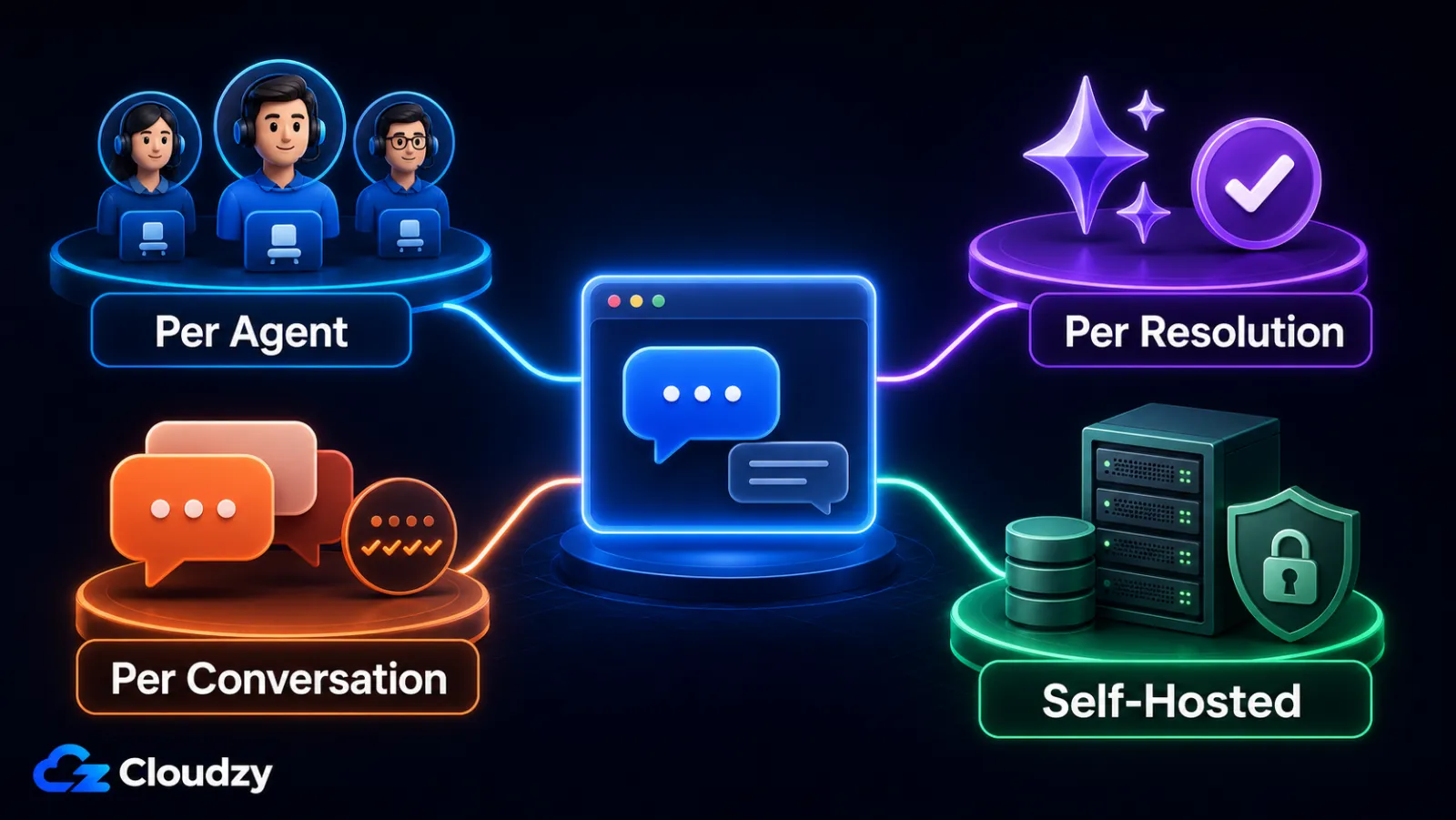
Four billing models are common in this category, and they don't add up to the same monthly bill at the same headcount. Knowing which one a tool uses tells you what your bill looks like at scale and how spiky it gets.
Per-seat (per-agent). You pay a flat monthly cost for every agent who logs in. Intercom, Zendesk, and LiveChat all use this. It's predictable until you grow. Every new hire adds a fixed amount to the bill, and on Intercom Advanced or Zendesk Professional that number is meaningful.
Per-workspace. Crisp charges a flat monthly workspace fee that includes a fixed number of seats; additional agents cost $10 per month. For a 3-to-10-person team that remains within the included allowance, this is a predictable model.
Per-conversation or message allowance. Chatwoot's free Cloud Hacker tier is limited to 500 conversations per month. tawk.to's core chat remains unlimited, but AI Assist is metered through monthly message credits.
Per-AI-outcome or automated-resolution billing. Intercom charges $0.99 per Fin outcome. Zendesk replaced its older flat model with tiered automated resolutions on May 18, 2026; each tier carries a different value against the account's resolution allowance. Intercom charges once per conversation when the customer confirms resolution, stops asking for help after Fin responds, or Fin completes a procedure. At 10,000 monthly conversations and a 30% Fin outcome rate, that alone would be about $2,970 before seat charges.
Self-hosted Chatwoot Community Edition is the cleanest zero-per-agent software option here: your cost is the VPS, plus your time. Rocket.Chat is different: it can be self-hosted, but its current free Starter and Community options have usage and production-readiness limits, so treat it as a team-chat platform with live-chat capability rather than a pure unlimited live-chat replacement.
The Best SaaS Live Chat Tools
The five SaaS tools below cover the category's main pricing models and product trade-offs: how they bill, what they include, and how refined the experience feels for the price. Here's my read on each, with what they're good at.
tawk.to: Best Free Live Chat
tawk.to is the only tool on this list that gives you unlimited agents, unlimited chats, and unlimited sites for $0. The free tier is the product. I've installed it on side projects in under five minutes and it just works.
What you get free: live chat, ticketing, basic CRM, knowledge base, agent mobile apps, and the widget itself. Core live-chat usage is unlimited; AI Assist has its own message-credit limits.
What costs extra:
- Branding removal. The "Powered by tawk.to" label can be removed with the Remove Branding add-on. The add-on is property-specific and costs $39/month or $348/year, equivalent to $29/month on annual billing.
- AI Assist. AI Assist starts at $29/month for 1,000 monthly message credits; the Hobby option includes 100 credits at no charge.
- Hired Agents. tawk.to markets hired agents from $1/hour, with package pricing based on the coverage schedule.
Where tawk.to falls short: it is hosted only, and the free core app does not remove branding or include high-volume AI capacity. That matters if you need direct infrastructure control or a specific hosting region. tawk.to argues that on-premises hosting is a poor fit for real-time chat because its distributed delivery network avoids the latency of a single-region server.
Pro tip: tawk.to is the cleanest free choice when live chat is human-staffed and you can live with the widget branding. The moment clean branding or meaningful AI automation matters, treat it as an add-on-priced product rather than a completely free stack.
Crisp: Best for Small Teams That Want a Refined UX
Crisp's pitch is per-workspace pricing, and for a 3-to-10-person team, that pricing wins. Per Crisp's pricing page:
- Free: 2 seats, no AI credits.
- Mini: $45/workspace/month. 4 seats. About $5 of AI credits (around 90 automated conversations).
- Essentials: $95/workspace/month. 10 seats. About $25 of AI credits (around 450 automated conversations).
- Plus: $295/workspace/month. 20+ seats. About $75 of AI credits (around 1,350 automated conversations).
- Additional seats: $10/month each across paid tiers.
The differentiator is right there in the seat-count column. On Intercom Advanced, ten agents is around $850/month before AI. On Crisp Essentials, ten agents is $95/month before add-ons. The trade-off: Crisp's AI features are more bounded than Intercom's Fin, and you're not getting the same depth of routing, automation, and analytics tooling.
Hosted only. No self-host option. My read: Crisp is a strong choice for a small team that wants a refined SaaS bill that doesn't jump when they hire.
Intercom: Best for Polish and AI, If You Can Stomach the Bill
Intercom is genuinely good. My read: the UI is the best in the category I've used, Fin is the most capable AI agent I've tried out of the box, and the analytics depth is real. The cost question is whether per-outcome AI billing is predictable enough for your conversation volume.
Per Intercom's pricing calculator:
- Essential: $29/seat/month on annual billing.
- Advanced: $85/seat/month, with 20 free Lite seats.
- Expert: $132/seat/month, with 50 free Lite seats.
- Fin AI Agent: $0.99 per outcome.
The startup discount is the one thing that reshapes the cost picture. Intercom's Early Stage program gives eligible new customers 93% off in year one and includes up to 300 Fin outcomes per month. The discount falls to 50% in year two and 25% in year three, so model the post-program cost too.
My read: Intercom is the right call if (a) you run heavy AI deflection on a high-volume support channel and Fin's accuracy clears your bar, or (b) you qualify for the startup discount. Otherwise, model the Fin outcome rate carefully: at 5,000 monthly conversations, every 10 percentage points of Fin outcomes adds about $495 per month before seat charges.
Zendesk Suite (Messaging): Best If You're Already in the Zendesk World
Zendesk no longer sells standalone "Zendesk Chat" to new customers. Live chat is bundled into Zendesk Messaging inside Suite plans. Zendesk's pricing varies by region and currency, so treat the numbers below as the current US-listed annual prices and verify them at checkout:
- Support Team: $19/agent/month for email and ticketing only; no messaging or live chat.
- Suite Team: $55/agent/month.
- Suite Professional: $115/agent/month.
- Suite Enterprise + Copilot: sales-led.
- Copilot add-on: $50/agent/month on annual billing, where available.
- AI agents: available across current Suite and Support plans. Since May 18, 2026, usage is grouped into automated-resolution tiers with different values rather than one flat per-resolution charge.
If your support team already runs tickets, email, and voice on Zendesk, upgrading to a Suite plan is the rational play. You keep one stack, one identity model, and one reporting layer. If you're starting fresh, the per-agent base, automated-resolution usage, and optional Copilot add-on can add up quickly compared with simpler live-chat tools.
LiveChat: Best Simple Per-Agent Pricing
LiveChat's human-agent product is priced per person. Autonomous AI is priced separately through ChatBot/Text plans, which include monthly AI-resolution allowances and paid automatic refills. Per LiveChat's pricing page, the annual-billing rates for the core product are:
- Starter: $19/person/month.
- Team: $49/person/month.
- Business: $79/person/month.
- Enterprise: sales-led.
Hosted only. The core human-agent subscription has a predictable per-person base price, but autonomous AI adds a separate usage dimension through included resolutions and paid auto-refills. Compared with Intercom, LiveChat is simpler at the base-product level; model ChatBot AI usage separately.
The Best Self-Hosted Live Chat Tools
Two self-hosted tools merit consideration in 2026, but they are not equivalent. Chatwoot Community Edition is the direct open-source live-chat pick. Rocket.Chat is primarily a team-collaboration platform: its free Starter workspace is intended for evaluation or small teams, and its Community edition is not positioned for business-critical production. Either path still costs the VPS bill plus the time required for operations.
The bar here is active development through 2026 plus a credible deployment path. Chatwoot clears it directly for self-hosted customer support; Rocket.Chat is a conditional fit when you also need internal collaboration and accept its plan boundaries.
Chatwoot: Best Self-Hosted Live Chat
This is the one I'd reach for if I were spinning up a self-hosted help desk today. Chatwoot's open-source core is MIT-licensed, while paid enterprise functionality is provided under separate terms. The repository has about 34.5k GitHub stars; its latest release is v4.15.1, published June 17, 2026. Unlike many open-source Intercom alternatives, the release cadence is active and the core product genuinely works.
What you get free when self-hosted: unlimited agents, unlimited conversations, the inbox UI, multi-channel inbound (email, WhatsApp via providers, Facebook Messenger, Instagram, SMS, and an API channel), automation rules, canned responses, and basic reporting. Chatwoot's current self-hosted plan matrix reserves Captain AI, voice, custom branding, agent-capacity controls, roles and permissions, SSO/SAML, SLA policies, and priority support for paid tiers. The team also sells a hosted Cloud plan per Chatwoot's pricing page: Hacker (free, 2 agents, 500 conversations per month), Startups $19/agent/month, Business $39/agent/month, and Enterprise $99/agent/month. Captain AI credits run $20 per 1,000 on overage. If you don't want to operate the stack, Cloud is fine. If you have 5+ agents and care about the bill, self-host.
Self-hosted system requirements, per Chatwoot's detailed requirements and public deployment overview:
- Memory: 4 GB RAM is the documented hard minimum; 8 GB supports more daily conversation volume. Add at least 1 GB of swap for upgrades.
- CPU: 4 cores is the recommended minimum; scale horizontally as conversation volume grows.
- Storage: 60 GB SSD is the public deployment baseline and grows with attachment volume.
- Operating system: the current Linux VM guide targets Ubuntu 24.04 LTS; Docker and Kubernetes are also supported deployment paths.
- Core services: PostgreSQL 14+ and Redis 7.0+. Containerized deployments package the application runtime.
For production, the public deployment overview recommends 8 GB RAM and 16 GB for heavier workloads, so 8 GB / 4 vCPU / 60 GB is a safer starting shape than the hard minimum. At higher volume, add application servers and size the database from measurements.
Deployment options: Docker (the path most people take), Kubernetes via the official Helm chart, or bare-metal install on Ubuntu. Docker Compose with the official compose file is the path I'd take on a small VPS.
Pro tip: The 4 GB figure is a hard minimum, not an ideal production target. Start at 8 GB when the budget allows, add swap, and monitor memory during upgrades and traffic spikes.
My read: Chatwoot is what "Intercom alternative, open source" finally points to in 2026. Earlier candidates in this category either entered maintenance mode, as Papercups did, or never reached the same product depth. Chatwoot did.
Rocket.Chat: Best If You Want Internal and Customer Chat in One Stack
Rocket.Chat is primarily a secure team-collaboration platform, with customer-facing live chat handled through Omnichannel and the Livechat widget. Omnichannel supports a website widget, routing, departments, and customer communication workflows, but availability and limits depend on the selected plan. Rocket.Chat should not be presented as a simple unlimited free self-hosted live-chat tool.
The current licensing and packaging are more complicated than a simple "free and unlimited" label. Rocket.Chat's official plan guide describes Starter as a free self-managed workspace for technical evaluation or small teams of up to 50 users. Community is MIT-licensed and self-hosted, capped at 100 concurrent users, and explicitly not positioned for business-critical production. Production-grade deployments use separate commercial plans.
The practical recommendation: use Rocket.Chat here only if you already want Rocket.Chat for internal team communications and you are comfortable with its current plan limits or a paid commercial deployment. If customer live chat is the whole job, Chatwoot remains the cleaner self-hosted pick.
Rocket.Chat ships as a one-click install in the Cloudzy marketplace, which handles the initial container deployment for you. Same VPS, same OS, just less manual plumbing on day one.
Papercups (and Other Abandoned Projects): Why They're Off the List
I would not deploy Papercups to a new production site in 2026. The project's own README says it is in maintenance mode, with no major new features planned, and its only tagged release is v1.0.0 from 2020. The code remains public and the repository is not archived, but customer-facing chat needs an actively maintained security posture, which Papercups no longer promises. Older forks and single-maintainer widgets fail the same bar.
Comparison Table
Here's everything in one view: billing model, free tier, AI cost dimension, and what running it yourself takes.
| Tool | Hosting model | Free tier | Starting paid price | AI billing | License | Self-host minimum specs |
|---|---|---|---|---|---|---|
| tawk.to | Hosted | Unlimited agents, chats, and sites | AI Assist $29/mo; branding $39/mo per property or $348/yr | Message-credit tiers; free Hobby allowance | Proprietary | Not self-hostable |
| Crisp | Hosted | 2 seats | $45/workspace/mo (Mini) | Included AI credits: $5-$75 / tier | Proprietary | Not self-hostable |
| Intercom | Hosted | 14-day trial | $29/seat/mo on annual billing | $0.99 per Fin outcome | Proprietary | Not self-hostable |
| Zendesk Suite | Hosted | 14-day trial | $55/agent/mo Suite Team; $115 Professional (annual) | Tiered automated resolutions; Copilot $50/agent/mo | Proprietary | Not self-hostable |
| LiveChat | Hosted | 14-day trial | $19/person/mo Starter (annual) | Resolution allowances; paid refills | Proprietary | Not self-hostable |
| Chatwoot | Cloud + self-hosted | Community: $0/agent; Hacker: 2 agents / 500 conv. | Cloud Startups or self-hosted Premium Support: $19/agent/mo (annual) | Captain in paid tiers; Cloud overage $20/1k credits | MIT-licensed core; paid enterprise terms | 4 GB RAM + 1 GB swap; 4 cores recommended; 60 GB SSD |
| Rocket.Chat | Self-hosted or cloud, by plan | Starter: 50 users; Community: 100 concurrent users | Commercial plans are sales-led | Advanced AI is plan/add-on dependent | MIT Community; paid commercial terms | Marketplace lists 2 GB minimum; size to workload |
SaaS vs Self-Hosted: How to Choose
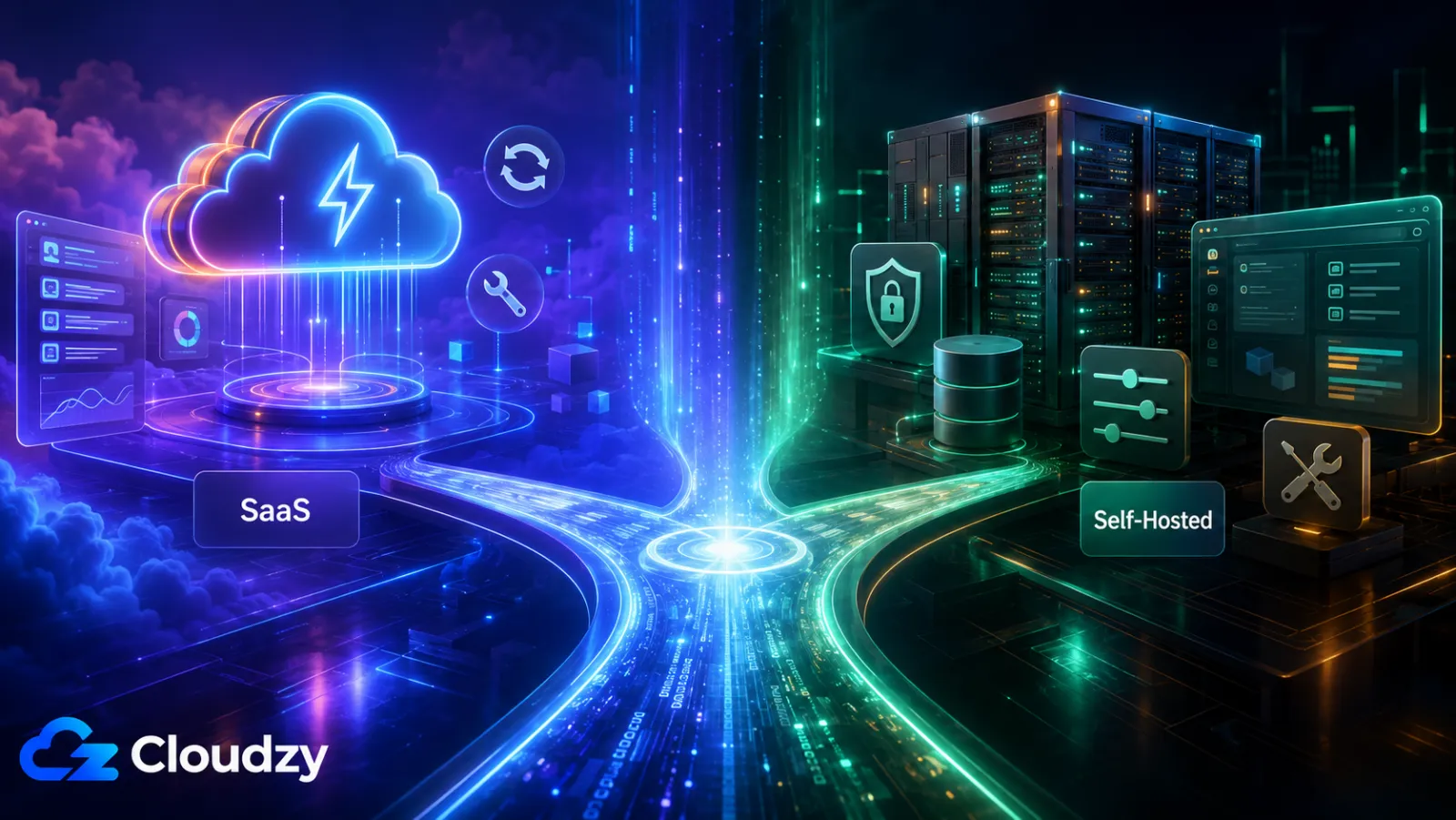
The right tool depends on three things: how many agents you'll have, how predictable you need the bill to be, and whether data residency is on the table. Here's the framework I apply.
Solo or pre-revenue, under 50 conversations a day: tawk.to free. The free tier is the product; you're not the customer the paid tiers are sold to.
1-4 agents, want a refined SaaS UX and AI out of the box, predictable bill: Crisp. Its workspace plans keep the bill stable while your team remains within the included seat allowance; additional agents cost extra.
1-4 agents, comfortable with consumption pricing: Intercom, especially if you qualify for the startup discount, which is an unusually strong first-year advantage.
5+ agents, cost-conscious, willing to operate a VPS: Chatwoot self-hosted. At this headcount, compare the recurring per-seat bill with the real operational cost of PostgreSQL, Redis, backups, and upgrades; the self-hosted case generally becomes stronger as the team grows.
Strict EU data residency or regulated workloads: verify each vendor's DPA, subprocessors, and regional-hosting eligibility. Crisp states that its data is hosted in the EU. Intercom offers US, EU, and Australian regional hosting subject to account and plan eligibility. Zendesk can provide an EEA location through its Data Center Location terms for covered services, but it requires activation. If you need direct infrastructure control, self-host in Frankfurt or Amsterdam, but self-hosting alone does not make a deployment GDPR-compliant.
Already on Zendesk for tickets, email, and voice: Zendesk Suite Messaging. Keeping one stack beats stitching two.
Want internal team chat and customer chat in one stack: Rocket.Chat on a suitable self-managed plan. Use Starter only for small or non-critical workloads and a commercial plan for business-critical production.
Want a predictable per-agent SaaS base bill and are willing to price autonomous AI separately: LiveChat.
If you land on the self-hosted side, Chatwoot's production-realistic starting point is about 8 GB RAM / 4 vCPU / 60 GB NVMe, then scale from measurements; Rocket.Chat sizing depends on its workload and deployment model. Cloudzy offers Linux VPS across 13 regions, including EU locations in Frankfurt and Amsterdam. Rocket.Chat is a one-click marketplace install; Chatwoot uses Docker Compose on the same VPS class.
Frequently Asked Questions
Is tawk.to Really Free?
Yes. The core product (unlimited agents, unlimited chats, unlimited sites, the widget, the ticketing system, and the mobile apps) is genuinely free with no time limit. Branding removal is sold per property; AI Assist beyond the free allowance and hired agents are the other paid add-ons. The free tier is rational for solo operators; teams that want clean branding or heavier AI usage end up paying for a specific add-on, not a plan.
What Is the Best Intercom Alternative for a Small Team?
For hosted SaaS at a flatter bill, Crisp. The per-workspace pricing is the closest substitute for Intercom's UX without the per-seat-plus-per-outcome structure. For zero per-agent software fees at any scale, self-hosted Chatwoot Community Edition. The choice turns on whether you want to operate the VPS or pay someone else to run the platform.
Which Live Chat Tools Are GDPR-Compliant?
GDPR compliance depends on configuration and use. Check each provider's DPA, subprocessors, retention, and hosting eligibility. Crisp states that its data is hosted in the EU; Intercom and Zendesk offer regional hosting subject to eligibility, activation, and covered-service conditions. Self-hosting controls location but does not guarantee compliance.
What Are the VPS Requirements for Chatwoot?
Chatwoot's detailed requirements set 4 GB RAM as the hard minimum, recommend 4 CPU cores, and call for at least 1 GB of swap. Its public deployment overview recommends 8 GB RAM for production headroom, 16 GB for heavier workloads, and a 60 GB SSD. The current Linux VM guide targets Ubuntu 24.04 LTS; containers package the application runtime but still need properly sized PostgreSQL and Redis services.
What Happened to Papercups?
Papercups is in maintenance mode, with no major new features planned, and its last tagged release dates from 2020. The public repository is not archived, but the project no longer promises the active maintenance a customer-facing chat product needs. It is not a 2026 choice for a new deployment.
Discussion
Comments
Sign in to join the discussion.