
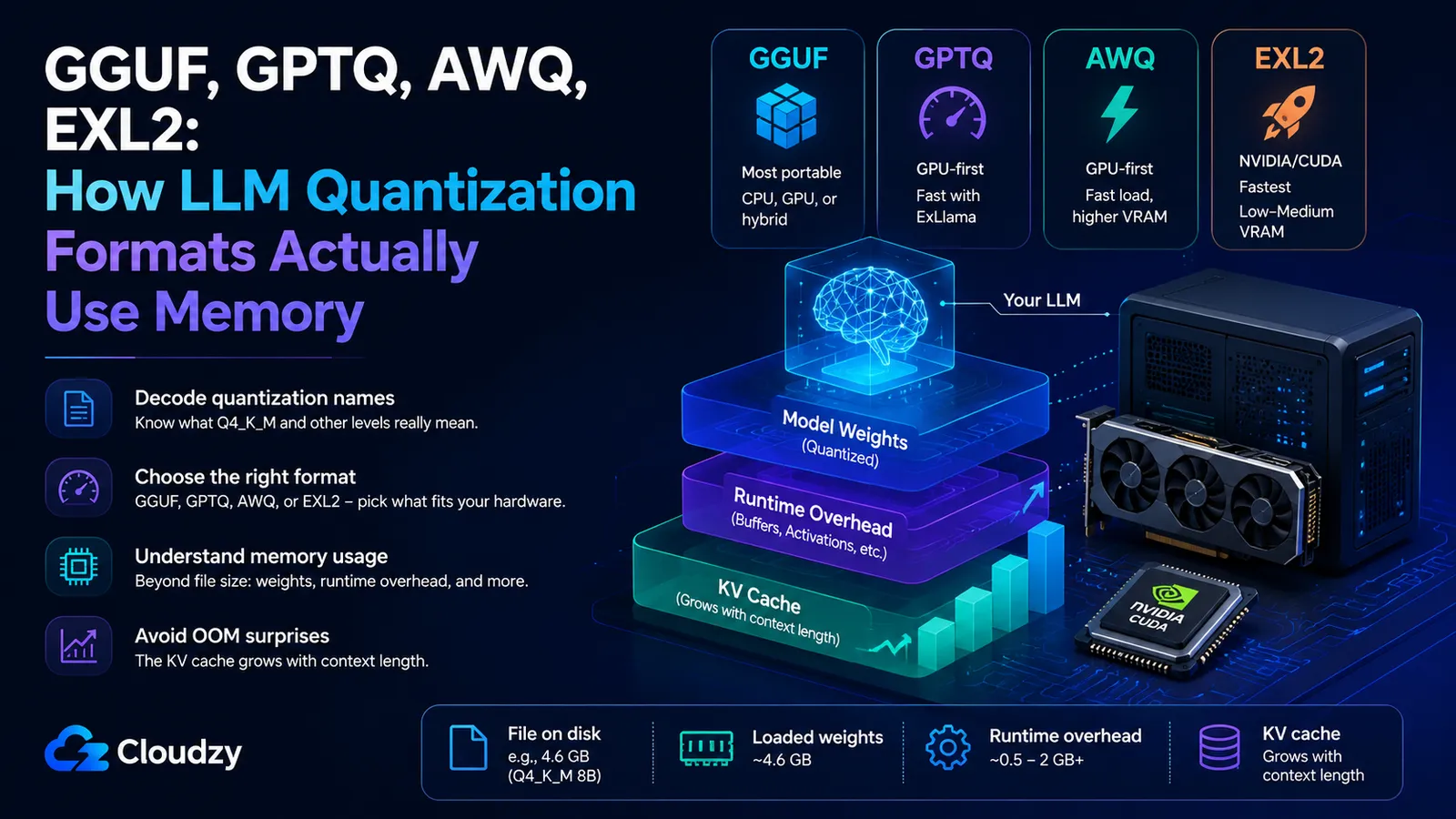
You open a popular model's GGUF page on Hugging Face and there are fifteen files staring back at you: Q4_0, Q4_K_S, Q4_K_M, Q5_K_M, Q6_K, Q8_0, plus separate folders for GPTQ, AWQ, and EXL2 at half a dozen bit settings. You do the napkin math for the "4-bit" file: 4 bits × 8 billion params ÷ 8 = 4 GB. But the file says 4.6 GB. And once you load it, the model uses more memory than that.
The filenames aren't noise. They encode real, learnable information about bit-width, the runtime that loads them, and the hardware they need. The sizing tables you've read tell you a 70B model needs roughly 40 GB, useful, but they never decode the format itself or explain why the running model wants more memory than the file on disk.
So here's the plan: decode the GGUF naming convention (with the true bit-widths, not the nominal ones), sort out which of the four formats your hardware can actually run, and account for the one memory cost that's invisible in every file size, the KV cache. By the end you'll be able to read a model repo and predict how it will behave when it loads.
TL;DR
- GGUF quant levels are effective bit-widths, not the exact number in the name. Q4_K_M is about 4.89 bits per weight, which is why a "4-bit" 8B file lands around 4.6 GiB instead of the naive 4-bit estimate.
- GGUF is the most portable option because llama.cpp can run it on CPU, GPU, or a hybrid setup. GPTQ, AWQ, and EXL2 are more GPU- and runtime-specific, with EXL2 especially tied to NVIDIA/CUDA workflows.
- The KV cache is separate from the model weights, and it grows with context length. It is the reason a model that loads cleanly can still crash with out-of-memory once the conversation gets long.
- Above the 5-bit range, quality loss is usually small. Around Q4, the trade-off is still practical for many local use cases. Below 4-bit, the quality cost becomes much more noticeable. Q4_K_M remains a common community default, while Q5_K_M and Q6_K are safer when you have memory to spare.
What Does Q4_K_M Mean in a GGUF Filename?
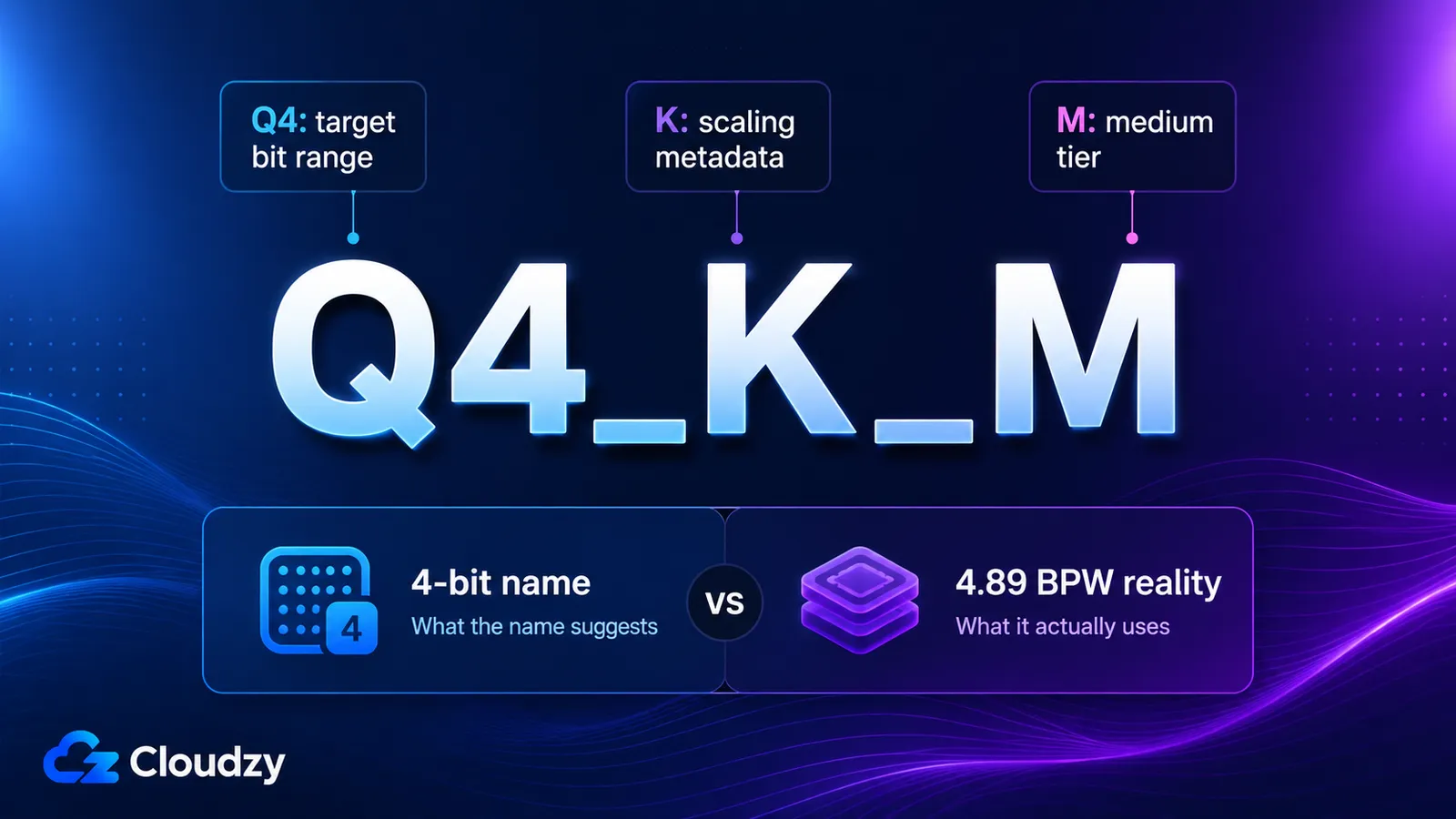
A GGUF quant name follows the pattern Q[bits]_[K]_[S/M/L]. The number is the target bits per weight, K means it's a "K-quant" that stores scaling factors per small block of weights, and the trailing S, M, or L is the size/quality tier (small, medium, large). Because K-quants store a scale and minimum value for every block alongside the weights, the effective bit-width is higher than the headline number. Q4_K_M lands at about 4.89 bits per weight, not 4.
That gap is the whole answer to the "why is my 4-bit file 4.6 GB?" question. The naive estimate assumes every weight costs exactly 4 bits. In reality, K-quants spend extra bits per block on the metadata that makes low-bit quantization accurate, the per-block scale and minimum that let the runtime reconstruct each weight. Multiply 4.89 bits across 8 billion weights and you land near 4.58 GiB, which is what the file actually weighs.
Here are the measured effective bit-widths and file sizes, taken from the llama.cpp quantize documentation for Llama 3.1 8B as the reference model, alongside the perplexity cost of each level measured in the llama.cpp quantization evaluation paper (arXiv:2601.14277) on Llama-3.1-8B-Instruct:
| GGUF level | Effective BPW | ~File size (8B) | Perplexity vs F16* |
|---|---|---|---|
| Q3_K_S | 3.64 | ~3.4 GiB | +22% |
| Q3_K_M | 3.95 | ~3.7 GiB | +8.7% |
| Q3_K_L | 4.30 | ~4.0 GiB | +6.7% |
| Q4_K_S | 4.67 | ~4.4 GiB | +4.1% |
| Q4_K_M | 4.89 | ~4.6 GiB | +3.3% |
| Q5_K_M | 5.70 | ~5.3 GiB | +1.1% |
| Q6_K | 6.56 | ~6.1 GiB | +0.4% |
| Q8_0 | 8.50 | ~8.0 GiB | +0.1% |
| F16 | 16.00 | ~15.0 GiB | baseline |
*The perplexity numbers are specific to Llama-3.1-8B-Instruct from arXiv:2601.14277. The BPW/file-size column and the perplexity column come from two different sources measured separately, so read the table as a practical side-by-side reference rather than one single benchmark run. Task-specific degradation varies, math reasoning tends to suffer more than commonsense reasoning at low bit-widths, but the broad shape holds: 5-bit and higher are usually safer, Q4 is the practical compression zone, and 3-bit is where quality loss becomes much harder to ignore.
Practically: Q4_K_M is the default most people should reach for, Q5_K_M and Q6_K are the quality-leaning choices when you have the memory to spare, and anything at or below Q3_K_S is a last resort for hardware that genuinely can't fit more.
Which Quantization Format Should You Download: GGUF, GPTQ, AWQ, or EXL2?
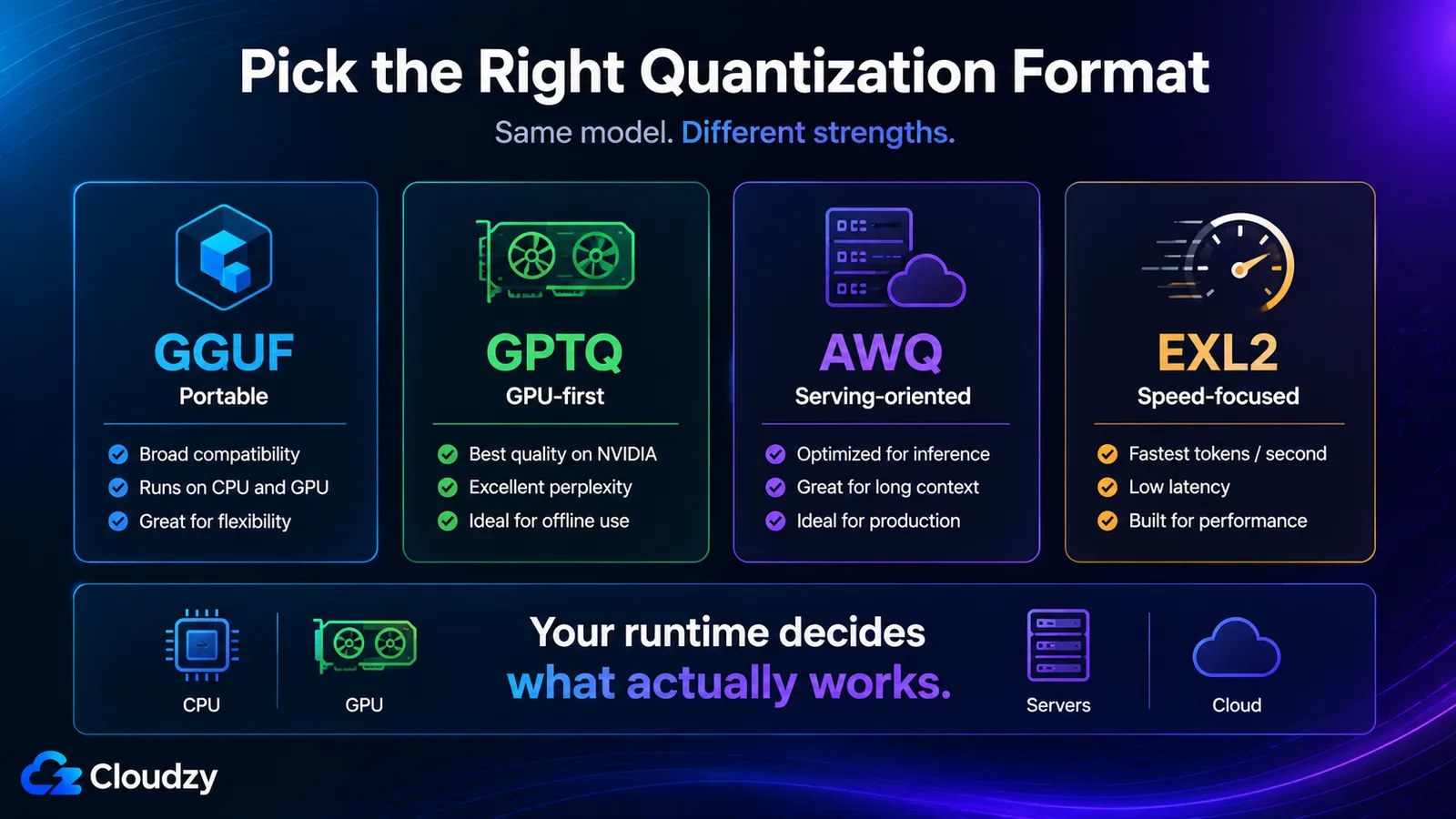
GGUF is the most portable of the four: it runs on CPU, GPU, or a hybrid of both through llama.cpp, so it is the safest pick when you are not sure what your hardware can support. GPTQ, AWQ, and EXL2 are more GPU- and runtime-specific. In practice, they are most common on NVIDIA/CUDA setups, but GPTQ and AWQ support can vary by loader and serving stack; vLLM, for example, separates quantization support by hardware and implementation. If you're running locally on a Mac, an AMD card, or a CPU-only box, GGUF is still the safest answer. If you have an NVIDIA GPU and want the fastest possible tokens, the other three come into play.
| Format | Hardware/runtime | Speed (relative) | VRAM vs peers | Best for |
|---|---|---|---|---|
| GGUF Q4_K_M | Broadest, CPU, GPU, or hybrid via llama.cpp | Moderate | Lowest | Any hardware; local default |
| GPTQ 4-bit | Usually CUDA/GPU-first; runtime-dependent | Fast (ExLlama) | Medium | GPU-first, legacy tooling |
| AWQ 4-bit | Usually CUDA/GPU-first; runtime-dependent | Fast | Highest | vLLM/TGI serving, fast load |
| EXL2 ~4.9 bpw | NVIDIA/CUDA-first | Fastest | Low-Medium | Maximum speed on NVIDIA |
A caveat on that table: the speed and VRAM rankings come from the oobabooga benchmark, which ran on 2023/2024-era hardware. Treat the relative ordering as durable. EXL2 is built for speed, AWQ trades VRAM for fast loading, GGUF stays lean and portable, but don't read the original absolute tokens-per-second numbers as current. A 2026 GPU will post very different raw throughput; the pecking order is what carries forward.
So the decision rule that falls out of this: if you have an NVIDIA card and care most about speed, EXL2; if you want the safest local default across different hardware, GGUF. AWQ and GPTQ mostly matter when a specific serving stack (vLLM, TGI) or existing tooling pushes you there.
Why Does a Local LLM Use More Memory Than Its File?
The file size is only the model weights. At runtime you also pay for the KV cache (the attention state for every token in your context window), activations (the intermediate math of a forward pass), and framework and driver overhead. Together the non-weight pieces routinely add 10 to 20% on top of the weights for a single-user setup, and the KV cache alone can dwarf everything once the context gets long. A 4.6 GB file can need well more than 4.6 GB of memory to run.
Think of runtime memory as four components stacked on top of each other:
- Model weights. The file you downloaded. This is the only piece visible before you load.
- KV cache. Attention state for the context window. Small at short context, enormous at long context. This is the next section, because it's the one that surprises people.
- Activations. The working memory of a forward pass. For single-stream local inference (batch size 1), this is small, typically a few hundred megabytes.
- Framework overhead. The runtime's own footprint plus the GPU driver context. For a light local runtime, this can be small compared with the model weights and KV cache; heavier serving frameworks can reserve much more. Your operating system's own memory reservation sits outside this and is separate again.
The weights and the framework overhead are predictable. The KV cache is the variable that turns a model that "fits" into a model that crashes, so it's worth working through the actual math.
How Much Memory Does the KV Cache Use?
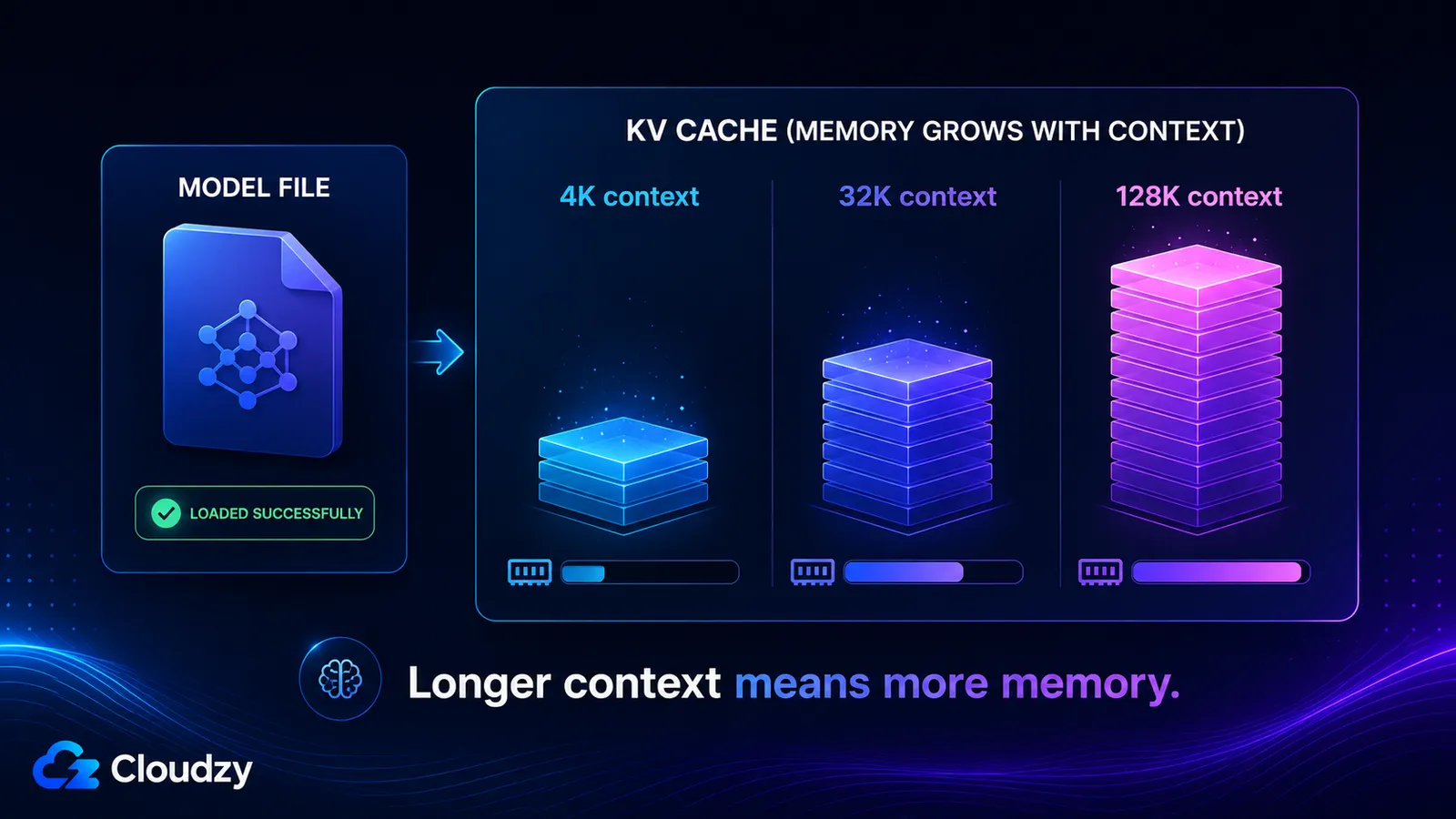
The KV cache stores the key and value vectors for every token in your context window, so it grows roughly linearly with context length and is completely separate from the model weights. Its size is set by the model's layer count, its number of KV heads, the head dimension, the context length, and the precision of the cache. Turn on a long context and you can add tens of gigabytes that a model which loaded fine never warned you about.
The formula is short enough to keep in your head:
KV cache bytes = 2 × layers × kv_heads × head_dim × context_tokens × bytes_per_element
The leading 2 is for the two tensors stored per token, one for keys, one for values. bytes_per_element is 2 for an FP16 cache. The rest are architecture constants you can read off a model card.
Work it for Llama 3.1 8B, which has 32 layers, 8 KV heads, and a head dimension of 128. At a 4,096-token context, batch size 1, FP16 cache:
2 × 32 × 8 × 128 × 4096 × 2 bytes ≈ 536 MB
Scale the context up and the number scales with it, because every term except context_tokens is fixed:
- 4K context: ~536 MB
- 32K context: ~4.3 GB
- 128K context: ~17 GB
Those last two are why a model can declare a 128K context window, load happily, and then exhaust memory the moment you actually use that window. The KV cache at full context is larger than the quantized weights themselves.
Here's the part that makes modern long-context models possible at all: Llama 3.1 8B uses Grouped Query Attention (GQA). It has 32 query heads but only 8 KV heads, the cache stores key/value vectors for 8 heads, not 32. Run the same formula with 32 KV heads (the older Multi-Head Attention design, where KV heads equal query heads) and every number above multiplies by 4. That 17 GB at 128K becomes 68 GB. GQA is the architectural reason the math stays survivable as context windows have grown.
The file size is not your memory budget. When the weights or KV cache no longer fit in the fast memory path and the runtime has to fall back to system RAM over PCIe, throughput doesn't degrade gently. It falls off a cliff once you're moving data across PCIe each token. Budget memory so the weights and the KV cache at your real context length both fit, not just the weights.
How Do You Choose a Quant for Your GPU or Mac?
Start from your hardware and runtime. NVIDIA GPU owners have the widest menu and should weigh EXL2 for raw speed or GGUF for portability. If you're on AMD, Apple Silicon, CPU-only hardware, or a mixed setup, GGUF through llama.cpp is usually the safest starting point. From there, pick the highest quant level that fits after you've budgeted for the KV cache at the context length you actually use, not the model's maximum.
One Apple Silicon trap worth knowing: the GPU doesn't get all of your unified memory (see our companion piece on what unified memory actually is for the full picture of how that shared pool works). The self-hosting community has documented a cap around 75% of total unified memory available to the GPU (this isn't officially confirmed by Apple and can shift with macOS updates). So a "64 GB Mac" is realistically ~48 GB for the model plus its KV cache, plan against the smaller number.
This article is about reading the format and predicting its runtime behavior: decode the quant name, pick the format your hardware supports, and budget the KV cache separately from the weights. Matching a specific model to a specific amount of memory, the size-to-memory lookup table, is a related but separate question we'll cover in a future companion piece.
Read the Repo
You can now look at a model page and read it instead of guessing. Decode the quant name to its effective bit-width, recognize that GGUF is the broadest local format while GPTQ, AWQ, and EXL2 are more runtime-specific, and remember that the file size is only the floor, the KV cache stacks on top and grows with your context. Open the files for the model you want, pick the format your hardware can run, choose the highest quant level that fits after you've left headroom for the KV cache at your real context length, and you'll avoid the out-of-memory crash that started this whole question.
Frequently Asked Questions
What Does Q4_K_M Mean?
Q4_K_M is a GGUF quantization level: roughly 4 bits per weight (Q4), using K-quant per-block scaling (K), at the medium size/quality tier (M). Its effective bit-width is about 4.89 bits per weight, not exactly 4, because K-quants store a scale and minimum value for each block of weights. That's why a "4-bit" 8B model file is around 4.6 GB rather than 3.5 GB.
Does Quantization Reduce LLM Quality?
Yes, but the cost depends heavily on how far you push it. On Llama-3.1-8B-Instruct measured in arXiv:2601.14277, perplexity rises only about 0.4% at Q6_K and stays near 1% through the Q5 band. Drop to Q4 and the increase is still modest (a few percent); below Q3_K_M it climbs steeply, reaching +22% at Q3_K_S. For most uses, Q4_K_M and above is effectively lossless; the steep penalty lives at 3 bits and under.
What Is the Difference Between GGUF, GPTQ, AWQ, and EXL2?
GGUF (run by llama.cpp) is the portable format, it works on CPU, GPU, or a hybrid setup across a wide range of hardware. GPTQ, AWQ, and EXL2 are more GPU- and runtime-specific. At 4-bit, all four can land in a narrow quality band, so the practical difference is hardware, loader support, speed, and VRAM use: EXL2 is the speed-focused NVIDIA/CUDA choice, AWQ is common in serving stacks, GPTQ fits older GPU tooling and model repos, and GGUF stays the most portable local option.
Why Does My Local LLM Use More Memory Than the File?
The file size is just the model weights. At runtime you also pay for the KV cache (attention state for every token in the context window), activations, and framework plus driver overhead. The KV cache is the usual culprit when the gap is large, because it grows with context length and is allocated separately from the weights, a model whose file is a few gigabytes can need far more memory once you set a long context.
How Does Context Length Affect Memory Usage?
The KV cache grows roughly linearly with context length, so doubling your context roughly doubles the cache. For Llama 3.1 8B, the cache is about 536 MB at 4K tokens, ~4.3 GB at 32K, and ~17 GB at 128K (FP16, single stream). That growth is entirely separate from the model weights, which is why declaring a long context window can push a model into out-of-memory even though it loaded fine.



Discussion
Comments
Sign in to join the discussion.