
HP Anyware new sales ended on May 7, 2026. If your studio or engineering shop was embedded on PCoIP, this is a deadline, not a preference: the product is winding down, so choosing a replacement is now a procurement question with a clock on it. For teams that require infrastructure control, self-hosting is one of the most important selection criteria.
This comparison covers Amazon DCV, Parsec, and RustDesk using the criteria a remote workstation team actually weighs: color fidelity, latency, GPU encoding, host operating systems, infrastructure control, and licensing. Then it explains where each option can run.
HP RGS is HP's official transition path, and an existing Anyware Pro license can run it. That gives current customers a supported HP-to-HP migration route. The alternatives below are for teams that want a different technical or licensing model.
TL;DR
- Amazon DCV (formerly NICE DCV) is a close technical match to PCoIP for color-critical CAD and VFX workflows: it supports YUV 4:4:4, adapts to demanding GPU workloads, and can support air-gapped non-EC2 deployments with local authentication and licensing. The catch is licensing: there is no additional DCV server charge on AWS EC2, while other deployments require a license.
- Parsec is optimized for responsive, low-latency interaction. Its desktop stream is normally peer-to-peer, but authentication and connection coordination still depend on Parsec's managed services. That rules it out for a fully air-gapped deployment.
- RustDesk Server OSS is the fully open-source, fully self-hostable option among the three. The core server has no software-license fee, although RustDesk also sells licensed Pro editions. Current clients include a True color (4:4:4) option, but codec availability and hardware acceleration vary by client, operating system, and GPU, so validate the exact path you plan to deploy.
- The host requirements differ. Amazon DCV and RustDesk can host Linux sessions, while the standard Parsec app hosts on Windows and macOS, not Linux. Size the GPU for the application workload instead of choosing one VRAM figure for every CAD and VFX team.
What HP Anyware Gave You (and When It Disappears)
PCoIP's sticky feature was visual fidelity. It was designed to preserve sharp text, fine interface details, and progressively lossless imagery under changing network conditions. That fidelity, rather than one universal H.264 4:4:4 mode, is the practical bar a replacement must clear for color grading, compositing, and detailed CAD work.
The timeline is firm. HP's end-of-life FAQ says new sales ended May 7, 2026, renewals continue through October 31, 2027, and support continues through October 31, 2029. HP Anyware was formerly Teradici, which HP acquired in 2021, so the brand is recent but the underlying PCoIP technology is not.
HP's transition guidance confirms that an existing Anyware Pro license can run HP RGS, so customers can test the HP-to-HP path without buying a replacement license first. HP RGS supports macOS receivers, so Mac users can connect to supported remote Windows or Linux workstations. It does not support a macOS sender, which matters only if the remote host itself must be a Mac.
NICE DCV / Amazon DCV
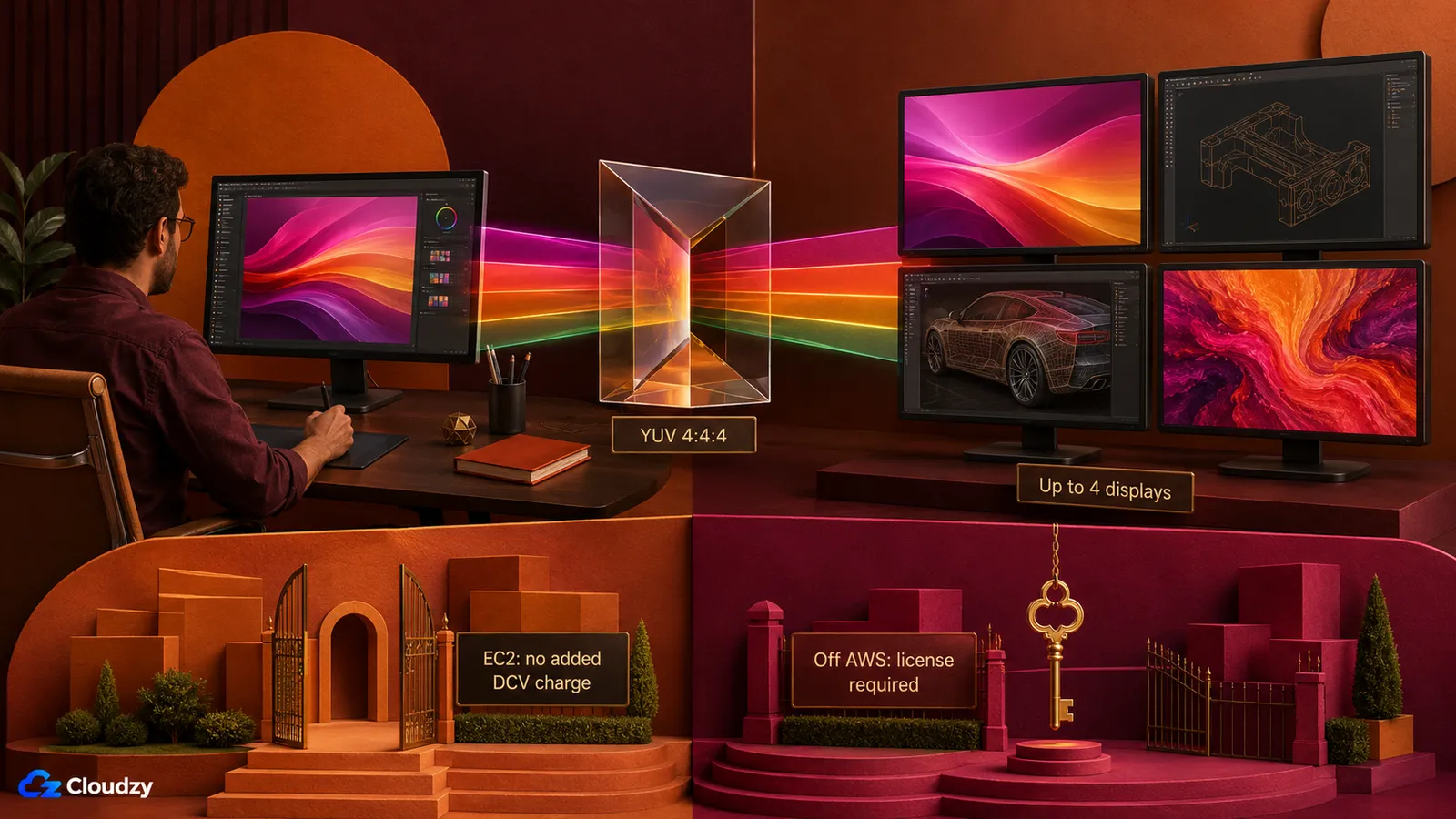
Start with licensing, because it is easy to miss when moving off AWS. Amazon's documentation says there is no additional DCV server charge on EC2. Anywhere else, a license is required. Off AWS, DCV uses concurrent licensing with a floating Reprise License Manager. Annual and perpetual options are available through authorized resellers. DCV is therefore a different licensing model, not an escape from licensing.
On Windows Server, Microsoft licensing requirements can add Windows Server CAL and RDS CAL costs for each production user who remotely accesses the GUI, regardless of protocol. EC2 Windows Server AMIs include only two RDS CALs for administration, not production-user entitlements.
On capability, DCV is a close match to what PCoIP delivered. It is H.264-based with a lossless mode when network and processor conditions allow, adapts compression to bandwidth and latency automatically, and supports up to four monitors. DCV also offers a YUV 4:4:4 high-color-accuracy mode. AWS's documentation states that native clients support up to four monitors at 4K resolution each, but validate the exact resolution, monitor count, client, bandwidth, and 4:4:4 combination you plan to use. Client coverage includes native Windows, macOS, and Linux applications plus an HTML5 web client. A non-EC2 deployment can support an air-gapped design when authentication and the RLM license server are local; EC2 licensing still requires periodic access to Amazon's DCV license bucket in S3. Also remember that 4:4:4 preserves chroma detail but does not by itself guarantee a calibrated, 10-bit, or HDR color pipeline.
For 3D application passthrough on a cloud GPU host, DCV is the protocol our prior testing found works. The same GPU certification and driver questions described in our CAD GPU guide still apply.
Pro Tip
"Free NICE DCV" means there is no additional DCV server charge on AWS EC2; EC2 usage itself is still billed. On your own hardware, a homelab, or a non-AWS VPS, you need a paid DCV license. Budget for it before you standardize on DCV as your PCoIP exit.
Off-AWS DCV pricing is generally quote-based. Treat reseller comparisons as estimates rather than fixed list prices, and compare the quoted concurrent-session cost with the number of simultaneous users you actually need to support.
Parsec
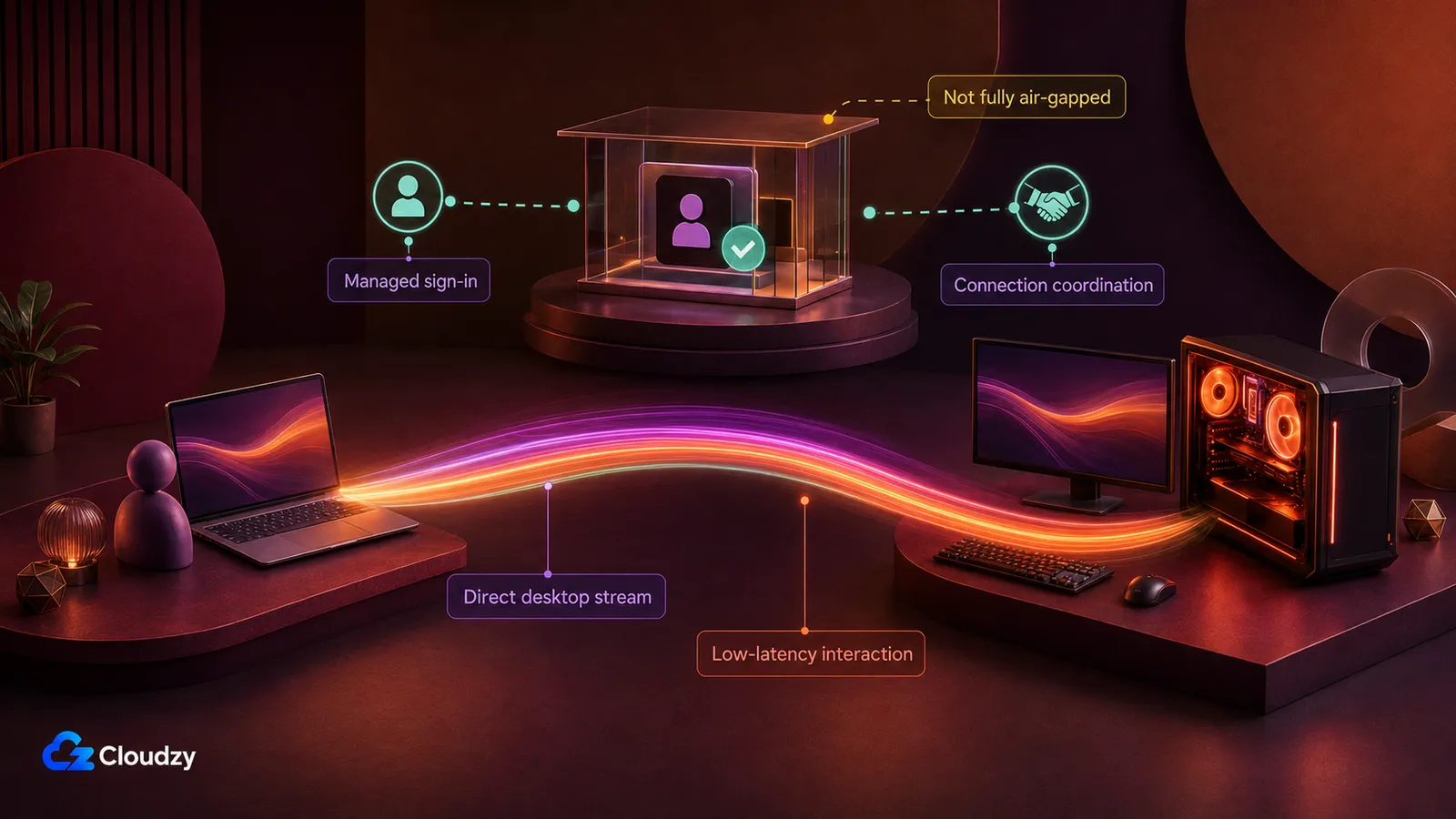
Parsec is built for low-latency interaction. In one Parsec local-network test, the protocol added 7 ms of input latency above the direct-host baseline; the same article references a separate test that measured the capture, encode, stream, and render pipeline at 8 ms. These are single-vendor LAN results, not universal internet benchmarks; network distance, routing, display refresh, and hardware all affect the result. Parsec uses supported hardware encoders from NVIDIA, AMD, Intel, and Apple depending on the host platform.
The host performance cost is usually small but workload-dependent. Puget Systems measured its largest drop in a hardware-encoding-heavy Premiere Pro test, while several other creative applications showed little or no measurable impact. Test your own application, GPU, encoder, and display configuration before treating any single percentage as universal.
The caveat is architectural. Parsec is not fully self-hosted in the sense an infrastructure operator usually means: authentication and connection coordination depend on Parsec's managed services. The desktop stream itself is normally peer-to-peer and does not pass through Parsec's servers. That architecture can fit a security-conscious environment with the right controls, but it does not fit a fully air-gapped one. Parsec licensing covers Personal Use and Individuals/Warp for non-commercial use; commercial deployment requires Teams or Enterprise. Plan features differ: Individuals/Warp adds display features such as 4:4:4, while Teams adds SSO, permissions, and audit capabilities. Parsec 4:4:4 requirements: a Windows host with supported NVIDIA or Intel H.265 hardware; a macOS host cannot provide this mode. None of the paid plans removes the managed-service dependency.
RustDesk
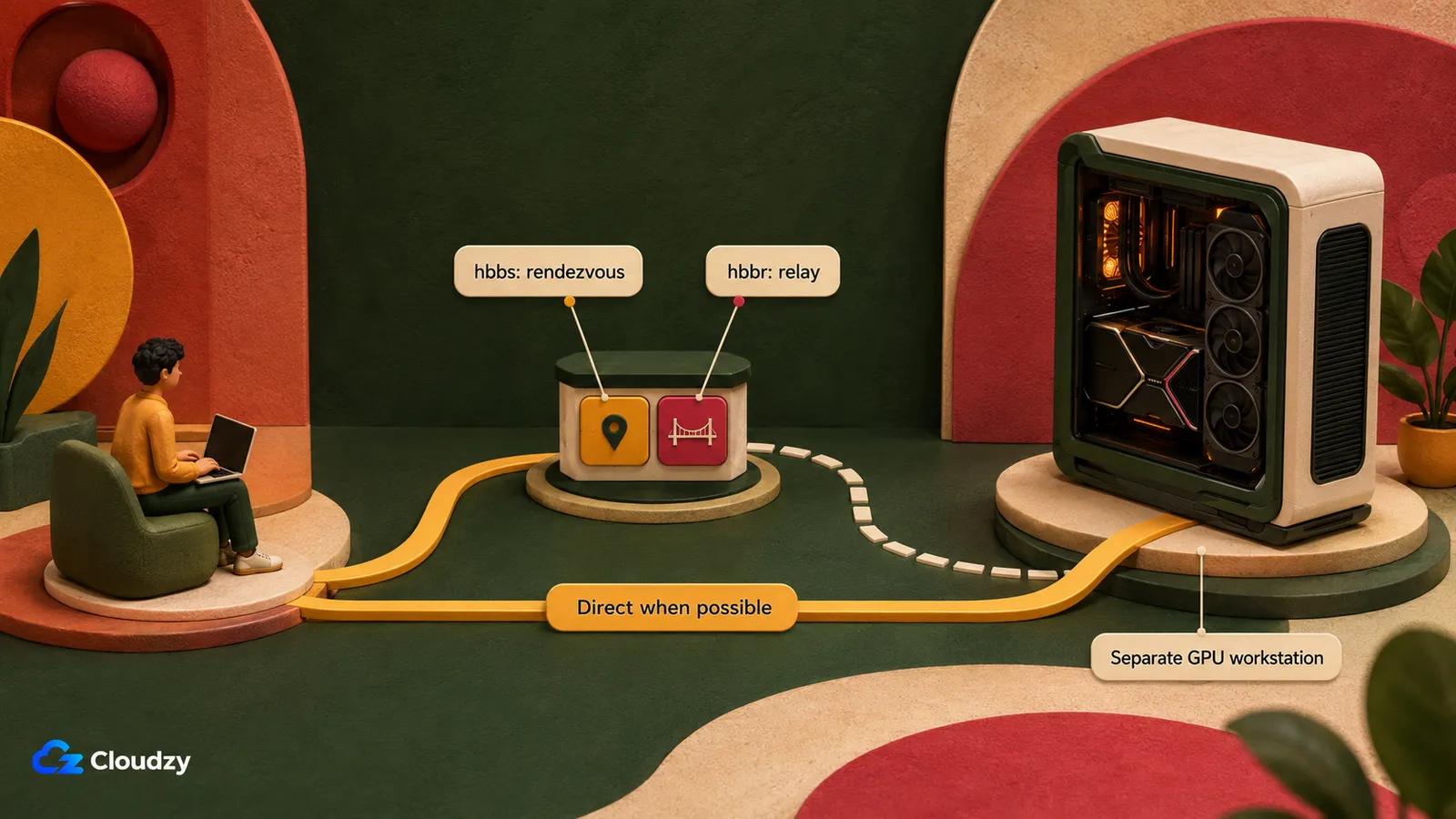
RustDesk Server OSS is open source and fully self-hostable with no software-license fee. RustDesk Server Pro is also self-hosted but uses paid licensing for its management and enterprise features. The core infrastructure consists of the hbbs rendezvous service and the hbbr relay service. Clients first attempt a direct connection through hole punching; hbbr carries the session traffic only when that direct path fails. RustDesk documents the architecture in its self-hosting guide.
Color fidelity still requires careful validation. Current RustDesk clients expose a True color (4:4:4) option in display settings. Codec availability and acceleration can still depend on the client version, operating system, codec, and encoder. For color-critical production work, verify performance and hardware acceleration in the exact client and hardware path you intend to standardize on.
Pro Tip
Separate the small RustDesk rendezvous/relay service from the GPU workstation when practical. hbbs and hbbr can run together on a modest standard VPS; the workstation you connect to is the separate GPU-equipped host.
One practical note for the deployment: our RustDesk Server marketplace image deploys both hbbs and hbbr in one click, so the rendezvous and relay services do not require a manual installation. The GPU workstation host is provisioned separately.
The Free Tier: Sunshine/Moonlight and ThinLinc
Two more options are worth knowing, even if neither is the headline choice. Sunshine, paired with the Moonlight client, is an open-source game-streaming host. The Sunshine project supports H.264, H.265, AV1, and YUV 4:4:4 on supported encoder and platform combinations. It supports AMD, Intel, and NVIDIA GPUs and can host on Linux. For a Linux shop that needs low-latency streaming and can live without a workstation-focused support and certification model, it is a credible zero-cost starting point.
ThinLinc, from Cendio, is Linux-native and free for up to 10 concurrent users. It can use VirtualGL for server-side 3D acceleration, but that does not make it equivalent to a color-managed workstation remoting product. It is a strong fit for general Linux desktop access; test demanding CAD, VFX, and color-critical workflows before standardizing on it.
How They Compare
These are the five axes a professional operator weighs, and they are the ones the table below sorts on. Color fidelity decides whether the protocol is usable for grading and CAD at all. Latency decides whether interactive work feels responsive. GPU encoding, Linux host support, and the licensing model decide operational cost and where the protocol can run.
| Axis | NICE DCV | Parsec | RustDesk | Sunshine |
|---|---|---|---|---|
| 4:4:4 color fidelity | YUV 4:4:4 mode; up to four monitors. Validate the exact configuration | Paid plans; Windows host with NVIDIA/Intel H.265 | True color (4:4:4); acceleration varies | Yes on supported Intel/NVIDIA Windows paths |
| Latency profile | Adaptive to network conditions | Optimized for low-latency interaction | Depends heavily on direct vs relayed connection | Optimized for low-latency streaming |
| GPU encoding | H.264; hardware encoding with a supported GPU, software encoding otherwise | Hardware encoding; support varies by GPU/platform | Codec and acceleration vary by platform/build | H.264 / H.265 / AV1 |
| Linux host support | Yes | No host; Linux client only | Yes | Yes |
| Licensing / cost | No added DCV charge on EC2; licensed elsewhere; Windows CALs may apply | Commercial: Teams/Enterprise; managed-service dependency | OSS free; paid Server Pro available | GPL-3.0 open source; no software-license fee |
Published latency figures are not based on identical hardware, networks, codecs, or test methods. Test the shortlisted tools on your actual host, client, and network before making a performance decision.
Which One Should You Use?
The comparison does not produce a single winner. It produces a routing decision by priority.
- If your priority is color-critical CAD or VFX, use Amazon DCV, because its 4:4:4 mode, Linux support, and mature GPU-workstation delivery make it a strong fit. Validate the complete color pipeline and exact multi-monitor configuration, and accept that you are paying for a DCV license off AWS.
- If your priority is low interactive latency, use Parsec after confirming that its managed authentication and coordination dependency fits your security model. For commercial deployment, use Teams or Enterprise. Enable 4:4:4 only with a supported Windows host and NVIDIA or Intel hardware.
- If your priority is zero software-license cost and full infrastructure control, use RustDesk Server OSS. Validate color fidelity and hardware acceleration on the exact client, codec, operating system, and GPU combination you plan to operate.
- If you run a Linux-only shop on a budget, use ThinLinc or Sunshine, choosing Sunshine when you need low-latency GPU streaming and ThinLinc when general Linux desktop access is enough.
There is no single PCoIP successor that matches every feature and deployment model. The practical choice is the product whose trade-offs in fidelity, latency, operating-system support, managed-service dependency, and licensing fit your environment.
Deploying on a GPU VPS
These products do not all use the same host configuration. Amazon DCV can host Windows or Linux sessions. RustDesk can connect to Windows, Linux, and macOS workstations, with its small rendezvous/relay services running separately. The standard Parsec app hosts on Windows and macOS, while Linux is a client platform only. Size the GPU for the CAD, VFX, rendering, or encoding workload, then verify that the chosen protocol supports the host operating system and driver stack.
A GPU VPS avoids a workstation capital purchase and lets you size compute around the application. For Amazon DCV or a Linux RustDesk workstation, you can provision a Linux GPU VPS. For Parsec, use a supported Windows or macOS host rather than a Linux VPS. RustDesk's hbbs and hbbr services can run on a small standard VPS, and our RustDesk marketplace image deploys that server component separately. Before choosing the GPU, use our CAD GPU sizing guide to match the card and driver path to SolidWorks, AutoCAD, CATIA, or your other applications.
Conclusion
Amazon DCV is a strong fit when 4:4:4 chroma fidelity, Linux hosting, and mature GPU-workstation delivery matter more than off-AWS licensing cost. Validate the complete color pipeline and exact multi-monitor configuration before standardizing. Parsec is compelling for responsiveness when a supported Windows or macOS host and a managed control-plane dependency are acceptable, although 4:4:4 specifically requires a supported Windows host. RustDesk Server OSS is the cleanest route to full infrastructure control and zero software-license cost, but color-critical teams should validate the exact client, codec, encoder, and hardware path before deployment.
Frequently Asked Questions
What Can I Use Instead of HP Anyware if I Want to Self-Host?
Amazon DCV and RustDesk are the main self-hostable options covered here. Parsec can deliver excellent remote-workstation performance, but its authentication and connection coordination still depend on Parsec's managed services. Choose based on color fidelity, latency, host operating system, security requirements, and licensing.
Is NICE DCV Free for Non-AWS Servers?
No. There is no additional DCV server charge on AWS EC2, although the EC2 instance and related services are still billed. On your own hardware or any non-AWS cloud, Amazon DCV requires a paid license using a concurrent-session model with floating RLM licensing. Perpetual and subscription options are available. On Windows Server, separate Microsoft CAL and RDS CAL requirements may also apply.
Does NICE DCV Support 4:4:4 Color Mode?
Yes. Amazon DCV supports a YUV 4:4:4 high-color-accuracy mode and supports up to four monitors. Validate the exact monitor count, resolution, bandwidth, client, and 4:4:4 combination you intend to use. Also remember that 4:4:4 preserves chroma detail but does not by itself guarantee a calibrated, 10-bit, or HDR grading pipeline.
Can RustDesk Replace HP Anyware for CAD and VFX Work?
Partly. RustDesk Server OSS is open source, self-hostable, and free of software-license fees, which fits the infrastructure-control case well. Current clients include a True color (4:4:4) option, but color-critical CAD and VFX teams should verify performance and hardware acceleration in the exact client, codec, operating system, and GPU combination they plan to deploy.
Is Parsec Suitable for Professional Remote Workstations?
Yes, particularly when interactive responsiveness matters. The desktop stream is normally peer-to-peer, but Parsec still depends on its managed services for authentication and connection coordination, making it unsuitable for a fully air-gapped environment. The standard host supports Windows and macOS, not Linux. Commercial use requires Teams or Enterprise, and 4:4:4 specifically requires a supported Windows host with NVIDIA or Intel H.265 hardware.

Discussion
Comments
Sign in to join the discussion.