
Google began testing a different free-storage signup flow in select regions in 2026. Some new accounts start with 5 GB and can unlock up to 15 GB by adding a phone number; the test applies to some new accounts rather than existing accounts with 15 GB. That is enough to make a lot of people look at what else is out there. Here is where things stand across the realistic alternatives.
The alternatives fall into two practical groups: mainstream cloud services (Amazon Photos, iCloud, OneDrive, Flickr, pCloud, and Dropbox) and privacy-first, self-hostable options (Immich, PhotoPrism, and Ente). Ente straddles the categories: its managed encrypted service is the default, while its server is also open-source and self-hostable. The right pick depends on the devices you use and how much control you want over where your photos live.
The best free alternative depends on your situation. Amazon Photos gives you unlimited photo storage if you already pay for Prime. Ente Photos gives you 10 GB free with end-to-end encryption. Immich has no software fee when self-hosted, but you still supply and pay for the server, storage, and backups. This article compares all nine on price, feature gaps, privacy, and platform fit, and gives a clear read on which one fits which reader. That includes what self-hosting costs in effort, not just money.
Key Takeaways
- The best cloud pick usually tracks the devices you already use: iCloud for Apple households, Amazon Photos for Prime subscribers, OneDrive for Microsoft 365 users.
- To keep your photos entirely on hardware you own, Immich is the closest self-hosted experience to Google Photos: native mobile apps, face recognition, and semantic search, all running on your own server.
- Self-hosting is a control decision, not a savings decision. Once you count maintenance time and a real backup strategy, it is rarely "free."
- Google Photos itself is still the most capable option on automated memories and cross-device convenience, and existing accounts keep 15 GB free. Move for privacy, cost at scale, or control, not for features.
The Google Photos Alternatives at a Glance
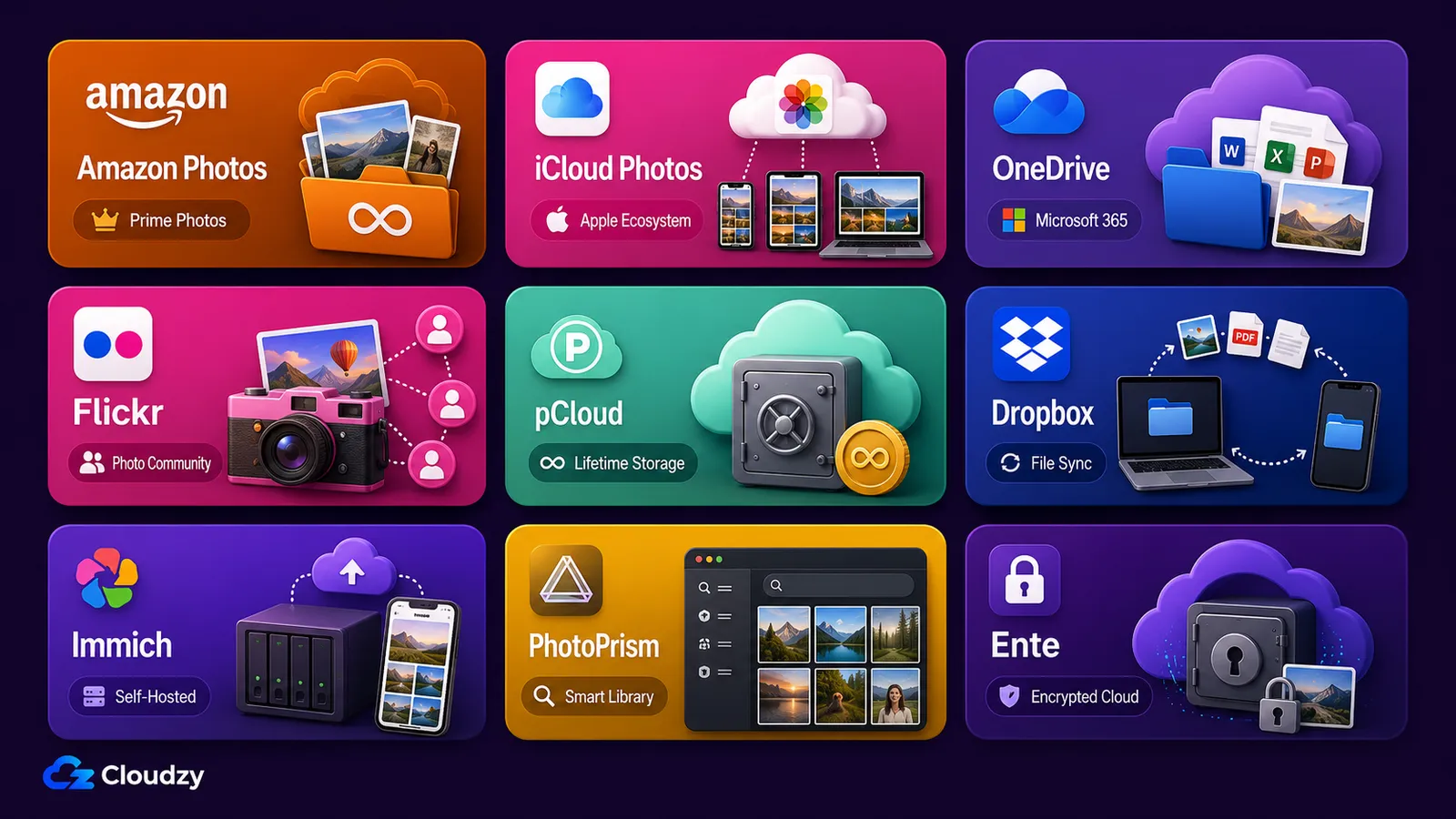
The nine alternatives divide into six mainstream cloud services and three privacy-first, self-hostable options, and they differ on five things that decide the choice: free storage, the cheapest paid tier, whether they have photo-specific AI, how tightly they lock you to one ecosystem, and whether you can self-host them. The table below owns those numbers. The sections after it add the context a table cell cannot hold: the disqualifying factors and the trade-offs.
| Tool | Best for | Free storage | Lowest paid tier | Photo-specific AI | Self-hosted? |
|---|---|---|---|---|---|
| Amazon Photos | Prime subscribers | 5 GB (unlimited photos with Prime) | 100 GB / $1.99 per month | Yes | No |
| iCloud Photos | Apple households | 5 GB | 50 GB / $0.99 per month | Yes | No |
| OneDrive | Microsoft 365 users | 5 GB | 100 GB / ~$2 per month | Yes, limited | No |
| Flickr | Photographers, public sharing | 1,000 photos | Unlimited (Pro) / $13 per month | No | No |
| pCloud | Lifetime cost basis | Up to 10 GB (tasks/referrals required) | Lifetime plans from a one-time payment | No | No |
| Dropbox | Incidental photo backup | 2 GB | 2 TB / $9.99 per month (annual) | No | No |
| Immich | Complete control | Bring your own storage | No software fee | Yes | Yes |
| PhotoPrism | Browsing an existing library | Bring your own storage | Essentials / €2 per month | Yes | Yes |
| Ente Photos | Zero-knowledge without a server | 10 GB managed; bring your own if self-hosted | 50 GB / ~$2.49–2.99 per month | On-device | Yes (or managed) |
Prices are current as of publication and may vary by region. For Immich and PhotoPrism, "no software fee" does not mean free storage: you supply and pay for the server, disks, bandwidth, and backup capacity. Ente's row uses its managed-service pricing; self-hosted Ente also requires your own infrastructure and storage.
The Mainstream Cloud Alternatives
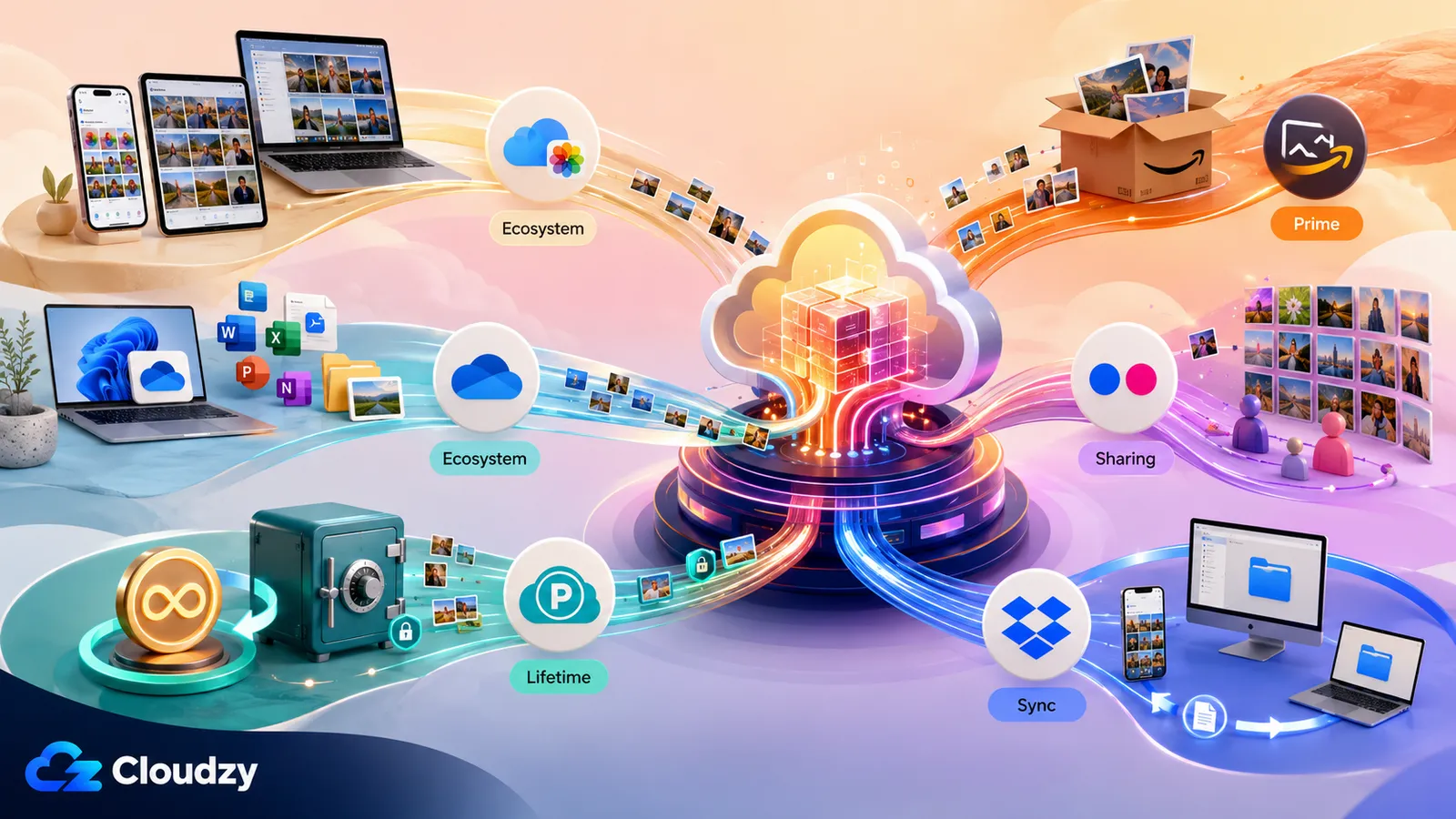
The six cloud services fall into two groups: Amazon Photos, iCloud, and OneDrive are tied to ecosystems you may already pay for, while Flickr, pCloud, and Dropbox are standalone picks for public sharing, lifetime pricing, or file sync. Amazon Photos, iCloud, and Flickr are photo-first. OneDrive adds a useful photo layer to broader storage, while pCloud and Dropbox primarily treat photos as files.
Amazon Photos
Amazon Photos gives Prime subscribers unlimited full-resolution photo storage, which makes it the lowest-cost option in the roundup if you already pay for Prime. The catch is in that "if": the unlimited storage is a Prime benefit tied to an active membership, so cancel Prime and your storage drops to the standard 5 GB free tier, with a grace period before over-quota content is removed. Video is capped at 5 GB before you pay for more. Amazon's 2026 redesign added a curated memory carousel and natural-language search for Prime members, but at publication the updated app was available on iOS and still listed as coming soon to Android. Amazon Photos also works with Echo Show and Fire TV displays, so the photo-specific features are now competitive with Google Photos. Best for: Prime households that want a photo backup they are effectively already paying for.
iCloud Photos
For an Apple-only household, iCloud Photos is the lowest-friction option. Photos sync automatically to every Apple device you own without a separate backup app, and that is a large advantage if your phone, tablet, and laptop are all Apple. The trade-offs are visible on Apple's iCloud page: the free tier is 5 GB, there is no annual discount (iCloud+ is monthly-only), and there is no useful Android path (icloud.com works in a browser but is not a practical phone-backup solution). Family Sharing is available across all iCloud+ tiers, so up to five family members can share the purchased storage at any plan level. On the iCloud vs Google Photos question, iCloud wins on Apple-device convenience and loses on cross-platform reach. Best for: households where every device is Apple.
OneDrive
OneDrive makes sense if you already pay for Microsoft 365. The free tier is 5 GB; Basic provides 100 GB; Personal includes 1 TB; and Family includes 1 TB per person for up to six people. Its photo tools are stronger than its file-sync reputation suggests: OneDrive offers Memories, and Microsoft documents natural-language intelligent search in both the browser and mobile app. That search is part of OneDrive, not a separate Copilot-only feature. It still trails Google Photos in the breadth of photo editing and automated memories. The July 2026 price update applied to commercial Microsoft 365 plans, not consumer Personal or Family subscriptions. Best for: existing Microsoft 365 users who want photo backup and search inside storage they already pay for.
Flickr
Flickr is built for photographers and public sharing, not automatic phone backup or family memories. The free tier caps you at 1,000 photos and videos, and only 50 of those can be private, which rules it out as a general backup for a modern library. Flickr Pro removes the cap entirely (unlimited uploads, ad-free browsing, advanced stats) at $13.00 per month or $96.00 per year as of early 2026. An older $8.25 figure is stale; the price rose twice in 2025 and again in February 2026. What it does not offer is face recognition or semantic search at the Google Photos or iCloud level. Best for: photographers who want a public portfolio and an active community, not a private memory vault.
pCloud
pCloud is the option to consider if you want a one-time lifetime cost basis instead of a subscription. Its Basic plan can unlock up to 10 GB free, although setup tasks and referrals are required to reach the full amount. Its pricing page offers lifetime plans paid once: 500 GB for $199, 2 TB for $399, and 10 TB for $1,190. It is headquartered in Switzerland, which some readers weigh as a data-jurisdiction point. Two caveats matter for a photo use case. First, zero-knowledge encryption is not the default: pCloud holds the keys unless you add the paid pCloud Crypto option, and only then does your data become end-to-end encrypted (data you upload and download is protected in transit either way, but that is not the same as the provider being unable to read it). Second, there is no photo-specific AI: no memories, no face detection, no semantic search. It is bulk storage with a photo preview. Best for: long-term storage buyers who want to pay once and do not need smart photo features.
Pro Tip
A lifetime plan is only cheaper than a subscription if you keep it long enough to break even. At current rates, pCloud's 2 TB lifetime plan pays for itself against the monthly subscription at roughly 40 months, and against the annual subscription at roughly 48 months. If you are confident you will still want the storage in four years, the lifetime plan wins. If you are not, the subscription carries less risk.
Dropbox
Dropbox is file sync with camera backup tacked on. It is not a photo app. Camera Uploads will back up photos from your phone automatically, and Dropbox's own photo-features page confirms what is and is not there: automatic backup and manual hashtag tagging are present; Memories, face recognition, and semantic AI search are not. The free tier is 2 GB, the smallest of any tool in this roundup, and the Plus plan gives you 2 TB at $9.99 per month on annual billing. If Dropbox is already where your files live, backing up photos there is convenient. As a standalone Google Photos replacement, it is thin on everything that makes a photo service a photo service. Best for: people already living in Dropbox who want photos backed up incidentally.
Section key takeaway: The cloud pick tracks the platform you are already on. You rarely change platforms for a photo app; you pick the photo service that comes with the devices and subscriptions you already own.
The Self-Hosted and Privacy-First Alternatives
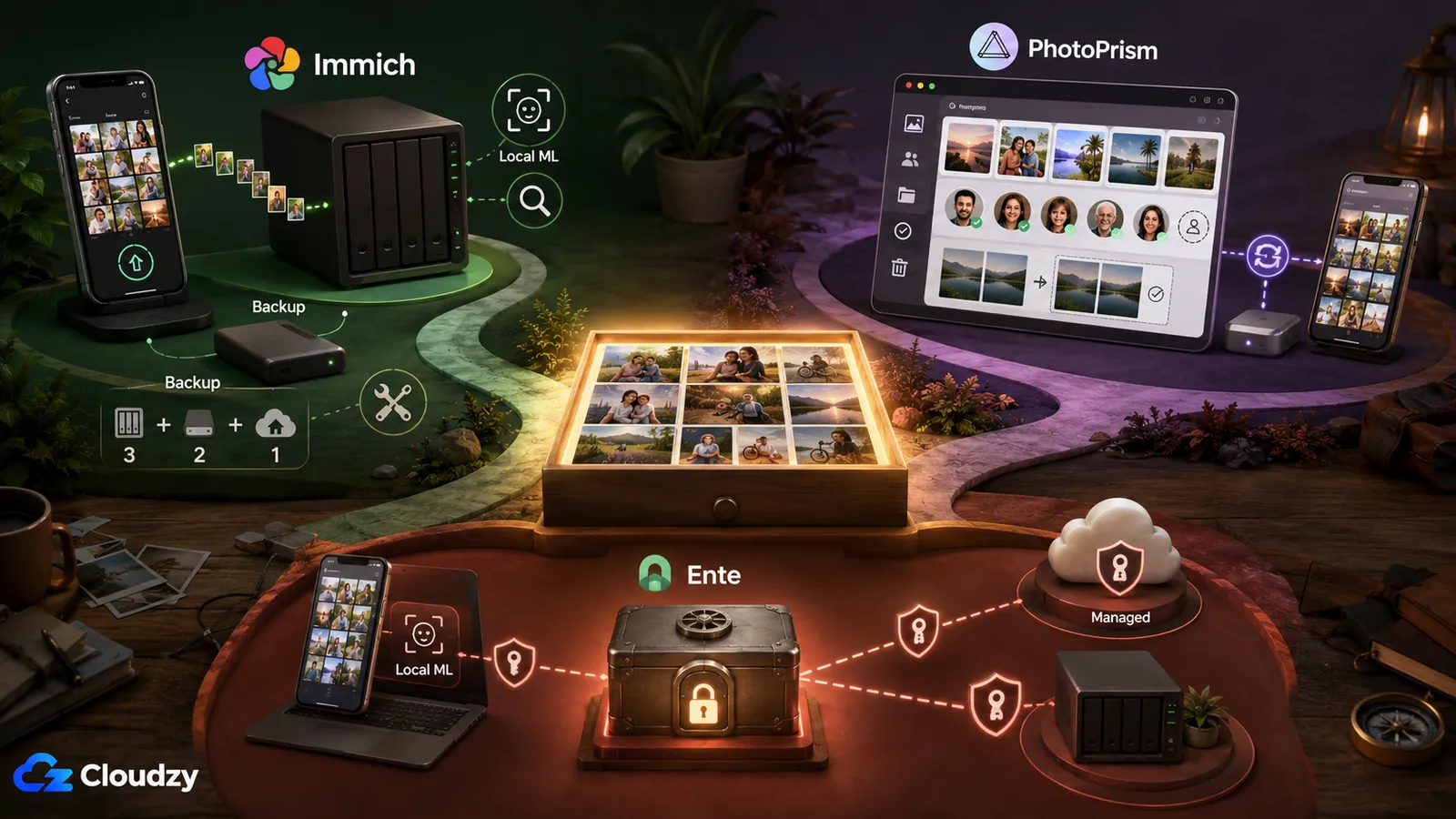
Self-hosting gives you control over the primary library and where its processing runs. Immich keeps its machine-learning workload on services you host, Ente runs machine learning on the user's device, and PhotoPrism can use local models or optional external AI integrations. In exchange, self-hosting requires comfort with deployment, ongoing maintenance, and a proper backup strategy. Maintenance includes the occasional major-version upgrade that needs care. And the backup is not optional, because a server sitting in your house is a single point of failure, not a backup by itself. None of these is a dealbreaker, but ignoring them is how people lose photo libraries.
Immich
Immich is the closest self-hosted experience to Google Photos: native iOS and Android apps with automatic background backup, face recognition, and semantic search, all running on your own server, free and open-source under the AGPL-3.0 license. No other self-hosted tool matches that combination at the free tier: mobile backup plus local ML plus a genuinely good app. The current release is the v3 line (v3.0.2 as of July 2026), which added non-destructive photo editing on mobile, closing one of the last real gaps against Google Photos. All ML runs locally; nothing is sent to an external service.
For the full technical assessment (how good the face recognition actually is, the documented upgrade failure modes, and whether it is ready to replace Google Photos outright), see the Immich review.
Immich needs maintenance. Docker Compose is the recommended production deployment, and Immich also publishes an official Helm chart for Kubernetes. Major releases can include breaking changes, so read the release notes and migration instructions before upgrading. Immich's own team says it plainly: a 3-2-1 backup strategy is still crucial. Treat the server as the place your photos live and the backup as the thing that saves you when the server dies.
For hardware, Immich's own requirements page lists a minimum of 6 GB RAM and 2 CPU cores, and recommends 8 GB RAM and 4 cores. In practice, plan for 8 GB RAM, 4 vCPU, and at least 120–240 GB of NVMe storage for the library itself. Add 10–20% on top of your raw photo library size for thumbnails and transcoded video, which Immich generates. The important point about sizing: compute is modest and stable, but storage is the variable that grows. Start with room to grow the library, not the biggest compute tier you can find.
That is where a VPS comes in. If you do not already have an always-on machine at home, Immich needs one, and storage headroom is the thing to plan around, not raw CPU. Cloudzy's marketplace has a one-click Immich deployment that gets the app running in about a minute, on a Linux VPS where you can size storage to your library and scale it as the library grows. The photo management is Immich's job; the always-on host with room to grow is what you are provisioning. You still need a backup, though: a VPS running Immich is not a backup any more than a NAS at home is.
Pro Tip
A NAS or VPS running Immich is not a backup by itself. If the disk fails or the server is compromised, the photos on it are gone. A 3-2-1 strategy means three copies of your data, on two different media, with one copy off-site. For a self-hosted photo library that usually means the server, a local external drive, and an off-site copy (a second location or an encrypted cloud bucket). Set this up before you delete anything from Google Photos, not after.
PhotoPrism
PhotoPrism is strongest for browsing and organizing an existing library rather than reproducing Google Photos' integrated mobile-backup workflow. It ships as a web app and PWA; the native apps listed in its documentation are maintained by third parties. PhotoSync can back up iOS and Android photos in the background. The Community edition is free and includes People & Faces and duplicate detection. Essentials starts at €2 per month; Plus starts at €6 per month and adds a user-management interface, vector-graphics support, and private members chat. Best for: readers whose library already lives on disk and who are comfortable using a separate sync app for phone backup.
Ente Photos
Ente Photos is the option for people who want zero-knowledge, end-to-end-encrypted photos without running their own server. It is a managed service by default (the server stores only encrypted blobs it cannot read, and all machine learning runs on your device), with a free 10 GB tier (double iCloud's or OneDrive's free allowance) and paid plans starting around $2.49 to $2.99 per month for 50 GB. Its security model has received independent review: Cure53 and Symbolic Software audited Ente's architecture and client implementations in 2023, and a CERN-sponsored Cure53 audit covered the platform's server-side code and infrastructure in 2025. Both are useful trust signals for privacy-motivated readers. Ente can be self-hosted, since the server is open-source, but most readers will use the managed tier, which is the point: you get sovereignty over the content (Ente cannot decrypt it) without operating the infrastructure yourself.
For readers choosing among these three, the steer is short. If you are comfortable with Docker and want the closest Google Photos experience, choose Immich. If you want to browse an existing library and can use a separate phone-sync app, choose PhotoPrism. If you want zero-knowledge encryption without managing a server, choose Ente's managed service. Those three sentences are the starting decision; the deeper feature-by-feature comparison of the self-hosted tools is a separate question this article does not try to settle here.
Section key takeaway: Self-hosting is a control decision, not a savings decision. Count the maintenance hours and the backup storage, and it is rarely "free." One practitioner summarized the trade-off well: if your time has value, self-hosting is rarely cheaper. You do it because you want your data on your own server, and that is reason enough. Just go in with the cost of effort priced in.
Which Google Photos Alternative Should You Choose?
For most people, the best Google Photos alternative is the one that matches the devices they already use, meaning iCloud for Apple households and Amazon Photos for Prime subscribers, with one exception: anyone who wants their photos to stay entirely on their own hardware should choose Immich, provided they are comfortable with Docker and a backup routine. That is the whole decision; the rest is matching it to your situation.
By ecosystem, the routing is direct. If your devices are all Apple, iCloud is the least-friction choice. If you already pay for Prime, Amazon Photos is close to free and now has competitive photo AI. If you run Microsoft 365, OneDrive gives you 1 TB you are effectively already paying for.
By priority, it splits differently. If you want a lifetime cost basis and no recurring bill, pCloud's one-time plans are the option, with the break-even math in mind. If you want a public portfolio and a photography community, Flickr is built for that. If privacy and control are the point, Immich (self-hosted) or Ente (managed, zero-knowledge) are the two answers, depending on whether you want to run a server.
And there is a case for staying put. Google Photos remains the most capable option on automated memories, cross-device convenience, and search, and for existing accounts the 15 GB free tier is unchanged. If features are what you value most and 15 GB is enough, the reason to move is privacy, cost at scale, or control, not the product being worse. If none of those three is pulling you, staying on Google Photos is a defensible choice.
Frequently Asked Questions
What Is the Best Free Alternative to Google Photos?
It depends on your situation. Amazon Photos gives you unlimited photo storage free if you already have Prime. Ente Photos offers 10 GB free with end-to-end encryption and no server to run. Immich has no software fee when self-hosted, but you still supply and pay for the server, storage, and backups. For a pure cloud free tier with no strings, iCloud and OneDrive both give 5 GB; Ente doubles that, with encryption included, at 10 GB.
Is Amazon Photos Included with Prime?
Yes. Amazon Prime members get unlimited full-resolution photo storage plus 5 GB for video storage, included at no extra cost with the membership. The unlimited photo storage is a Prime benefit, which means it lapses if your Prime membership lapses. At that point your stored photos count against the standard 5 GB free tier.
What Is the Best Google Photos Alternative for iPhone Users?
For iPhone users, iCloud Photos is the simplest alternative: photos sync automatically to every Apple device you own without a separate backup app. The trade-offs are a small 5 GB free tier and no practical Android path, so it fits best if your whole household is on Apple devices. If you want cross-platform access or stronger privacy guarantees, look at Immich (self-hosted) or Ente instead.
Is Immich a Good Replacement for Google Photos?
For day-to-day use, yes: Immich gives you native mobile apps, automatic backup, face recognition, and semantic search that come close to Google Photos, with nothing leaving your server. The condition is that you are comfortable running Docker and maintaining a server with a real backup strategy. It is the closest self-hosted experience available.
For the full assessment of whether it is ready to fully replace Google Photos, see the Immich review.
Can I Self-Host a Google Photos Replacement?
Yes. Immich is the closest self-hosted experience to Google Photos, with native mobile apps and automatic backup. PhotoPrism is better suited to browsing an existing library and can receive mobile backups through a separate sync app. Ente can also be self-hosted, but its managed service provides end-to-end encryption without requiring you to operate a server. Any option you self-host needs an always-on machine and a genuine 3-2-1 backup strategy, because the server holding your photos is not a backup by itself.
Is pCloud a One-Time Payment?
Yes. pCloud offers lifetime plans alongside monthly and annual subscriptions. Under pCloud's terms, "lifetime" means the account owner's lifetime or 99 years, whichever is shorter. Current tiers include 500 GB, 2 TB, and 10 TB. Zero-knowledge encryption requires the separate paid pCloud Encryption add-on. The upfront plan saves money only if you keep it beyond the break-even point.
Does OneDrive Include Photo Backup?
Yes. OneDrive can automatically upload camera photos and organize them in a Photos view. It also offers Memories and intelligent photo search in the browser and mobile app. It does not match Google Photos' complete photo experience, but semantic search is not restricted to a separate Copilot subscription. Its strongest value is the storage bundled with Microsoft 365.
Is Google Photos Still 15 GB Free?
For existing accounts with 15 GB, yes. In 2026, Google began testing a 5 GB starting quota for some new accounts in select regions, with up to 15 GB unlocked after adding a phone number. Google has not announced this as a universal or permanent policy.
How Do I Transfer My Photos from Google Photos?
Google Takeout exports your entire photo library as a downloadable archive, which is the starting point for any migration. The import path varies by service, and metadata preservation (album structure, dates, descriptions) is imperfect: the export includes JSON sidecar files that not every tool reads cleanly.

Discussion
Comments
Sign in to join the discussion.