

If you are running Jira Server in 2026, you are running unsupported software. Atlassian ended support on February 15, 2024. No security patches. No bug fixes. No vendor support.
On March 30, 2026, Atlassian stopped accepting new Data Center subscriptions from new customers. Existing customers can continue certain purchases through March 30, 2028 and renewals through March 28, 2029, when affected products become read-only under Atlassian's published Data Center end-of-life schedule.
So, what now?
There are three serious self-hosted options worth comparing in 2026: OpenProject, Plane, and Redmine. This post compares them by use-case archetype rather than a feature checklist, examines the official OpenProject Jira Migrator now in beta for supported Jira Server and Data Center versions, and ends with the honest counterpoint: when Jira Cloud is still the right answer.
If your reason for being here is "we have to migrate by 2029 and I need to know my real options," keep reading. If your reason is "I want a feature scorecard with 47 columns," there are other articles for that. This is not one.
The Short Version
- Jira Server is already unsupported, and Jira Software Data Center is being phased out. New Data Center sales to new customers ended in 2026; affected existing subscriptions reach end of life in 2029.
- Three real self-hosted paths in 2026. OpenProject for teams that want a Jira-shaped replacement with a migration tool, Plane for engineering-led teams that want Linear's UX without the SaaS bill, Redmine for teams that want a low-resource issue tracker that has worked for two decades.
- OpenProject has a built-in beta Jira Migrator for Jira Server and Data Center 10.x and 11.x, not Jira Cloud. Its official sources are currently out of sync: the May technical guide lists a narrower core dataset, while newer July pages say the Migrator also imports issue history, comments, and involved users and groups. Treat those newer claims as version-dependent and confirm them in a pilot on the exact OpenProject release you will deploy. Plane separately advertises a controlled Jira import and white-glove migration support for teams with 100+ seats. Redmine has no comparable first-party path.
- VPS sizing is modest. Official guidance starts OpenProject and Plane at 4 GB RAM; Plane recommends 8 GB for production. Cloudzy's Redmine image lists 2 GB RAM as its minimum.
- Jira Cloud is still right for some teams, especially those without operations capacity. Atlassian pricing varies by seat count and billing cadence, so use the current Jira pricing page rather than relying on an old hard-coded rate.
The Atlassian Sunset Clock: What Is Actually Happening

Three dates that set the timer for Jira:
- February 15, 2024: Atlassian ended support for Jira Server. No technical support, security updates, or bug fixes are provided for Server products or apps.
- March 30, 2026: Atlassian stopped selling new Data Center subscriptions and Marketplace Data Center apps to new customers. Existing customers can still renew.
- March 28, 2029: Affected Data Center subscriptions and apps expire and become read-only. Atlassian says exceptional extended maintenance may be available to certain customers.
Teams are responding in roughly three ways. Some are migrating to Jira Cloud, paying the per-seat bill, and accepting the operational simplification. Some are waiting on Data Center renewals through 2029 and treating the deadline as a future-self problem. Some are evaluating self-hosted alternatives now to avoid both the price and the deadline.
If you are in group two ("we will figure it out later"), the honest assessment is that "later" is a 2029 problem only if you also have nothing else on your roadmap between now and then. Most teams I have watched do this end up doing the migration in a panic because the calendar moves faster than anyone expects.
Pro Tip
If your team is on Server, the security risk alone justifies treating this as a 2026 problem, not a 2029 problem. Unsupported issue trackers are still attack surface, and they tend to be low-priority for security review precisely because they "just work."
Section takeaway: The clock is dated, public, and official. Plan around 2026-2027, not 2029.
The Three Realistic Self-Hosted Paths in 2026

There are dozens of issue trackers in the open-source ecosystem. For a focused comparison, this article covers three distinct paths: OpenProject for formal project management and the most direct migration tooling; Plane for a modern engineering workflow; and Redmine for a mature, extensible tracker. Taiga, Tuleap, Kanboard, and other projects can still be better fits for narrower requirements.
Here is what each one actually is.
OpenProject
OpenProject is a Ruby on Rails application backed by PostgreSQL. The Community Edition is GPLv3 and free to self-host; paid Enterprise on-premises plans add support and Enterprise features.
The UX positioning is utilitarian and feature-dense. It looks like enterprise project management software because that is what it is. Strong support for Gantt charts, formal project portfolio reporting, BCF-based collaboration for construction and engineering, and stakeholder accountability flows. If your team has ever asked for "real Gantt" or "dependencies between epics across projects," this is your tool.
OpenProject's best-fit team is one that needs traditional waterfall and agile to coexist in the same instance, formal reporting up the chain, and an official migration path from supported Jira Server or Data Center versions. We will get to the Migrator, and its current limits, below.
The weakness is the learning curve. Team members coming from Jira Cloud or Linear will tell you OpenProject feels heavy. They are not wrong. Many core Jira concepts have OpenProject equivalents, but you may need to read documentation to find them.
OpenProject is in the Cloudzy marketplace as a one-click deploy if you want to skip the Compose dance.
Plane
Plane is a younger project founded in 2022. Its current self-hosted distribution is a bundled Docker or Kubernetes deployment with multiple application services plus PostgreSQL, Redis, and object storage, rather than a simple five-container stack.
- Web and API services
- Background workers
- PostgreSQL
- Redis
- Object storage
The Community Edition is licensed under AGPLv3.
The UX positioning is openly Linear-inspired. Cycles, modules, projects, views. Modern, fast, opinionated. If you have ever loved Linear's default keyboard shortcuts or its issue model, Plane will feel familiar within an hour.
The best-fit team is engineering-led: startups, indie product teams, small dev shops where engineers are the primary users and the project management tool is mostly an issue tracker plus sprint board. Plane shines here.
There are real weaknesses to acknowledge. The project is younger than the others, which means a smaller integration ecosystem and a faster-moving deployment surface. Its AGPLv3 license also deserves review before you modify the software for a commercial network service.
Plane is not in the Cloudzy marketplace as of July 2026, so this one requires Plane's own Docker or Kubernetes deployment on the VPS you choose. That is manageable for a team already comfortable with containers, but it adds more setup and maintenance than a one-click image.
Redmine
Redmine is the veteran. First released in 2006. Ruby on Rails, MySQL or PostgreSQL backend. GPLv2. Lightweight by modern standards, partly because the core is genuinely small and partly because most of what people want from Redmine is delivered through plugins.
The UX is older. There is no point pretending otherwise. Redmine 7.0 became the latest stable branch in June 2026, but its default interface still feels traditional. The Bleuclair theme modernizes Redmine 6.1; verify theme and plugin compatibility before moving to Redmine 7. If modern UX is a hard requirement, look at Plane.
The best-fit team is one that already runs Redmine, or one that wants a stable, low-resource issue tracker without a lot of opinionated workflow imposed by the tool. The plugin ecosystem is enormous:
- Agile boards
- Gantt
- Time tracking
- SCM integrations
- Custom workflows
If a team has a specific workflow need, there is probably a Redmine plugin for it.
The weakness is twofold. The UX, as covered. And the plugin ecosystem itself, which is double-edged: plugins solve problems but create version-compatibility headaches at upgrade time. A Redmine instance with eight plugins is a Redmine instance where every minor upgrade requires testing.
A note for teams already on Redmine: if the only complaint is the UX and you are on Redmine 6.1, the Bleuclair theme is a cheap experiment that may remove the need for a platform migration. Test it first, and verify compatibility before any Redmine 7 upgrade.
Section takeaway: Pick by archetype. OpenProject for Jira-shaped replacement. Plane for Linear UX without the SaaS bill. Redmine for stable issue tracking with a plugin for everything.
Side-by-Side Comparison
Now that each tool is covered in detail, let's put them in a distinguishable format.
| Dimension | OpenProject (Community) | Plane (Community) | Redmine |
|---|---|---|---|
| First released | 2012 | 2022 | 2006 |
| Stack | Ruby on Rails plus PostgreSQL | Bundled app plus PostgreSQL, Redis, and object storage | Ruby on Rails plus MySQL or PostgreSQL |
| License | GPLv3 | AGPLv3 | GPLv2 |
| Sizing floor (small team) | 4 cores, 4 GB RAM | From 4 GB RAM, 8 GB recommended for production | From 2 GB RAM |
| Cloudzy marketplace | Yes (one-click) | No (self-managed deployment) | Yes (one-click) |
| First-party Jira migration path | Built-in beta: Server/Data Center 10.x to 11.x | Guided import; white-glove for 100+ seats | None |
| Strongest at | Formal PM, Gantt, portfolio reporting | Modern UX, engineering teams | Lightweight issue tracking, plugins |
| Weakest at | Heavier UX; migrator still beta | Younger ecosystem; higher RAM floor | Aging default UX; plugin compatibility |
The OpenProject Jira Migrator: What It Actually Does
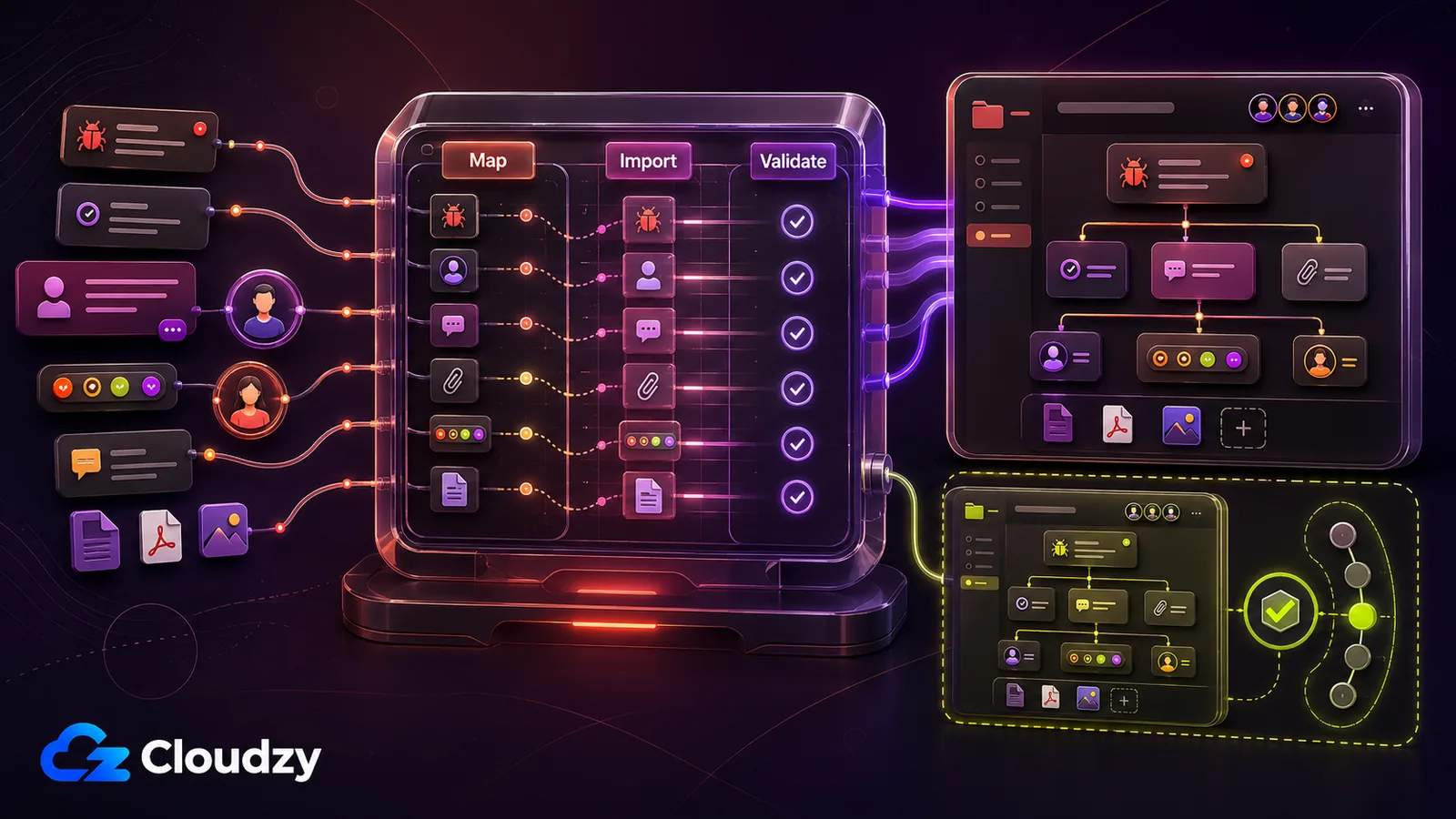
This is the detail most existing 2026 roundups skip or treat as a footnote. It is also the load-bearing reason OpenProject is the most natural pick for teams currently on Jira.
OpenProject made its beta Jira Migrator available in 2026 as part of the Community Edition. It connects by API and an admin Personal Access Token to Jira Server or Data Center 10.x and 11.x. Jira Cloud is not currently supported.
What OpenProject's current official pages collectively say it imports:
- Projects and project identifiers
- Issues: summary or title, description, attachments, history, comments, due date, estimated hours, and remaining hours; issue identifiers are also supported in beta
- Users and involved groups, including names, email addresses, project membership, and group membership
- Supported custom fields that have a match in OpenProject
- Statuses and issue types
What you should still treat as unsupported:
- Relations between issues and sprint assignments
- Project-level workflows, permissions, and schemas
- Labels, versions, components, and other fields not listed as covered should be treated as unsupported until a pilot proves otherwise
- Jira Cloud, Marketplace-app data, automation rules, and external integrations
Two operational details matter as much as the field list. Import runs land in a review mode first, and an import can be reverted while it is still in review. Once you approve the import, reverting is no longer possible. And because coverage is still moving release to release, check the current documentation before every migration.
A reasonable mental model: the beta Migrator handles a growing set of core project data, not a complete Jira environment. Plan a controlled pilot and budget time to rebuild unsupported workflow logic, permissions, apps, and integrations.
Note: OpenProject's May 6 technical guide lists a narrower dataset than its newer July pages, which add history, comments, and involved users and groups. Because the Migrator remains in beta, confirm coverage in the exact release you will deploy and test it against a representative Jira project before cutover.
A safer high-level migration path looks like this:
- Stand up a non-production OpenProject instance on a VPS (Cloudzy's one-click image works, or use OpenProject's supported deployment methods).
- Confirm that the source is Jira Server or Data Center 10.x or 11.x, then create an admin Personal Access Token.
- Back up the OpenProject test instance, then configure the Migrator with the Jira URL and token.
- Run a pilot against one representative project and verify project identifiers, users, group memberships, statuses, issue types, supported custom fields, attachments, history, comments, due dates, estimates, and remaining hours.
- Review the pilot carefully. While the import is in review, revert it if mappings are wrong; after approval, that import can no longer be reverted.
- Plan a production migration only after the pilot passes. Use a maintenance window, freeze writes to Jira, preserve backups, and rebuild unsupported workflows and integrations separately.
Plane now advertises a controlled first-party Jira import that maps projects, issues, sprints, issue types, statuses, custom fields, comments, and attachments; teams with 100+ seats can request white-glove migration support. Redmine's path remains less direct, relying on community plugins or CSV workflows that need testing against exact versions and configurations.
Section takeaway: OpenProject's beta Migrator supports Jira Server/Data Center 10.x and 11.x, but its official sources disagree on current coverage. Validate your exact release. Plane offers guided import; Redmine has no comparable first-party path. Pilot both OpenProject and Plane before production.
VPS Sizing: What Each Tool Actually Needs
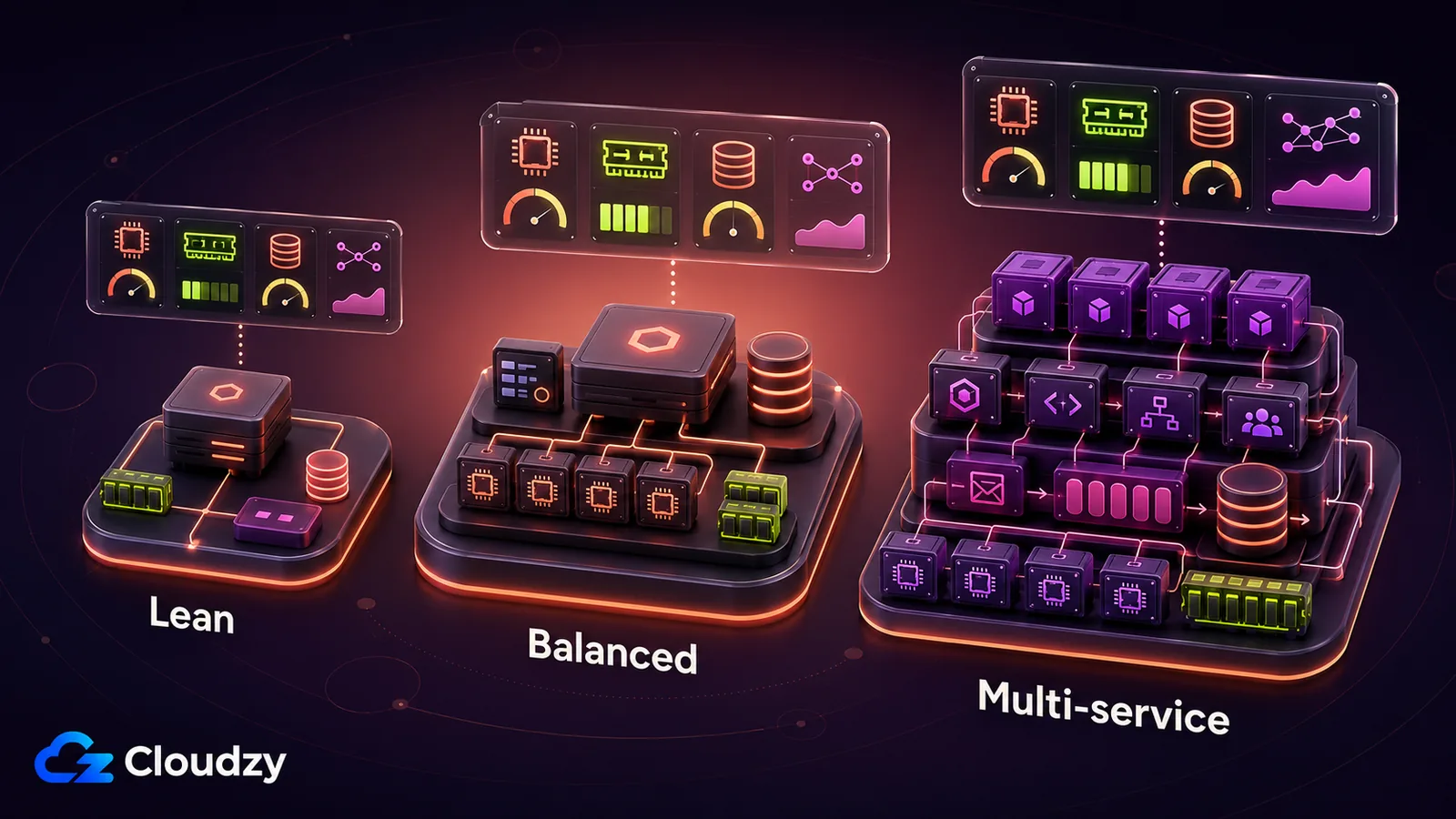
The infrastructure cost for self-hosting these tools is modest. Reliability, backups, restore testing, and monitoring matter more than squeezing the stack onto the smallest plan. Cloudzy currently publishes a 99.95% uptime SLA, and its VPS plans can be resized as usage grows.
| Planning point | OpenProject | Plane | Redmine |
|---|---|---|---|
| Starting guidance | 4 cores, 4 GB RAM | 2 cores, 4 GB RAM | From 2 GB RAM (Cloudzy image) |
| Production note | Single-server minimum; up to 200 total users | Recommends 8 GB RAM | Plugins and concurrency drive load |
| Scale when | Queues, DB latency, or RAM rise | Services contend for RAM/CPU | DB latency or plugin load rises |
A few notes that matter operationally:
- OpenProject's official minimum for a single-server installation is a quad-core CPU, 4 GB RAM, and 20 GB free disk space. Its small-instance example separately lists 2 CPU cores and 4 GB RAM for the application, plus 2 CPU cores and 4 GB RAM for PostgreSQL.
- Plane's official self-hosting requirements specify 2 CPU cores and 4 GB RAM minimum, with 8 GB recommended for production.
- Cloudzy's Redmine image lists 2 GB RAM as the minimum. Do not translate that into a guaranteed user count: plugins, attachment volume, concurrent requests, and database behavior determine real capacity.
For reference, Cloudzy's standard 4 GB plan provides 2 vCPU, 120 GB NVMe storage, and 5 TB transfer. It meets OpenProject's RAM floor but not the official four-core CPU minimum, so use a plan or custom configuration with at least 4 vCPU for OpenProject. Monitor database latency, worker queues, and memory pressure before scaling; do not promise a fixed performance multiplier from storage type alone.

Build on a Linux VPS with root access, NVMe, and AMD EPYC power.
View Linux PlansSection takeaway: Redmine can start near $15 per month and Plane can start near $29 per month at current standard Cloudzy list prices before promotions. OpenProject needs at least four CPU cores under its official minimum, so price it from a matching configuration rather than the 2-vCPU/4 GB plan.
When Jira Cloud Is Still the Right Answer

Self-hosting trades dollars for time. There is a team configuration where the dollars are worth more than the time you would save, and that team should pay Atlassian.
Jira Cloud list pricing as of July 2026, taken from Atlassian's public pricing view (rates are set by Atlassian, vary by billing cadence and seat count, and change without notice, so treat every figure below as a 2026 snapshot and confirm on the current Jira pricing page before you budget):
- Free: up to 10 users.
- Standard: around $8 per user per month as of mid-2026.
- Premium: around $14 per user per month as of mid-2026.
- Enterprise: annual contracts, custom pricing.
At that rate, 25 seats total roughly $2,400 per year. A Cloudzy 4 GB VPS is $28.95 per month at standard list price, or about $347 per year before promotions. Jira Cloud's subscription is therefore roughly seven times the VPS infrastructure cost on those 2026 figures, but that comparison excludes operator time, backups, monitoring, paid support, and any Enterprise features.
Now ask the honest question: who will own backups, restore tests, upgrades, Postgres maintenance, monitoring, SSL certificates, user provisioning, and incident response? Compare Jira Cloud's subscription with the full cost of operating the self-hosted stack, not just the VM bill. If nobody owns that work, the apparent savings can disappear quickly.
Jira Cloud's value is largely operational. Atlassian runs the platform, upgrades, patches, and service-level backups; your team still owns access policies, identity integration, app governance, and data-retention decisions. For a team where nobody can operate a project-management stack, that managed layer is real value.
The honest framing: self-hosting is right for teams that already run a VPS, have one engineer who is comfortable with Docker, and have capacity to handle the operational work. Jira Cloud is right for teams where nobody on the roster wants to be the one woken up because Postgres ran out of disk.
If you are unsure which team you are, run a two-week OpenProject pilot on a VPS. If your source is a supported Jira Server or Data Center version, import one representative project with the beta Migrator; Jira Cloud is not supported yet. Either the team adopts it and you learn the operating workload, or Jira Cloud's managed-service bill starts to look more reasonable.
Quick Verdict
- Migrating from a supported Jira Server or Data Center version, want a built-in self-service beta: OpenProject. Validate its release-specific field coverage before production.
- Engineering-led team, want modern UX and a guided Jira import: Plane. It requires 4 GB RAM, recommends 8 GB for production, and offers white-glove migration for teams with 100+ seats.
- Already running Redmine, want a stable issue tracker, low-resource VPS: stay on Redmine. Run the Bleuclair theme experiment before considering migration.
Frequently Asked Questions
Is Jira Server Still Supported in 2026?
No. Atlassian ended support for Jira Server on February 15, 2024. Anyone running it in 2026 is on unsupported software with no security patches. New customers can no longer buy Jira Data Center, so the realistic supported paths are Jira Cloud or a maintained alternative; existing Data Center customers can continue under Atlassian's published phase-out schedule.
Can I Still Buy Jira Data Center?
No, not as a new customer. Atlassian stopped new Data Center sales to new customers on March 30, 2026. Existing customers can buy new subscriptions, apps, and expansions until March 30, 2028 and can renew existing subscriptions through March 28, 2029. Affected products then become read-only unless Atlassian grants an exceptional extension.
How Do I Migrate From Jira to OpenProject?
OpenProject's Jira Migrator is currently beta. It connects by API to Jira Server or Data Center 10.x and 11.x using an admin Personal Access Token; Jira Cloud is not supported. Newer official July 2026 pages say it imports projects and identifiers; issues with descriptions, attachments, history, and comments; involved users and groups; statuses and types; and supported custom fields. OpenProject's May technical guide still lists a narrower set, so confirm the exact coverage in the release you deploy. Workflows, permissions, schemas, issue relations, and sprint assignments remain unsupported or on the roadmap.
What Is the Cheapest Self-Hosted Jira Alternative?
Based on current documented starting points, Redmine on Cloudzy's 2 GB image is the lowest-cost option. OpenProject's single-server minimum is four CPU cores and 4 GB RAM. Plane requires 2 cores and 4 GB RAM, with 8 GB recommended for production. Community editions do not add software license fees, but paid support, backups, monitoring, and operator time still count.
Is Plane a Real Jira Replacement?
For engineering-led teams, yes. Plane's UX is closer to Linear than to Jira, and its issue model suits engineering workflows. Plane documents a controlled Jira import covering projects, active and backlog issues, assignees, labels, priorities, sprints, issue types, statuses, custom fields, comments, and attachments. It also offers white-glove migration for teams with 100+ seats, but teams with complex Marketplace apps or workflows should still validate a pilot.
Does Redmine Have a Jira Migration Tool?
Not officially. Community import plugins and CSV workflows exist, but compatibility and data coverage vary by Jira and Redmine version. Test the exact path with a representative project. OpenProject has a built-in beta Migrator for supported Jira Server or Data Center sources, while Plane offers a guided first-party import.
Can I Run Any of These on a Small VPS?
Redmine's Cloudzy image lists 2 GB RAM as its minimum, which is $14.95 per month at standard list price. OpenProject requires at least four CPU cores and 4 GB RAM. Plane requires 2 cores and 4 GB RAM, with 8 GB recommended for production. Cloudzy's standard 4 GB plan has 2 vCPU and lists at $28.95 per month, with promotions sometimes lowering it. Running all three on one small VPS is not a sensible production design.



Discussion
Comments
Sign in to join the discussion.