
"Self-hosted VPN" means three different things to three different audiences, and most listicles fail because they treat them as one. A user who cares about privacy and wants to replace a commercial VPN service with their own exit node is not solving the same problem as a four-person engineering team connecting a home lab to AWS. The tools overlap, but the right tool for one job is rarely the right tool for another.
This guide is structured around that split. Three use cases, three primary recommendations, and the honest trade-offs that come with each. No setup walkthroughs here. When the right tool for your job is identified, links to the full setup guides follow.
The Short Version
- For personal privacy as your own exit node, deploy WireGuard on a small VPS in a non-Five-Eyes jurisdiction. WireGuard Easy adds a web UI if you want it. OpenVPN only when your network blocks UDP.
- For a team mesh connecting laptops, home labs, and cloud VPCs, Tailscale is the pragmatic answer for most teams. Run Headscale or Netmaker only if owning the control plane is part of your threat model.
- For users in restrictive internet environments, Hiddify Manager is the current best answer. WireGuard and OpenVPN do not survive deep packet inspection on their own.
- A 1 vCPU, 512 MB VPS handles a personal WireGuard server with room to spare. The bottleneck is bandwidth, not compute.
When Self-Hosting a VPN Actually Makes Sense
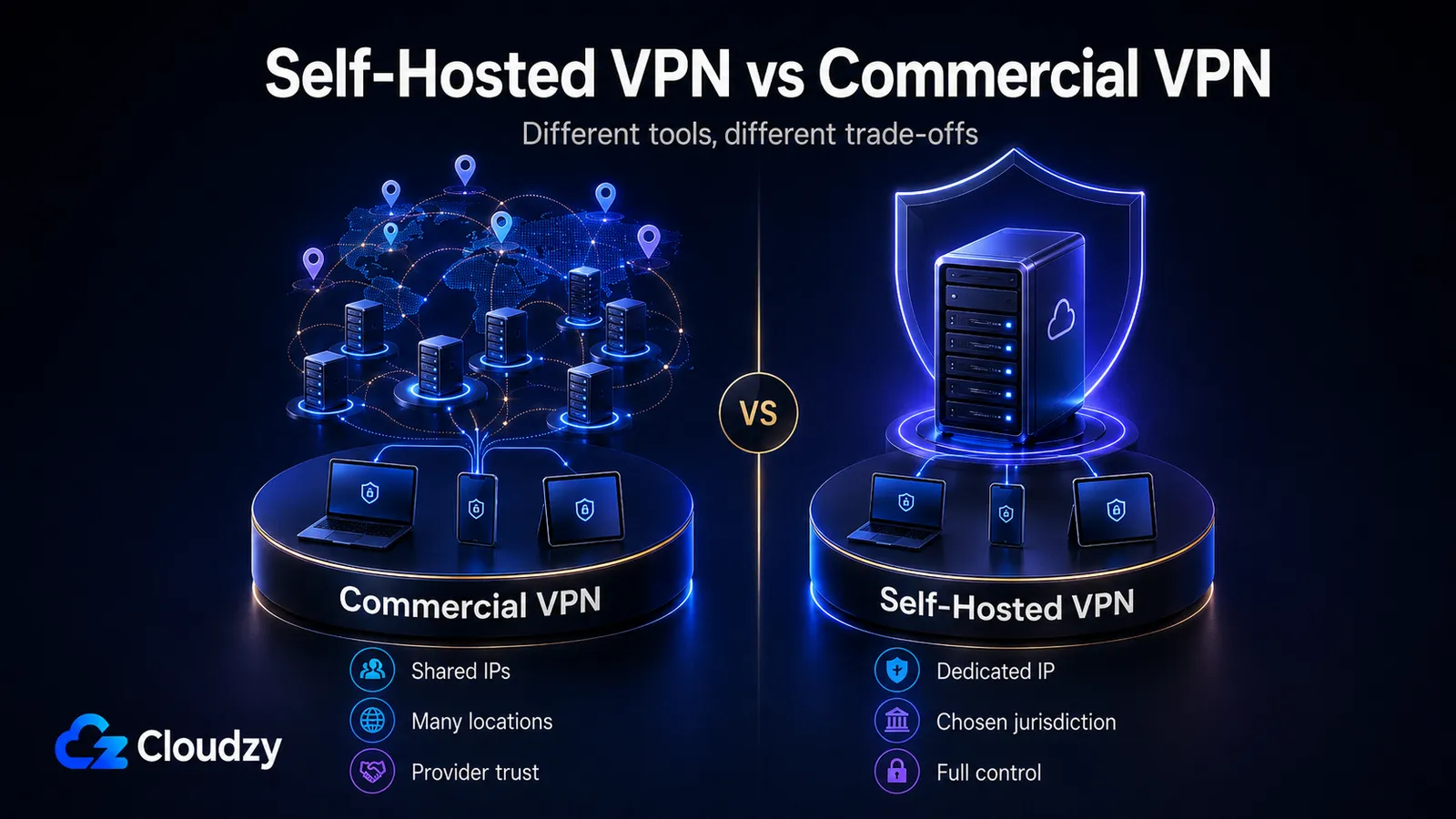
A commercial VPN gives you thousands of shared exit IPs and zero maintenance. A self-hosted VPN gives you exactly one IP, one location, and full responsibility for the box. These are different products, despite how they are often marketed.
Self-hosting is the right choice when one of the following is true:
- You want to minimise the number of parties who can see your unencrypted traffic. With a commercial VPN, the provider can. With a self-hosted VPN, only you can.
- You need a specific jurisdiction. Frankfurt for GDPR exposure. Sydney to test geo-restricted Australian services. Switzerland for stronger data protection law (when stock allows). Commercial providers obscure this; self-hosting makes it explicit.
- You are connecting team infrastructure, not just routing personal browsing.
- You are in a censorship environment where commercial VPNs are themselves blocked.
Self-hosting is the wrong choice when you want maximum IP diversity for streaming, when you do not want to maintain a Linux server, or when your threat model is purely "stop my ISP from selling my browsing data." For the third case, encrypted DNS plus your existing browser does most of the job.
There is one limitation worth naming early because it surfaces in many honest discussions of self-hosted VPNs. WireGuard, by design, retains the last-seen IP address of every peer in kernel state. A commercial VPN provider can claim "no logs," but you have no way to verify it. A self-hoster can verify it, and the verification will tell you that the kernel does in fact know the IP your phone connected from this morning. The mitigation is not ignoring this; it is rotating keys, deleting kernel state on a schedule, and accepting the trade-off.
Use Case 1: Personal Privacy Exit Node
Quick Verdict: WireGuard on a small VPS in a non-Five-Eyes jurisdiction. WireGuard Easy if you want a web UI without the command line. OpenVPN only when UDP is blocked on the network you are connecting from.
WireGuard: The Default Choice
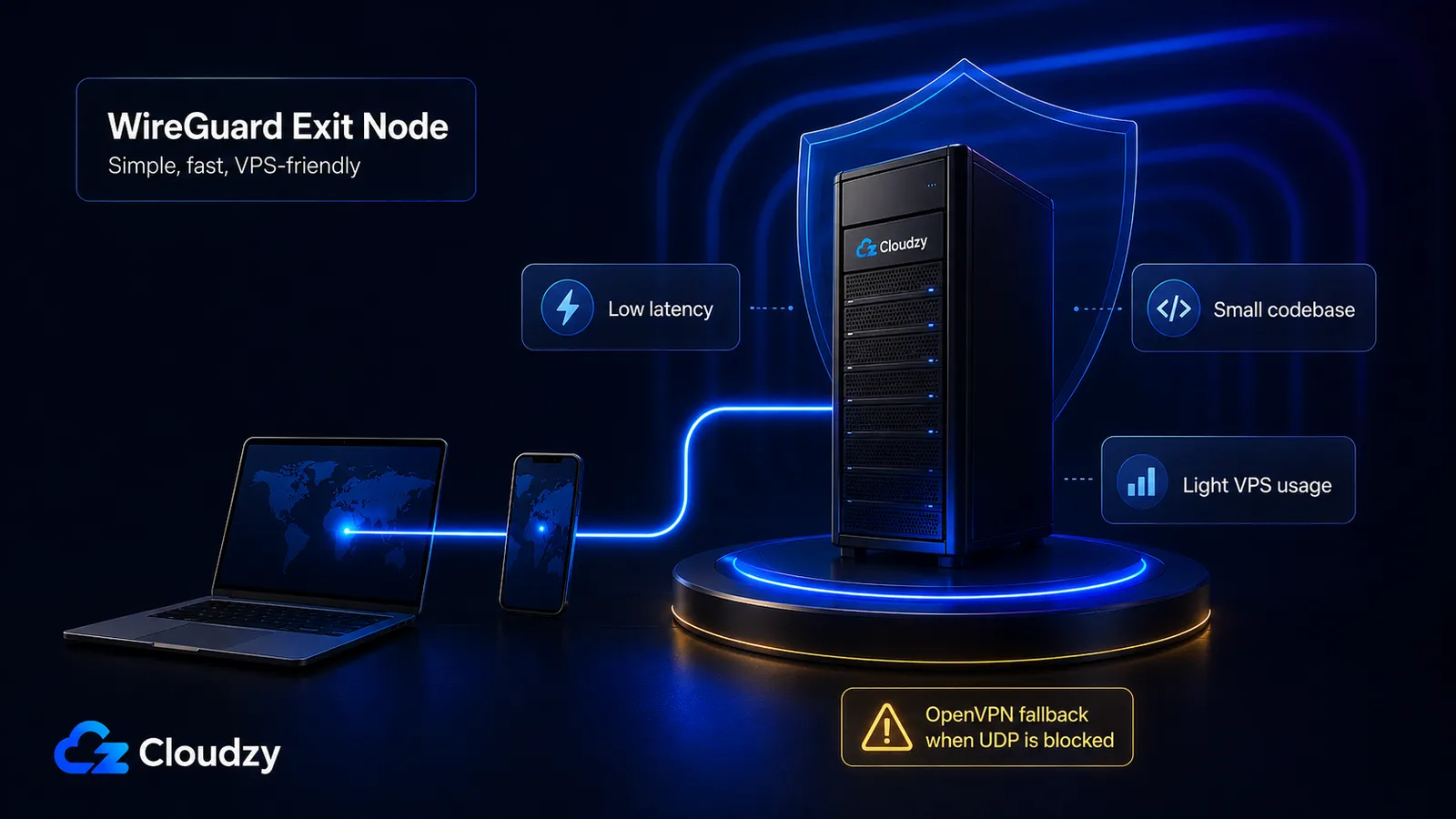
WireGuard is the right answer for the privacy exit-node use case.
The protocol uses the Noise framework for key exchange and completes a handshake in a single round trip. OpenVPN uses TLS, which requires multiple round trips and exposes more metadata in the process. Latency overhead for WireGuard is typically 1 to 3 milliseconds on top of your underlying connection. OpenVPN adds 20 to 30 percent latency overhead in comparable conditions.
Throughput numbers from a peer-reviewed 2025 benchmark in MDPI's Computers journal: roughly 210 Mbps over WireGuard versus 110 Mbps over OpenVPN under the same TCP-tunneled VM conditions. On bare-metal hardware with the kernel module enabled, raw WireGuard pushes roughly 8 Gbps on gigabit-class hardware; the limit there is the network card, not the protocol.
The codebase is approximately 4,000 lines. OpenVPN's is many times larger. A small codebase is not security in itself, but it makes audits practical. WireGuard has been audited; it shipped in the mainline Linux kernel in 5.6 and is the default in most distributions.
Configuration is a 12-line text file. There is no reason for it to be more complicated than this. The full setup walkthrough is documented on our blog, which covers package installation, key generation, peer config, and firewall rules.
A cheap, simple VPS handles a personal WireGuard server with bandwidth to spare. The bottleneck will be your home internet connection, not the server. For most readers, a cheap VPS is more than enough to run their WireGuard setup.
Pro Tip: WireGuard logs the last-seen IP address of each peer in kernel state. For genuine no-log privacy, accept this and rotate keys, or delete kernel state on a schedule. Do not pretend the limitation does not exist. Proton VPN's WireGuard privacy technical note acknowledges this in their own deployment.
WireGuard With a Web UI
If managing peers from the command line is not appealing, two wrappers are worth knowing.
WireGuard Easy is a Docker container that exposes a web admin panel. It generates peer configurations, prints QR codes for mobile clients, and stores everything in a single config volume. Setup is quick. It is appropriate for personal use and small households.
WGDashboard is a heavier alternative. More peers supported, more administrative features, more setup time. Worth it if you are managing 20-plus peers; otherwise WireGuard Easy is enough.
When OpenVPN Still Has a Place
OpenVPN is not obsolete. It survives in two specific scenarios.
The first is restrictive networks that block UDP. WireGuard runs over UDP only, by design. Corporate networks, hotel WiFi, and some mobile carriers block all UDP traffic except DNS. OpenVPN can run over TCP on port 443, which helps it pass through many restrictive firewalls. If you regularly connect from networks that fight you on UDP, OpenVPN is the fallback.
The second is broad legacy client support. OpenVPN clients exist for every operating system that has run for the last fifteen years, including platforms WireGuard does not target. If your reader population includes older phones, or appliances, OpenVPN compatibility is wider.
OpenVPN Access Server adds a web admin UI on top of the protocol and is free for two concurrent connections. Beyond two connections, the licensing is per-user. Pritunl is a third option that adds a comparable admin dashboard for both OpenVPN and WireGuard with no per-user licensing. For personal use, the free tier of OpenVPN AS is sufficient. For small teams that have rejected Tailscale, Pritunl is the cleaner choice. The full installation walkthrough for raw OpenVPN is covered in our piece on installing OpenVPN on VPS.
Picking a Location
Jurisdiction matters more than throughput at this scale. If part of your reason for self-hosting is reducing exposure to intelligence-sharing arrangements, the relevant grouping is the Five Eyes alliance (US, UK, Canada, Australia, New Zealand) and its extended partners. Frankfurt and Amsterdam are common non-Five-Eyes choices in Europe. Dubai is interesting if your traffic is in the Middle East region. Switzerland and Singapore have stronger data-protection frameworks but are often out of stock at smaller providers.
If WireGuard fits your needs, our one-click WireGuard VPS gets you past the setup process and installs in minutes.
Use Case 2: Team Mesh Networking
Quick Verdict: Tailscale for most teams. Headscale or Netmaker if you need to own the control plane. Raw WireGuard mesh only if you have fewer than 10 nodes and patience.
Three remote engineers, a home lab, a staging server in AWS, and a database VM in a colocated rack. The five machines need to talk to each other without exposing public ports. None of them have a stable public IP. Two of them sit behind Carrier-Grade NAT.
This is a problem WireGuard mesh was not designed to solve gracefully at scale.
Why Raw WireGuard Mesh Hurts at Scale
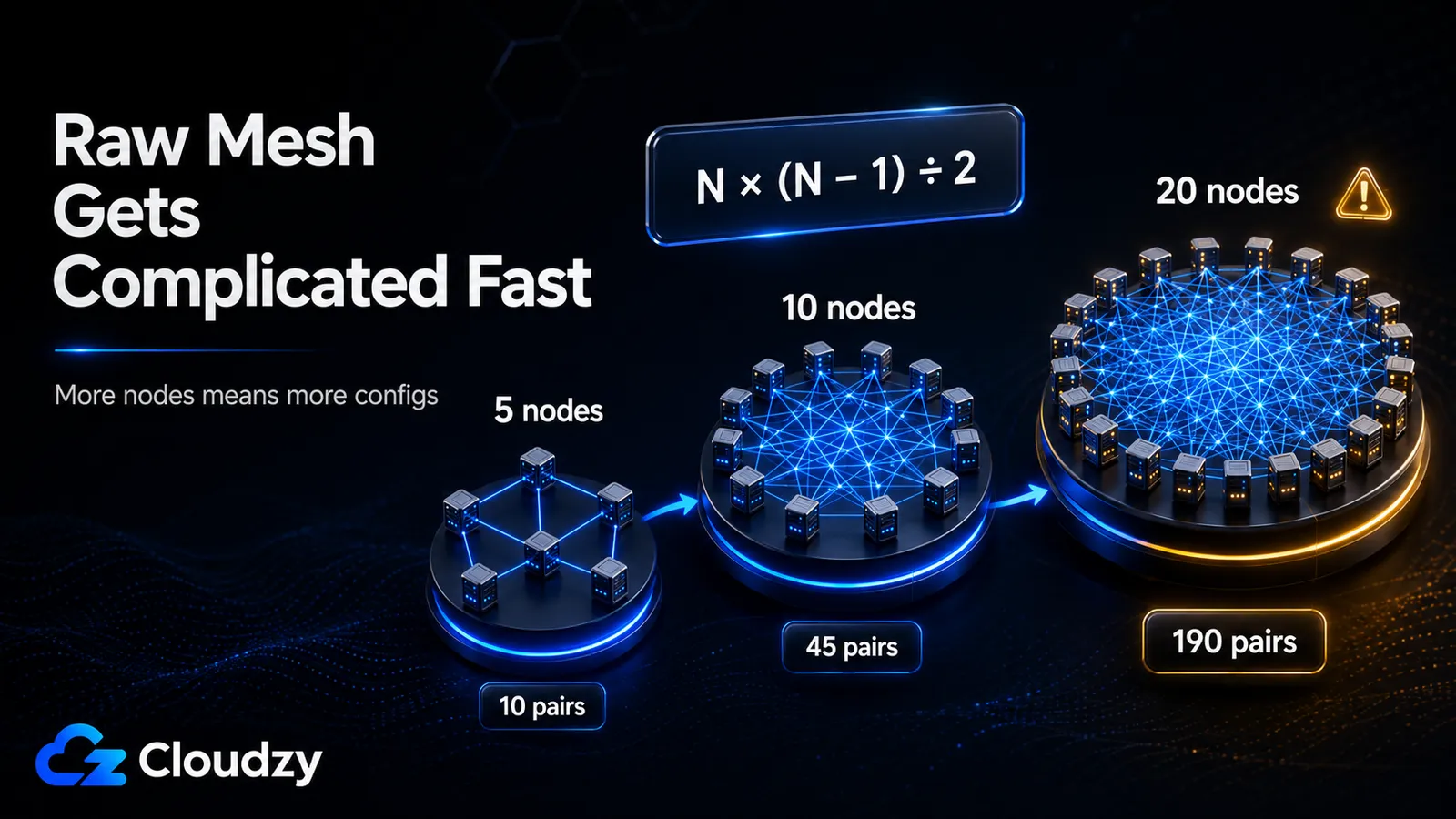
A mesh requires every peer to know about every other peer. WireGuard's config format reflects this directly: each peer has a [Peer] section for every node it talks to. Five nodes means each config file has four [Peer] blocks, and the total number of configurations to maintain across the mesh is N times (N minus 1) divided by 2.
At five nodes, that is 10 connection pairs. At 10 nodes, 45. At 20, 190. The growth is quadratic. Adding a single node to a 20-node mesh requires updating 20 config files and restarting 20 daemons. Removing a key requires the same.
Tools like wg-meshconf and Netmaker exist to automate this.
Tailscale: Honest Recommendation for Most Teams
Tailscale is genuinely good enough for most teams. The control plane is hosted by Tailscale, the data plane is direct peer-to-peer, and the free tier covers 100 devices. Setup is sub-five-minutes. NAT traversal works in most network environments without configuration. ACLs are managed centrally.
The honest caveat: the control plane is a third-party dependency. Tailscale distributes the WireGuard keys that connect your devices. If Tailscale's coordination server is compromised, an attacker could in principle insert themselves into the mesh. Tailscale publishes detailed threat-model documentation acknowledging this and uses tailnet locks and node-attestation to harden against it. For most teams, this dependency is acceptable. For teams whose threat model includes nation-state attackers or strict regulatory requirements about coordination metadata, it is not.
Tailscale's data plane bypasses the company's servers when possible. When direct peer-to-peer fails, traffic falls back to Tailscale's DERP relay servers, which are throttled to roughly 5 Mbps. If two of your nodes always end up on DERP because of NAT pathology, the relay throttle becomes the bottleneck.
Pro Tip: If your home ISP uses Carrier-Grade NAT, you cannot accept incoming connections at home. Tailscale and Headscale handle this through hole-punching and DERP fallback automatically. Raw WireGuard requires a publicly reachable VPS as the relay, with the home node acting as a client that initiates outbound connections.
Headscale: When You Need to Own the Control Plane
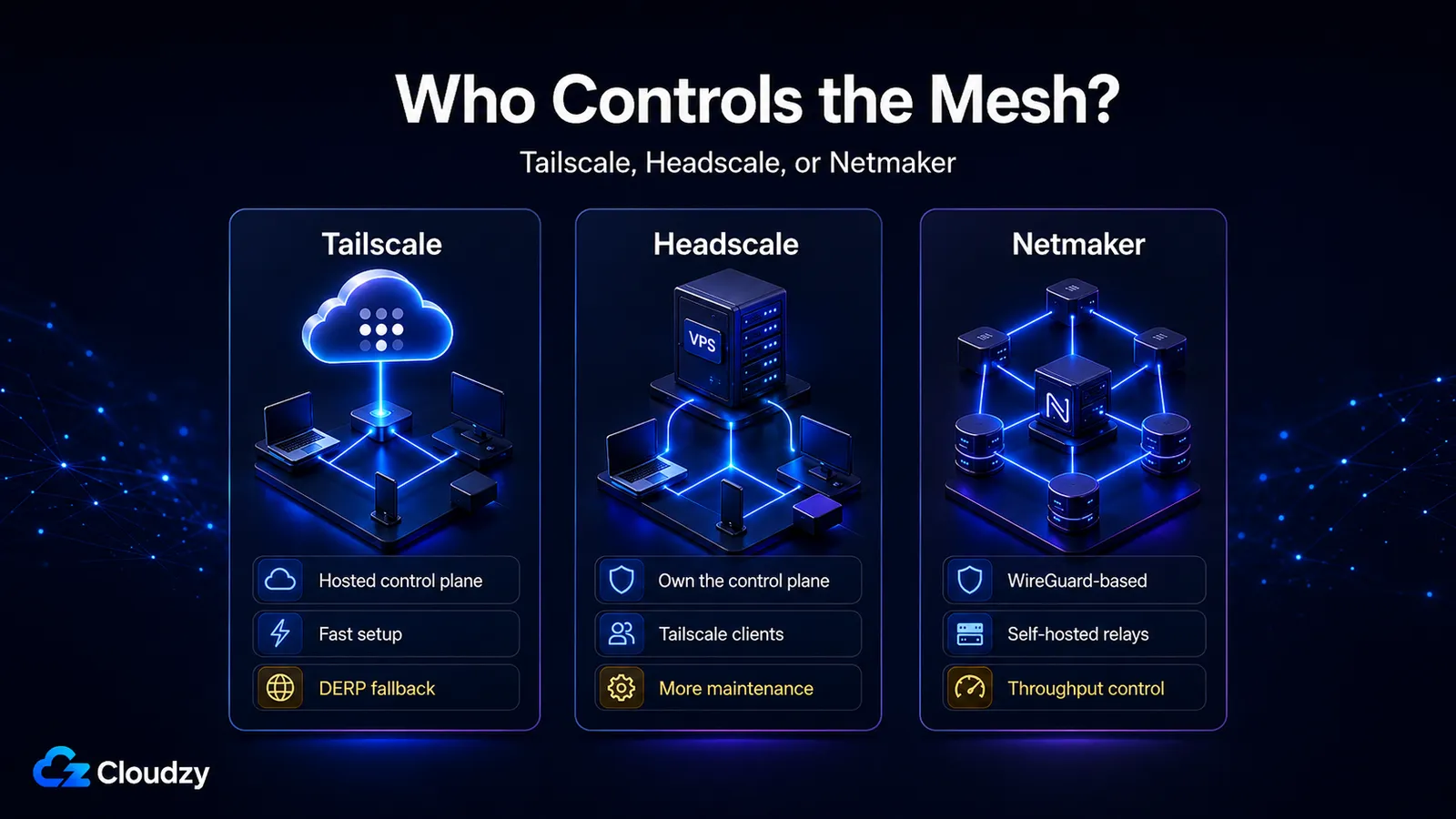
Headscale is an open-source reimplementation of Tailscale's coordination server. Tailscale's official client connects to Headscale instead of Tailscale's hosted servers, and the user-facing experience is similar. But it has one crucial trade-off: you operate the control plane yourself, which means uptime, upgrades, and security patches are your problem.
Headscale lacks some of Tailscale's polish. ACL configuration is YAML and CLI, not a web UI. MagicDNS edge cases occasionally surface that the official client handles silently in the hosted version. The project is well maintained, runs in production at organisations that need it, and is appropriate for teams whose threat model or compliance posture requires self-hosted coordination.
Headscale maintenance is ongoing work. If you prefer to offload that, a Linux VPS with a 99.95% uptime SLA and 24/7 support handles the controller workload without the on-call burden. The controller itself is light because it only handles coordination; the actual mesh traffic is peer-to-peer.
Netmaker
Netmaker is an alternative coordination layer that runs on top of WireGuard rather than reimplementing Tailscale. The architectural difference is meaningful: when direct peer-to-peer fails, Netmaker can route through self-hosted relay nodes without the 5 Mbps throttle that Tailscale's DERP imposes. For team meshes that need consistent throughput across NAT failures, this matters.
Netmaker's developer experience is rougher than Tailscale's. The community edition runs on a single VPS and supports the use cases most small teams have. Netmaker's commercial edition adds enterprise features but is not part of this discussion.
Our one-click Netmaker VPS comes with quick installation on fast infrastructure.
Use Case 3: Bypassing Censorship
Quick Verdict: Hiddify Manager for active censorship environments. Outline for simpler regions. WireGuard and OpenVPN do not survive deep packet inspection. Do not deploy them as anti-censorship tools.
WireGuard's traffic is identifiable by its UDP packet structure, so it can be blocked. The problem is not that WireGuard's encryption is weak. The encryption is fine. The problem is that the encrypted packets look like a VPN, and modern censorship inspects packet shape, timing, and protocol fingerprints, not just payload content.
A self-hosted VPN as your sole anti-censorship tool will fail in any environment with active deep packet inspection. The right approach is a different category of tool: traffic that mimics ordinary web browsing well enough that the censor cannot distinguish it from real HTTPS traffic to a real website.
This category ages faster than the rest of this guide. Censors adapt. Protocols are blocked. New obfuscation methods, like REALITY and Hysteria2, emerged within the last two years and the next two will bring more. The selection logic, which is to match the obfuscation level to the censorship environment, is durable. The specific tool that works in your country today may not work in six months. Hiddify's GitHub repository and issue tracker is the place to check current status before deploying.
Hiddify Manager: The Current Best Answer
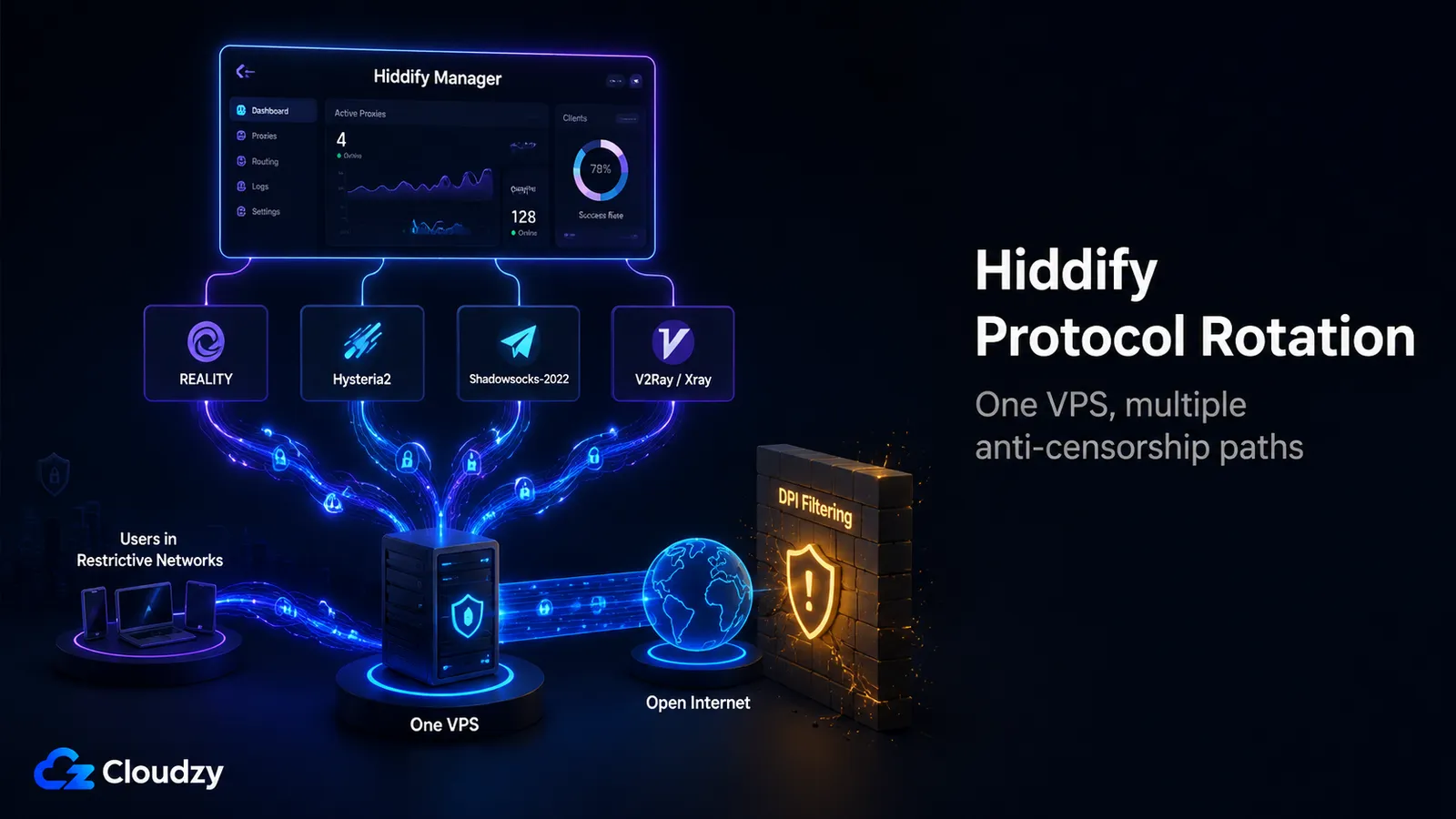
Hiddify Manager is a meta-tool. It is not itself a single VPN protocol; it is an admin layer that deploys, manages, and rotates more than 20 underlying anti-censorship protocols on a single VPS. The Hiddify v12 release in February 2026 supports:
- Reality (XTLS over VLESS)
- Hysteria2
- Shadowsocks-2022 with the TLS variants
- V2Ray and Xray with WS, gRPC, and H2 transports
- WireGuard for fallback
The web admin panel handles user management, traffic limits, and per-user protocol routing.
The protocol rotation feature is the part that matters in practice: when one protocol begins to fail in a given country, the admin switches users to another without redeploying the server. This is the operational difference between Hiddify and a single-protocol stack.
Two protocol notes worth understanding before deployment. Reality is the current state-of-the-art for TLS fingerprint evasion. It mimics a real HTTPS connection to a real public website (which the operator chooses, typically a high-traffic site like cloudflare.com), and a censor inspecting the handshake sees what looks like an ordinary connection to that site. Hysteria2 is a UDP-based protocol with built-in obfuscation that performs well on lossy networks; it is faster than TCP-based alternatives when the network is unstable, which describes most consumer connections in restricted environments.
Cloudzy's marketplace also offers a one-click Hiddify image on the same Linux VPS infrastructure, deployable in minutes.
Location selection for this use case differs from privacy use cases. Avoid US and major EU exit points when serving users in detection-heavy regions. Good options include Dubai, Frankfurt, Amsterdam, and Singapore, which offer broad geographical coverage.
V2Ray, Xray, Shadowsocks: The Layer Underneath
V2Ray and its fork Xray are the protocol family Hiddify wraps. If Hiddify is too much abstraction and you want to deploy a single protocol with manual configuration, V2Ray or Xray directly is the path. The trade-off is operational: you manage the daemon, the TLS certificate, the obfuscation setup, and the failure modes alone. Most readers will be better served by Hiddify.
Shadowsocks is older. The original protocol still works in many environments but is increasingly detected by modern DPI. Shadowsocks-2022 added stream-cipher upgrades that close some classes of detection but does not address protocol-fingerprinting attacks alone. It is reasonable as one option inside a Hiddify deployment, less reasonable as a standalone tool in 2026.
Outline: Simpler Regions
Outline is Jigsaw's wrapper around Shadowsocks with a friendly admin UI. It transitioned to the Outline Foundation in 2026 as an independent project. Outline is a reasonable choice for users in environments where the censorship is less aggressive, where simple Shadowsocks-class obfuscation still works, and where the deployer is non-technical and wants a packaged experience. Hiddify covers more ground across most environments.
Side-by-Side Comparison
| Tool | Best For | Setup | Throughput | Firewall Traversal | Min VPS Requirement | Trust Model |
|---|---|---|---|---|---|---|
| WireGuard | Personal exit node | Low | ~210 Mbps tunneled, ~8 Gbps kernel bare-metal | UDP only; blocked by some networks | 12 MB RAM | Self-hosted; you control all keys |
| WireGuard Easy | Personal, web UI preferred | Low | Same as WireGuard | UDP only | 512 MB RAM | Self-hosted |
| OpenVPN AS | UDP-blocked networks | Medium | ~110 Mbps tunneled | TCP 443 looks like HTTPS | 1 GB RAM | Self-hosted; 2 free connections |
| Pritunl | Small team OpenVPN/WG dashboard | Medium | Comparable to underlying protocol | UDP or TCP | 2 GB RAM | Self-hosted; no per-user fees |
| Tailscale | Most teams | Very low | Direct P2P near line-rate; DERP throttled to 5 Mbps | NAT traversal automatic | None required (hosted control plane) | Hosted control plane |
| Headscale | Teams needing self-hosted control plane | Medium | Same as Tailscale | NAT traversal automatic | 1 GB RAM | Fully self-hosted |
| Netmaker | Team mesh, no DERP throttle | Medium | WireGuard-class throughput | NAT traversal via self-hosted relays | 1 GB RAM | Fully self-hosted |
| Hiddify Manager | Anti-censorship, restrictive regions | Medium (web UI) | Protocol-dependent | DPI evasion via REALITY, Hysteria2, etc. | 1 GB RAM | Self-hosted |
Pick the Use Case First
The decision is upstream of the tool.
- Deploy WireGuard when your use case is personal privacy as your own exit node.
- Use Tailscale if your use case is connecting a team's machines, unless owning the control plane is part of your threat model, in which case go for Headscale or Netmaker.
The tools are not interchangeable; the failure mode of using one for another use case is real.
Whichever path applies, the hard part of deployment and maintenance still remains. Cloudzy's marketplace has one-click deploys for every tool covered above. The hard part is matching the tool to the threat model. That part is upstream of any deploy button.
Frequently Asked Questions
Should I Use WireGuard or OpenVPN for My Self-Hosted VPN?
WireGuard for almost every case. It is faster, has lower latency, ships in the Linux kernel, and is much simpler to configure. Use OpenVPN only when you need to traverse UDP-blocking firewalls (configured on TCP port 443) or when you need broad legacy client support that WireGuard does not yet target.
Is Tailscale Really Self-Hosted?
No. Tailscale's data plane is peer-to-peer, but the control plane (key distribution, identity coordination) is hosted by Tailscale. For many teams, Tailscale's hosted control plane is acceptable; the question is whether your threat model treats it as a dependency you can accept.
What Is the Minimum VPS Size to Run a Self-Hosted VPN?
512 MB of RAM and one virtual CPU is enough for personal WireGuard or OpenVPN. For team mesh controllers like Headscale or Netmaker, 1 GB of RAM is comfortable. For anti-censorship multi-user setups like Hiddify, 1 to 2 GB of RAM handles a small group of users. None of these workloads need a CPU-optimised plan.
Can I Run WireGuard if My Home ISP Uses CGNAT?
Not as a server you initiate connections to from outside. Carrier-Grade NAT prevents incoming connections to your home IP entirely. Two paths around this: rent a small VPS as a publicly reachable relay, with your home device connecting outbound to it; or use Tailscale or Headscale, which handle NAT traversal through hole-punching automatically. Both work; the VPS approach gives you a stable IP, the Tailscale approach gives you a mesh.



Discussion
Comments
Sign in to join the discussion.