
You paste a crash report into ChatGPT and it confidently names a mod that isn't even in your pack. You ask for a KubeJS recipe and get event.recipes.minecraft.shaped(...), legacy syntax that does not match current KubeJS recipe examples. You ask for an FTB Quests block and it hands you JSON-style commas, which can break the multiline FTB SNBT format used by 1.21.1-era quest files.
The tool isn't broken. The prompt is. AI models often fall back to older Minecraft modding examples, which is risky for current KubeJS and FTB Quests files. Give the model the exact game version, loader build, target file format, and a working example from your own code, and the output goes from "confidently wrong" to "mostly right, verify the rest."
That's the whole game here: these prompts work in whatever assistant you already pay for (ChatGPT, Claude, Copilot), with no crash-tool signup and no extra subscription. And they assume you can already read the output. AI-generated KubeJS is a drafting shortcut for someone who knows KubeJS; if you can't spot a hallucinated item ID, AI-generated KubeJS will bite you. Below are five task-specific, version-aware prompts, each with a realistic example of what comes back and a note on where it goes wrong.
TL;DR
The best ChatGPT prompts for Minecraft modpack development supply three things every time: the exact Minecraft version, the exact mod loader and its version, and a working example from your own codebase. With that context, AI can produce more useful first drafts for crash-log triage, KubeJS recipes, FTB Quests SNBT, mod shortlists, and commit messages. But you verify every item ID, API call, and hex quest ID yourself. AI accelerates a competent modder; it does not author a pack.
What These Prompts Won't Do
Set expectations before you copy anything:
- They won't build a modpack for you. Every prompt drafts one artifact (a recipe, a quest block, a diagnosis) that you drop into a pack you're already designing.
- They won't teach you KubeJS or SNBT. If the syntax below looks unfamiliar, the failure modes will slip past you. Learn the format first, then use AI to go faster.
- They won't replace a real test server. AI reasons about a stack trace; it can't tell you the pack actually boots with 150 mods loaded.
- They won't guarantee correct output. Treat everything AI returns as a first draft you review, not a finished answer.
Why AI Needs the Right Context Before It Writes Anything
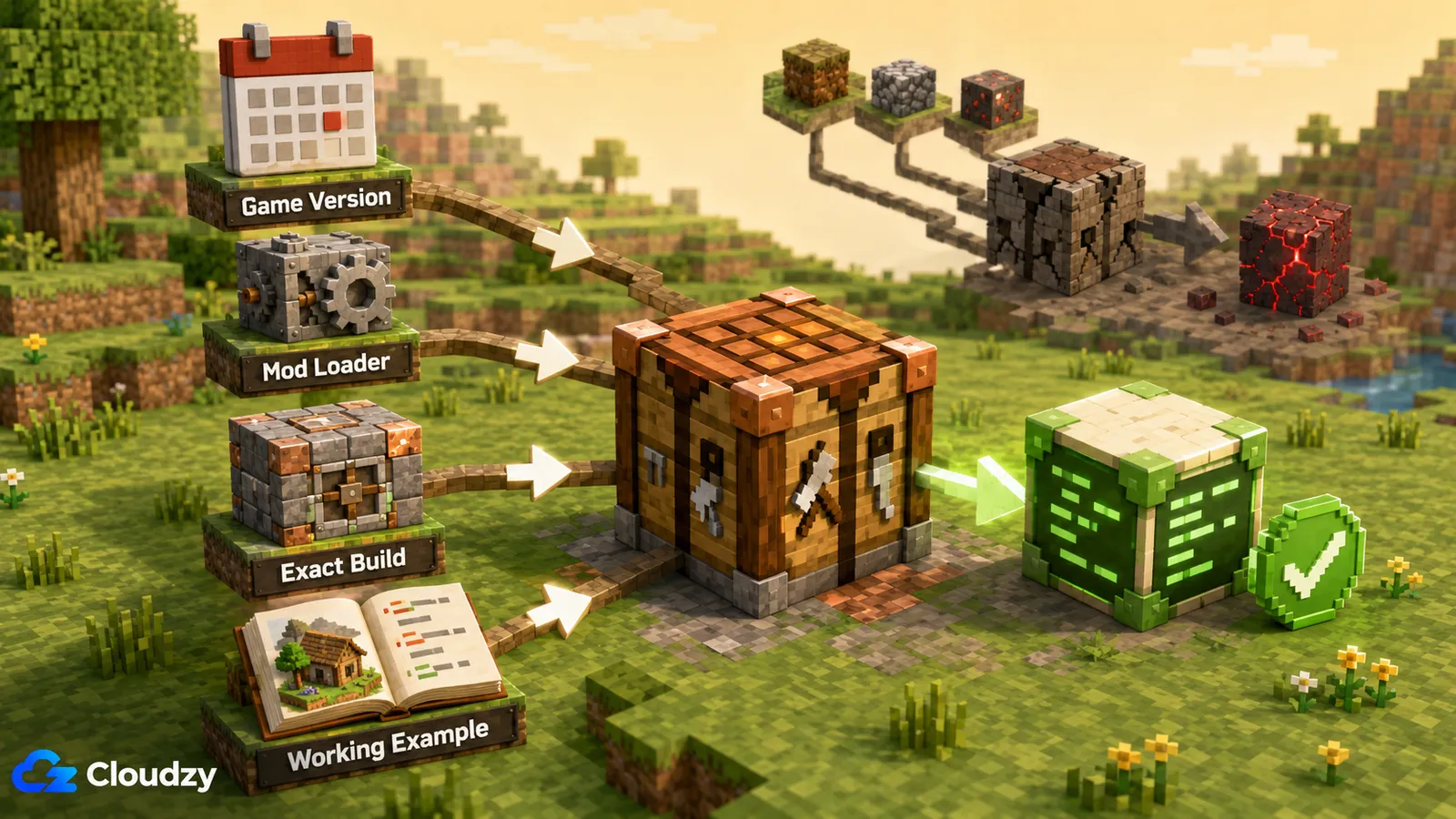
Here's the difference between a prompt that works and a generic "make me a Minecraft recipe" prompt: context. Drop the version and loader, and the model may generate older KubeJS syntax for your 1.21.1 NeoForge pack, invent item IDs that don't exist, or format FTB SNBT like ordinary JSON. The script may do nothing or fail with an error buried in a log you still have to read.
So every prompt in this article carries the same three-part context, and you fill it in from your own pack:
- Exact Minecraft version: 1.20.1, 1.21.1, whatever you're actually on.
- Exact mod loader and version: Forge, NeoForge, Fabric, or Quilt, plus the build number.
- A working example from your own codebase, wherever you can supply one. One real recipe from your
server_scripts/, one valid quest block, one prior commit message. This is the single biggest quality lever: the model matches the style and API you hand it far more reliably than the one it guesses at.
Pro tip: The version line is not optional decoration. KubeJS 6.x for Minecraft 1.20.1 and KubeJS 7.2.x for Minecraft 1.21.1 are different targets, and the exact installed build still matters. A prompt that omits the exact game, loader, and KubeJS versions is asking the model to guess.
Prompt: Crash-Log Triage
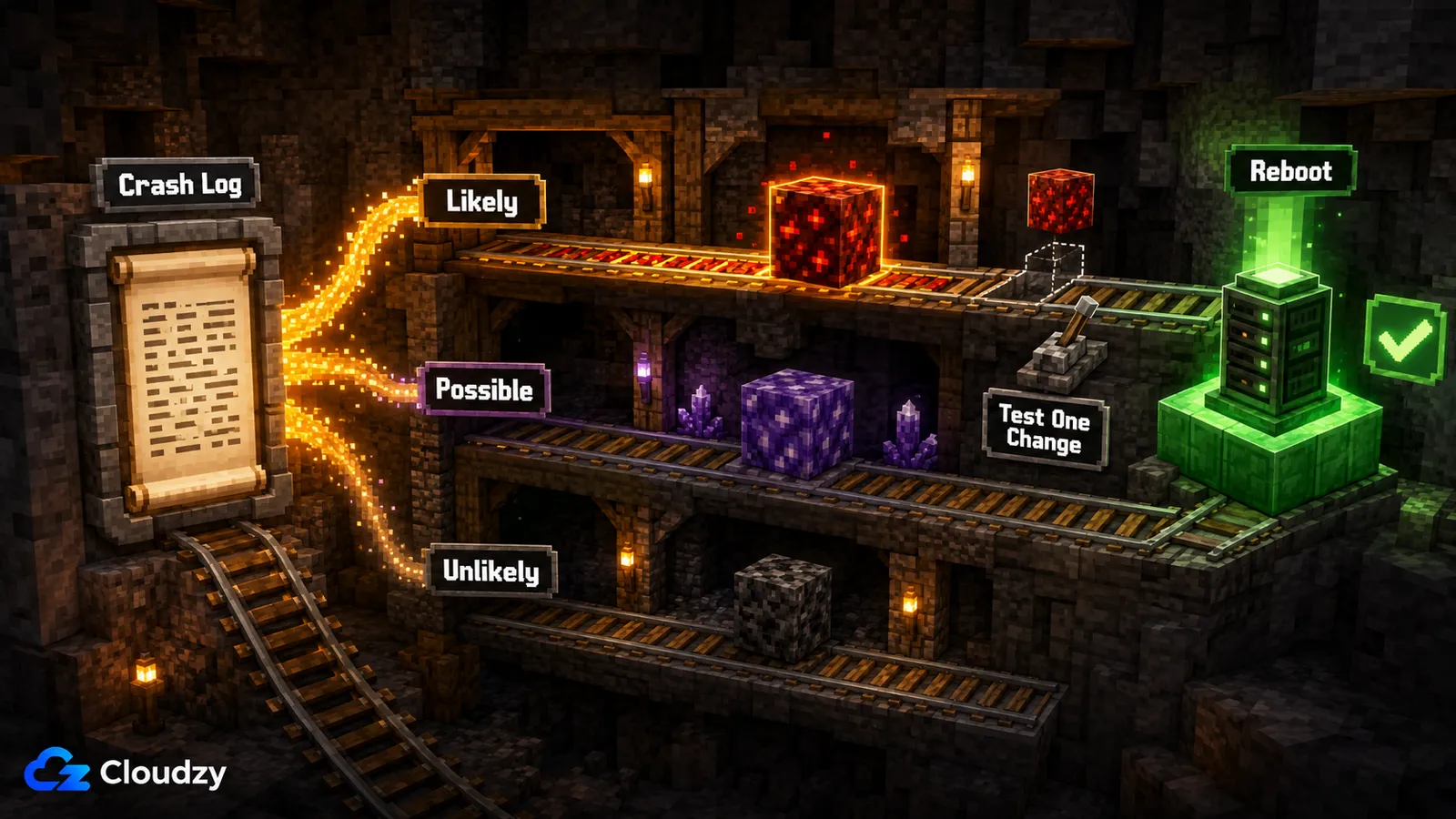
This prompt turns a wall of stack trace into a ranked list of suspect mods and a next step, which is the fastest way to shortcut a blind binary search.
You are helping me diagnose a Minecraft crash. Here is the context:
- Minecraft version: 1.21.1
- Mod loader + version: NeoForge [paste your exact build]
- What triggered it: crash on world load, ~150 mods
- (If it looks like a missing-dependency error, I'll paste the mod list too)

Here is the full crash report (or the first 100 lines plus every Caused by: block):
[paste the crash-report text or the top of latest.log]

Tell me:
1. The most likely cause, in one sentence.
2. A ranked list of the 2-3 mods most likely involved and why.
3. The single next step you'd take to confirm which one it is.
Keep it short. Don't guess at mods that aren't in the trace.
A realistic answer looks like this:
Likely cause: A mixin conflict during world load. Two mods may be injecting into the same class. Suspects: (1) The frame org.spongepowered.asm.mixin.transformer points at a mixin failing to apply; the mod owning the target class is the first suspect. (2) A second mod touching entity rendering appears one frame up. (3) Less likely, a config mod loaded just before the failure. Next step: Pull the two suspects, boot, and add them back one at a time. That confirms the pair faster than removing half the list.
What to adjust: If the diagnosis comes back vague ("some mod is conflicting"), you didn't give it enough trace: paste the full crash report instead of the first 100 lines, and add the mod list with versions. If it's still hand-wavy, the log genuinely doesn't name a culprit, and you're back to binary search.
Where it goes wrong: AI will name a culprit mod with total confidence when the real cause is something else in the trace. Treat its answer as a ranked hypothesis, not a verdict. You confirm it by actually pulling mods and booting.
This is the part people skip. AI reads the stack trace; it can't tell you the pack boots cleanly under real conditions, because some crashes only appear once multiple mods initialize together on a server rather than in a quick single-player launch. That's the point where you want a throwaway test server. Cloudzy's marketplace also has a one-click Minecraft Forge deployment on Ubuntu Server 24.04 LTS. The marketplace lists 2 GB RAM as the minimum, but that is the platform floor, not a sizing target for a large modpack. For a small test pack, 4 GB RAM and 2 vCPU is a reasonable starting point; for 100+ mods, start around 8 GB and 4 vCPU, then adjust for player count, world generation, and actual profiling. Spin it up, confirm the fix under load, and tear it down.

Host lag-free game servers with high-speed NVMe VPS hosting.
VPS for GamingPrompt: KubeJS Recipe Generation
This prompt drafts a KubeJS recipe in the exact API your pack uses, as long as you paste a working recipe from your own scripts first so the model matches it.
Write a KubeJS recipe for me.
- Target: Minecraft 1.21.1 / NeoForge [paste exact build] / KubeJS [paste exact installed 7.2.x build]
  (For the older line, use: Minecraft 1.20.1 / your exact loader build / your exact installed KubeJS 6.x build)
- Goal: a shaped recipe that crafts 3x create:andesite_alloy from
  iron nuggets and andesite.

Here is one working recipe from my server_scripts/ so you match my API style:
[paste one real ServerEvents.recipes block from your pack]

Output only the recipe, inside a ServerEvents.recipes(event => {...}) block.
Use item IDs exactly as I'd find them in-game; flag any ID you're unsure exists.
With the KubeJS 7.2.x line for Minecraft 1.21.1 and a pasted example, you get the current event.shaped() syntax shown in the KubeJS recipe docs:
// KubeJS 7.2.x - Minecraft 1.21.1 / NeoForge
ServerEvents.recipes(event => {
  event.shaped(
    Item.of('create:andesite_alloy', 3),
    ['III', 'IAI', 'III'],
    { I: 'minecraft:iron_nugget', A: 'minecraft:andesite' }
  )
})
What to adjust: For Minecraft 1.20.1, specify your exact loader build and exact installed KubeJS 6.x build so the model matches that line. To remove or replace a vanilla recipe, ask for event.remove({ output: '...' }) or event.replaceInput(...) explicitly: name the method so it doesn't improvise.
Where it goes wrong: Two failures dominate here: hallucinated item IDs (create:andesite_alloy is real; create:andesite_gear might not be) and wrong-version output when you forget the target line. Check every item ID against your installed mods, then drop the script into your test pack and read kubejs/logs/server.log.
Pro tip: Pasting one known-good example from your own server_scripts/ before asking for anything new is worth more than any amount of prompt wording. The model imitates the concrete example in front of it more faithfully than the abstract "correct" API it half-remembers.
Prompt: FTB Quests Book Writing (SNBT on 1.21.1)
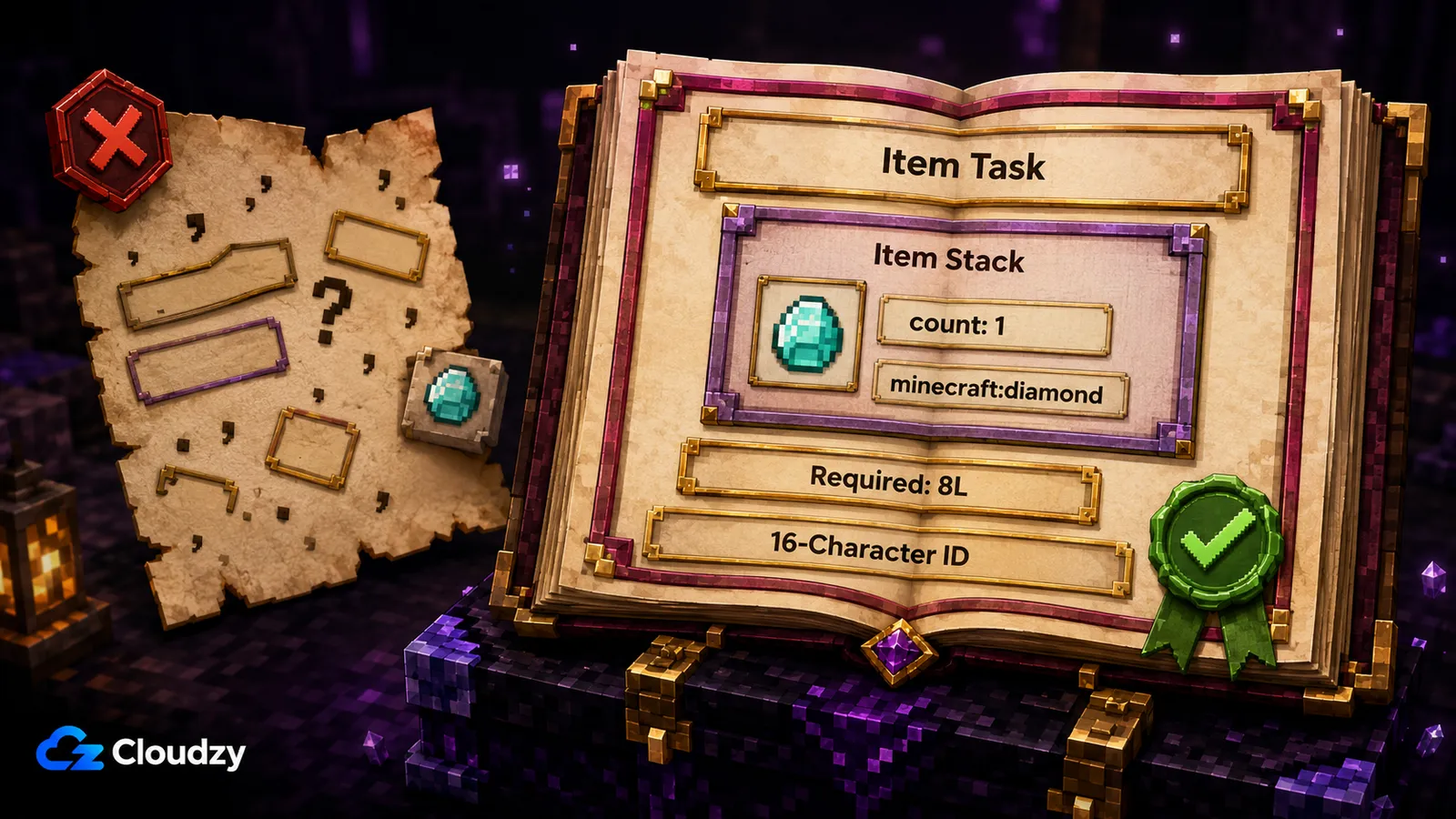
This prompt drafts FTB Quests entries in FTB's extended SNBT format for Minecraft 1.21.1. It is the hardest AI task in the set because SNBT looks like JSON and the model desperately wants to treat it like JSON. For Minecraft 26.1.2 and newer, FTB Quests uses JSON5 instead, so do not use this SNBT prompt there.
Write an FTB Quests task block in FTB SNBT for Minecraft 1.21.1 / NeoForge.

FTB SNBT is NOT JSON. Follow these rules exactly:
- Do not use commas between fields in multiline objects.
- Match the 16-character UPPERCASE hexadecimal ID format used by my existing quests
  (example: 7942A6A571A4C5EB).
- Put the required amount in the task-level count field as a long (count: 8L); keep the nested item stack count at 1.
- This is a task block only; do not add chapter-level fields such as filename or quests.

Goal: an "item" task requiring 8x minecraft:diamond.
Match this known-good block's structure exactly:
[paste a valid SNBT block from your existing chapter file]

Output only the SNBT block.
Model the output on a block you already know is valid:
{
    id: "7942A6A571A4C5EB"
    type: "item"
    item: {
        count: 1
        id: "minecraft:diamond"
    }
    count: 8L
}
What to adjust: For a full chapter instead of one task, ask for the chapter wrapper with filename and a quests: [...] list, then require a distinct 16-character hexadecimal ID for each quest. If it reuses IDs or changes the format, paste two or three known-good IDs and tell it to match them.
Where it goes wrong: It adds JSON commas to multiline FTB SNBT, puts the required amount inside the nested item stack instead of the task-level count field, or generates malformed quest IDs. Any of these can stop a chapter from loading or make the task count incorrectly. Validate every block against a structure you know works and check the server log before it goes near config/ftbquests/.
Prompt: Mod Curation by Theme
This prompt uses AI as an ideation shortcut (a themed shortlist of mods to go investigate), never as a source of truth about what exists.
Suggest mods for a modpack with this theme: [your theme, e.g. "steampunk
automation, tech-focused, no magic"].
- Minecraft version: 1.21.1
- Loader: NeoForge

For each suggestion, give me:
- The mod name and what it contributes to the theme.
- Whether you're confident it exists for 1.21.1 / NeoForge, or unsure.

Mark anything you're not certain about as UNVERIFIED. Do not assert
availability you're not sure of; I'll confirm each one on CurseForge/Modrinth.
A useful answer separates the confident picks from the guesses:
Confirmed examples for 1.21.1 / NeoForge (verify the exact file): Create, for automation and contraptions; Immersive Engineering, for multiblock machines and industrial tech. UNVERIFIED: [smaller add-ons the model cannot confirm]. Check the project page before adding anything.
What to adjust: Constrain harder by asking only for mods with confirmed CurseForge or Modrinth pages, and ask for a one-line compatibility note per mod (dependencies, known conflicts) so your shortlist doubles as a research checklist.
Where it goes wrong: AI hallucinates mod names and version availability freely. It will invent a plausible-sounding mod that doesn't exist, or claim a 1.21 build for something that stopped at 1.19. Every suggestion is a lead to confirm on CurseForge or Modrinth, not an entry for your modlist.
Prompt: Changelog and Commit-Message Drafting
This is the lowest-risk, highest-reliability AI task in the whole set: hand it a diff you made and ask it to summarize, and it's genuinely good at it.
Here are the changes in this modpack update (from my packwiz .pw.toml
adds/removes/updates):
[paste your git diff or a list of added/removed/updated mods]

Write two things:
1. A Conventional Commit message (type(scope): summary + a short body).
2. A short player-facing changelog entry, with a friendlier tone and no file names.

Only summarize the changes I gave you. Don't invent changes I didn't list.
Feed it a real diff and it returns something you'd actually ship:
feat(mods): update Create stack and remove old storage entry

- Added Create: Steam 'n' Rails and Create Crafts & Additions
- Removed Simple Storage Network
- Updated JEI to the 1.21.1 build listed in the supplied diff
Players: This update expands the Create tech tree with trains and electric machines, removes the storage mod listed in the change set, and refreshes the JEI recipe index.
What to adjust: Set the tone explicitly: terse for the commit log, warmer for the player-facing note. For a full release, batch the whole update's diff and ask for grouped changelog sections (Added / Changed / Removed).
Where it goes wrong: Almost nothing, as long as you keep it summarizing the diff you supplied. The only real risk is it padding the changelog with changes you didn't make, so don't ask it to "guess what else changed"; feed it the actual diff and hold it to that.
When Not to Trust the Output (Failure Modes at a Glance)
If you remember one section, make it this one. Across every task above, AI fails in a small, predictable set of ways, and each has a compensating move you already have the pieces for:
| Failure mode | Where it shows up | How you compensate |
|---|---|---|
| Hallucinated item IDs | KubeJS recipes, quest items | Check every ID against your actual mods; paste real IDs into the prompt |
| Wrong KubeJS API version | KubeJS recipes | Put the game version, loader build, and exact KubeJS build in every prompt |
| SNBT treated as JSON (commas) | FTB Quests | State "no commas between same-level fields" inline; validate against a known-good block |
| Invalid quest IDs (lowercase/wrong length) | FTB Quests | Specify 16-char uppercase hex; seed valid IDs |
| Hallucinated mod availability | Mod curation | Confirm every suggestion on CurseForge/Modrinth before adding |
Two techniques cover most of it. First, put the exact game version, loader build, target format, and a working example in every prompt. Second, use a two-step pass: generate the artifact, then paste it back and ask the model to review it against specific constraints such as FTB SNBT delimiters or quest-ID format. It catches a useful share of its own mistakes when you make it look twice.
None of this replaces you reading the output. It just means the reading takes minutes instead of the hours you'd spend writing it from scratch.

Conclusion
ChatGPT is useful for modpack development when you make it work against your pack's real constraints. Give it the exact game version, loader build, target format, and a known-good example; then treat every recipe, quest block, and diagnosis as a draft that must survive logs and a real test instance. That keeps the speed advantage without handing the model authority it has not earned.
Frequently Asked Questions
Can AI Read Minecraft Crash Logs?
Yes. Paste the full crash report, or at least the first 100 lines plus every Caused by: block, along with the Minecraft version and the loader build. A capable model can read the stack trace and rank likely culprit mods. Use it to shortcut a blind binary search, then confirm the hypothesis on a test instance.
How Do I Use ChatGPT for KubeJS Recipes?
Always state the Minecraft version, loader build, and exact installed KubeJS build. KubeJS 6.x is the Minecraft 1.20.1 line, while KubeJS 7.2.x is the Minecraft 1.21.1 line. Paste one working recipe from server_scripts/ so it matches your style, then verify every item ID and confirm the API against your KubeJS log.
What Prompts Work for FTB Quests Writing?
For Minecraft 1.21.1, spell out FTB's multiline SNBT rules: omit commas between fields, match the 16-character hexadecimal ID format used by existing quests, preserve typed-number suffixes where the source uses them, and do not mix task fields with chapter fields such as filename. Include a known-good block and validate the result before loading it. On Minecraft 26.1.2 and newer, FTB Quests stores this data as JSON5, so use a version-matched JSON5 example instead.
Does AI Write Good Minecraft Mods or Modpacks?
Not on its own. AI accelerates a developer who can read and verify its output by drafting recipes, quests, and diagnoses faster than writing them from scratch. It does not reliably produce working mods or packs without review. Used as a drafting tool by someone who knows the domain, it is a real speedup; treated as an autonomous author, it ships avoidable errors.
What Minecraft Version and Loader Do I Need to Tell the AI?
Both, every time. State the exact Minecraft version, such as 1.21.1, and the exact loader and build for Forge, NeoForge, Fabric, or Quilt. Without them, the model may choose outdated or loader-incompatible syntax. Verify the result in a test pack before carrying it into production.



Discussion
Comments
Sign in to join the discussion.