
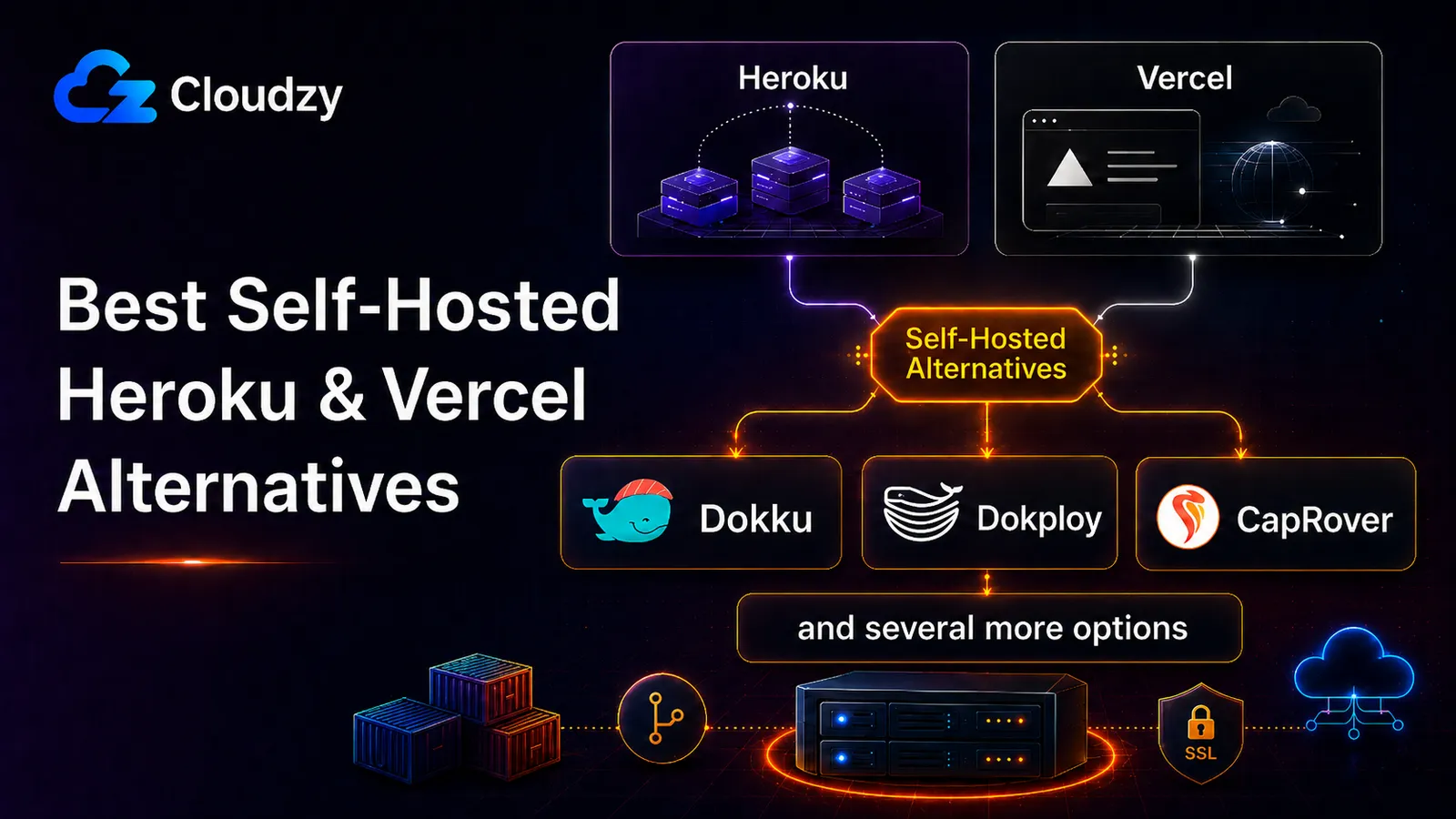
In June 2024, the Cara app went viral, growing from 40,000 to 650,000 users in a week, and its founder reported a Vercel bill of $96,280 for the previous week. That was the extreme end of a wider pattern: usage-based platforms are convenient until traffic, bots, bandwidth, or function calls turn into a surprise bill.
Vercel now offers spend management features, including notifications, webhooks, and the option to pause production deployments when a configured spend amount is reached. So the point is not that developers have no controls. The point is that those controls still need to be understood, configured, and monitored. Heroku creates a different kind of pressure: it is simple and mature, but the cost can grow quickly once you move beyond a small app and start adding managed databases, Redis, workers, backups, and monitoring.
The result is a maturing ecosystem of open-source self-hosted PaaS tools that aim to recreate parts of the Heroku-style deployment experience on a VPS you control: push code, connect a domain, get SSL, run databases, and manage apps without building a full Kubernetes platform.
This post compares six of them: Coolify, Dokku, CapRover, Dokploy, Kamal, and seelf. The goal is not to crown the tool with the most stars. The goal is to map the decision space clearly so that you can match a tool to your constraints, or recognize that none of them fit, and a managed platform is still the right answer.
The Short Answer
A self-hosted PaaS can automate Docker builds, reverse proxy setup, SSL, app deploys, and basic service management on your own server. What it does not give you by default is the full infrastructure layer of a managed platform: automatic multi-region failover, hands-off database reliability, or platform-managed incident response.
- Choose Coolify if you want the closest thing to a full Heroku-style dashboard on your own VPS.
- Choose Dokku if you want the lightest git-push deployment flow and are comfortable using the CLI.
- Choose CapRover if you want a simple visual app manager and mostly deploy single-container apps.
- Choose Dokploy if you want a polished modern dashboard, Docker Compose support, and a cleaner UI than Coolify.
- Choose Kamal if you want a CLI-first deployment tool, especially for Rails or containerized apps.
- Choose seelf if you want a lightweight Docker Compose deployment tool with a small web UI.
If your managed hosting bill is still low and you do not want to maintain a server, stay managed. If your bill is growing and you are comfortable owning updates, backups, firewall rules, and incident response, a self-hosted PaaS can make sense.
When a Self-Hosted PaaS Actually Makes Financial Sense
The cost crossover is the part that gets oversimplified.
A small Heroku production setup can start under $100 per month, but the bill can move into the hundreds or thousands once you add multiple dynos, larger managed Postgres, Redis, backups, monitoring, or higher availability requirements. A similar app stack can often run on a $15 to $30 VPS, but that does not include the same managed-database reliability, backups, failover, or support that Heroku/Vercel-style platforms abstract away.
That is the real trade: you are not replacing a managed platform with the exact same thing for less money. You are replacing platform convenience with a VPS, an open-source deployment layer, and your own maintenance time.
A useful rule of thumb is this: self-hosting starts to make sense when the managed bill is painful enough that the savings justify the work. For a small SaaS, that often means the bill has passed roughly $50 per month and the operator can realistically spend a few hours a month on updates, backups, and basic monitoring.
Our guide to installing Docker on a VPS is the prerequisite for any of the tools in this post. If Docker is not already running on your server, start there.
The savings are real, but they only show up if you are willing to maintain the server.
The Six Tools, Side-by-Side
Before going tool by tool, it is worth putting the six options next to each other. The right tool is the one whose limitations you can live with, not the one with the loudest community.
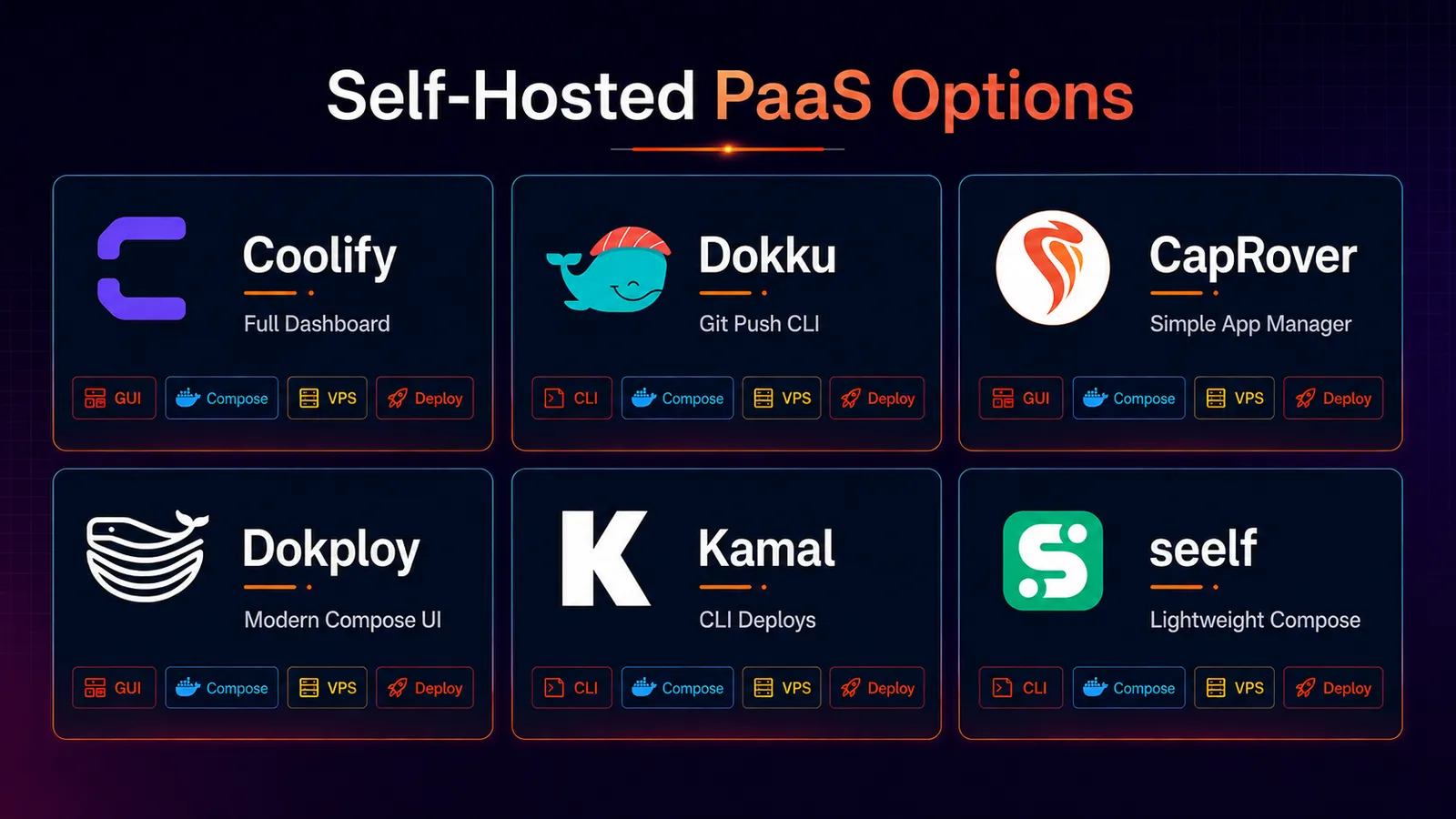
| Tool | Approx. GitHub Stars | Philosophy | Multi-Server Support | Relative Footprint | Best-Fit Use Case |
|---|---|---|---|---|---|
| Coolify | 54k+ | Web UI, full self-hosted PaaS experience | Current Swarm path being deprecated; v5 scalability planned | Higher | Multiple apps, dashboard preferred |
| Dokku | 31.9k | git-push, CLI, plugin-based | Single-server only | Very low | One or two apps, lowest overhead |
| CapRover | 15k+ | GUI-first app manager | Docker Swarm support | Moderate | Simple visual deployments and single-container apps |
| Dokploy | 33.7k+ | Modern web UI, Coolify alternative | Remote servers / Docker Swarm supported | Moderate | Docker Compose users who want a polished UI |
| Kamal | 14.2k+ | CLI-first, no host dashboard | Multiple servers, non-cluster orchestration | Very low host overhead | Rails or Docker apps, CLI-comfortable teams |
| seelf | 343 | Lightweight Compose deploys | Single-node | Low | Docker Compose stacks with minimal overhead |
A large project that does not match your constraints will still cost you the same maintenance time as a smaller project that does.
Coolify: The Full Dashboard Experience
Coolify is one of the most popular self-hosted PaaS tools in this category, and it is the one that most closely resembles a full Heroku-style replacement. It gives you a web dashboard for managing apps, services, environments, domains, SSL, deployments, and databases from one place.
Coolify is one of the most visible projects in this category, and v4.0.0 stable was released on April 27, 2026 after a long beta period. That matters because Coolify had already been widely used in production, but the stable release gives new users a clearer baseline.
What Coolify does well covers most of the developer-facing surface area people want from Heroku or Vercel alternatives. You can deploy multiple apps, run Docker Compose stacks, add services like Postgres and Redis, use automatic SSL through Traefik, and connect GitHub, GitLab, Gitea, or Bitbucket.
The cost of running Coolify is the part that usually gets understated. It is not just your app running on the server; Coolify itself is a real platform layer. That is fine on a properly sized VPS, but tight on a tiny one. Compared with Dokku, Coolify gives you a richer dashboard and more built-in convenience, but it also asks for more server resources and more active maintenance.
Coolify also has the largest security lesson in this list. In January 2026, the Coolify CVE disclosure patched 11 critical vulnerabilities, including command injection, authentication bypass, and private key disclosure issues. Censys identified roughly 52,890 publicly exposed Coolify instances at the time, and Belgium’s Centre for Cybersecurity issued an advisory recommending immediate patching.
That does not mean Coolify should be avoided. It means Coolify should be treated like an admin panel with real power over your server. Keep the dashboard off the public internet where possible. Bind it to a private network such as Tailscale or WireGuard, restrict access by IP, and apply security updates quickly.
Coolify is the right choice if you want a full dashboard, manage multiple apps, prefer a visual workflow, and accept that you are responsible for patching the platform itself.
Dokku: The Smallest PaaS That Works
Dokku is the simplest serious option in this comparison. It has been around since 2013, uses a Heroku-style git-push workflow, and stays close to the idea of doing one thing well.
The workflow is straightforward: add a remote, push the app, and Dokku builds and runs it. Plugins handle common needs like Postgres, MySQL, MongoDB, Redis, backups, certificates, and scheduled jobs. There is no web dashboard, which can be either an inconvenience or an attack-surface reduction depending on how you look at it.
Dokku’s biggest advantage is its small footprint. It can run comfortably on a small VPS for a modest app and database plugin. That makes it one of the most defensible choices when your goal is to replace a small managed-platform bill with a lightweight VPS setup.
Dokku still uses buildpacks by default, with Docker support available as well. Some developers see buildpacks as dated, but for Heroku migrants, that is often exactly the point. Procfiles and Heroku-style deployment habits translate cleanly.
The main downside is that Dokku expects you to be comfortable in the CLI. There is no dashboard for teammates who want to click around, no polished UI for managing multiple apps, and less hand-holding than Coolify or Dokploy.
Dokku is the right answer when you want one git push, the smallest practical server footprint, and no public admin panel to defend.
CapRover, Dokploy, Kamal, and seelf: The Other Four
Coolify and Dokku are the two obvious defaults, but the other four tools are not filler. Each one makes sense for a specific constraint.
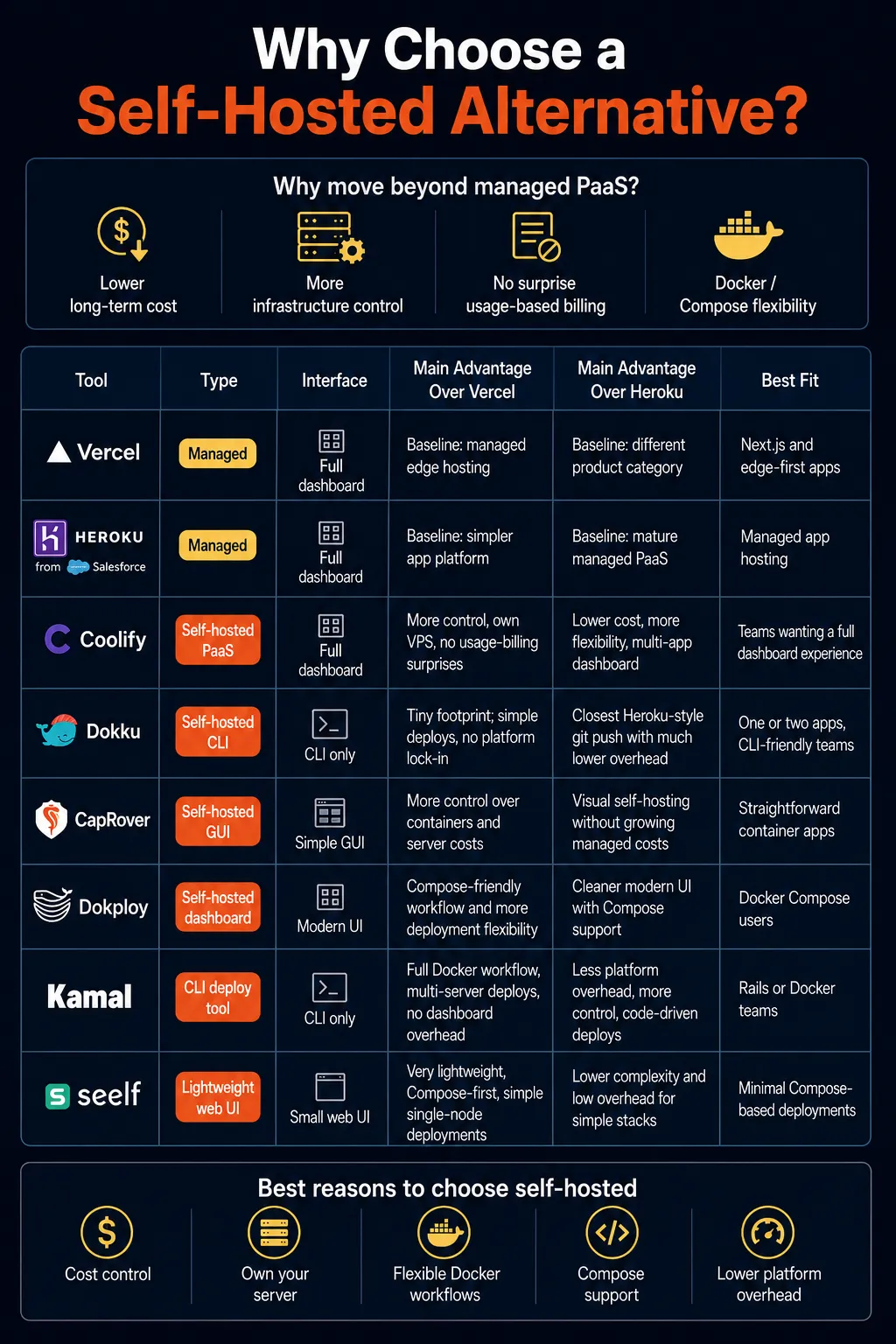
CapRover
CapRover is a GUI-first app and database deployment manager built around Docker, nginx, Let’s Encrypt, and NetData. It is easy to understand, easy to install, and especially comfortable if your apps fit a straightforward single-container deployment model.
CapRover supports Docker Swarm. It is still maintained, with v1.14.1 released in November 2025, but it does not feel as fast-moving as newer dashboard-first alternatives like Coolify and Dokploy. For a brand-new deployment, that matters. You are not just choosing today’s feature set; you are choosing the maintenance pace of the tool you will have to live with.
CapRover is still reasonable if you already use it, like its simplicity, or want a visual interface without the heavier feel of Coolify. For new projects, Dokploy or Coolify will usually be easier to recommend unless CapRover’s simplicity is the deciding factor.
Dokploy
Dokploy is the closest thing to a modern Coolify alternative. It has a polished dashboard, supports Docker Compose, includes templates, and gives developers a cleaner UI for managing apps, databases, domains, and deployments.
The important correction is that Dokploy is not simply single-node by design anymore. It defaults to running apps on the same node, but it now supports remote servers, cluster settings, and Docker Swarm-based deployments. That still does not make it a managed autoscaling platform, but it does make Dokploy more flexible than a basic single-server dashboard.
Dokploy’s advantage is usability. It feels newer, cleaner, and faster-moving than some older tools. The trade is a smaller community than Coolify and less long-term battle-testing than Dokku.
Choose Dokploy if you want a modern web UI, work with Docker Compose, and like Coolify’s idea but not its weight or recent security baggage.
Kamal
Kamal is different from the rest of the list. It is not a web dashboard. It is a CLI deployment tool built by 37signals and originally designed around Rails, although it can deploy any web app that can be containerized with Docker.
Kamal uses a Docker registry-based workflow and SSH to deploy containers to servers. It does not run a persistent admin dashboard on the host, which keeps the deployment surface smaller. It can deploy across multiple servers, but it does not orchestrate them like Kubernetes or a managed cluster.
That makes Kamal a strong fit for teams that prefer code-driven operations over dashboards. If your team already works in the terminal, understands Docker images, and wants repeatable deployments without a PaaS panel, Kamal is a clean option.
Choose Kamal for Rails apps, containerized apps, and teams that want the smallest possible deployment tool rather than a platform UI.
seelf
seelf is the smallest and most niche tool here. It is a lightweight deployment platform built around Docker Compose stacks and a small web dashboard.
The main appeal is simplicity. If you already have a working Docker Compose file and want a clean way to deploy it on your own infrastructure, seelf can be enough. It does not try to become a full Heroku replacement, and that restraint is part of its value.
The trade is community size. With only a few hundred GitHub stars, seelf is not the tool to choose if you want lots of tutorials, community answers, and third-party integrations. You may need to read the docs closely or inspect the source when something behaves unexpectedly.
Choose seelf if your workflow is Compose-first and Coolify or Dokploy feel heavier than necessary.
The Honest Limitations That Matter
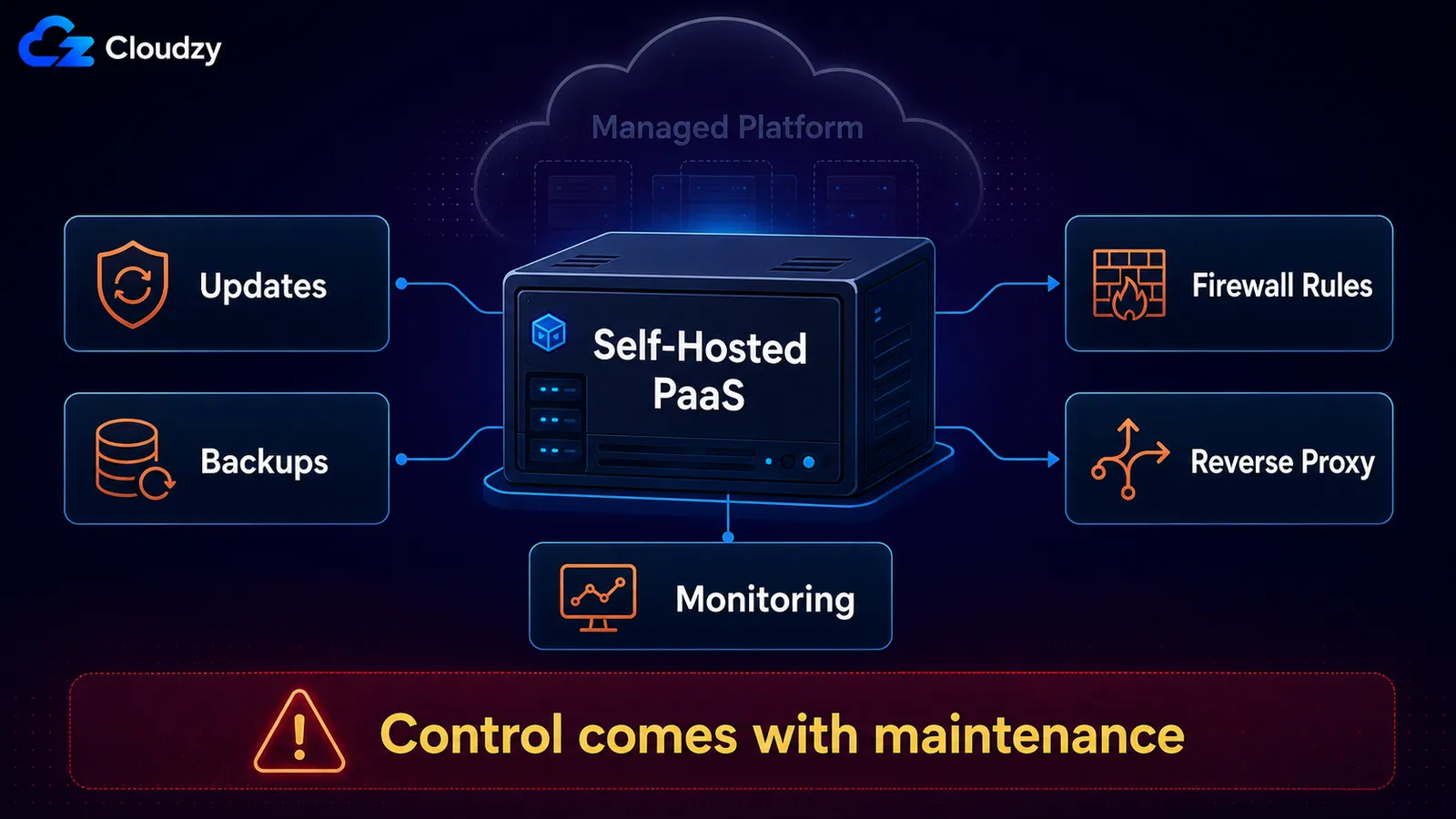
Self-hosted PaaS tools are useful because they hide repetitive deployment work. They are risky when users forget that the underlying server is still their responsibility.
Single-Node Ceiling
These tools are easiest to reason about when one VPS is enough. Some support multi-server deployments, but none gives you managed-platform autoscaling or multi-region failover without extra design work.
That is not automatically a deal-breaker. Many small apps can run comfortably on one well-sized VPS. But “one server is enough” is a constraint you should consciously accept, not something you discover during an outage.
Operational Responsibility
With self-hosting, you own updates, backups, firewall rules, monitoring, and incident response. Coolify’s 2026 CVE event is the clearest example of what that responsibility looks like in practice, but the same principle applies to every tool in this list.
A managed platform absorbs much of that work for you. A self-hosted PaaS gives you more control and lower infrastructure cost, but it also puts you on the patch schedule.
Docker Firewall Surprises
Docker port publishing can surprise people who rely only on UFW or basic host firewall assumptions. Docker creates its own firewall rules for port publishing and network isolation, so “UFW is enabled” is not enough by itself.
The safer mitigations are to bind containers to localhost when they sit behind a reverse proxy, use Docker networks deliberately, and manage filtering through the DOCKER-USER chain. Setting iptables=false is an advanced option and is not appropriate for most users because it can break container networking.
Reverse Proxy Conflicts
Many self-hosted PaaS tools install or expect their own reverse proxy. Coolify uses Traefik. CapRover uses nginx. Other services on your VPS might already use Caddy, nginx, or another proxy.
If two services try to own ports 80 and 443, they will conflict. The fix is usually to consolidate around one reverse proxy or place the PaaS behind your existing proxy deliberately. Do not install a dashboard PaaS on a busy server and assume it will automatically coexist with your current web stack.
Time Cost
The Hacker News objection lands for a non-trivial number of teams: if you are managing the PaaS yourself, are you still getting the benefit of a PaaS?
Sometimes the answer is yes. If your managed bill is high enough and your app is simple enough, a self-hosted PaaS can save meaningful money. Sometimes the answer is no. If self-hosting saves $30 per month but costs you four hours of maintenance, troubleshooting, and worry, the numbers probably do not work.
Self-hosted PaaS is a trade-off, not a free upgrade.
Quick Verdict
Choose Coolify if you need a dashboard, want multiple apps on one server, and accept active patching duty as part of the bargain.
Choose Dokku if you want one git push, the smallest practical server footprint, and no public dashboard to defend.
Choose Dokploy if you want a cleaner modern UI, Docker Compose support, and more flexibility than a basic single-node dashboard.
Choose CapRover if you want a simple visual app manager and your deployments fit its model.
Choose Kamal if your team is comfortable in the CLI and wants repeatable Docker deployments without a platform dashboard.
Choose seelf if you want lightweight Docker Compose deployments and do not need a large ecosystem.
If your managed bill is still low and you do not want maintenance work, stay managed.
A Simpler Way to Start Self-Hosting
The hardest part of self-hosted PaaS is not always the tool itself. It is the setup around it: preparing the VPS, installing Docker, configuring networking, opening the right ports, handling SSL, and making sure the dashboard is not exposed carelessly.
That is where a one-click app marketplace can make the first step easier. Instead of starting from a blank VPS, you can use a prebuilt deployment for tools like Coolify, Dokku, or seelf and then focus on whether the platform fits your app.
Cloudzy’s marketplace includes one-click installs for Coolify, Dokku, and seelf. That does not remove the responsibility of maintaining your server, but it does remove a lot of the setup friction that stops developers from testing self-hosted PaaS in the first place.
Frequently Asked Questions
What Is the Best Self-Hosted Alternative to Heroku?
Coolify and Dokku are the safest defaults. Pick Coolify if you want a dashboard and a fuller platform experience. Pick Dokku if you want the lightest Heroku-style git-push workflow and are comfortable using the CLI.
Is Coolify Safe to Use in Production?
Coolify can be used in production, but only if you treat it like a powerful server admin panel. Keep the dashboard private, restrict access, and apply updates quickly. Exposing the panel publicly without a patching plan is the risky part.
Coolify vs Dokku: Which Should I Pick?
Pick Coolify if you run multiple apps and want a web dashboard. Pick Dokku if you run one or two apps, prefer the CLI, and want the lowest overhead.
Can Self-Hosted PaaS Replace Vercel for Next.js?
For many small apps, yes. Coolify and Dokploy can host Next.js apps, but you give up Vercel’s managed edge/CDN layer and must configure caching, ISR behavior, image optimization scaling, and multi-instance consistency yourself.
Do I Need Kubernetes, or Is Self-Hosted PaaS Enough?
If one VPS is enough and you do not need autoscaling or multi-region failover, self-hosted PaaS is enough. If you need coordinated multi-node scheduling, automated scaling, and deeper infrastructure control, you are moving toward Docker Swarm, Nomad, or Kubernetes.
Is Dokku Still Maintained?
Yes. Dokku still receives steady releases, but it moves slowly compared with newer dashboard-first tools. For infrastructure software, that can be a strength rather than a weakness.


Discussion
Comments
Sign in to join the discussion.